What Is a Game Design Document? (Free GDD Template + 6 Real Examples)
A game design document (GDD) is the plan for your game: what it is, how it plays and how players progress. Here's what goes into one, a free one-page GDD template, and 6 real game plans from Flikk with what each one teaches.
In this article
Before a game gets built, someone has to decide what it actually is. What does the player do? How do they win? What gets harder over time? The place where those answers live is called a game design document, or GDD.
The short answer: a game design document is a written plan for a game. It describes the idea in one sentence, the genre, the core loop (what the player does again and again), the rules, how the game gets harder and what players unlock. Big studios write GDDs with dozens of pages. For a small game, one page is enough, and on Flikk you get one for free: every prompt turns into a game plan with a name, a sketch, genre tags and a list of what you do in the game, before you build anything.
Below: what goes into a GDD, a free one-page template you can copy, and six real game plans we made on Flikk, each one showing a different part of a good GDD.
Key takeaways
- A GDD is the plan for a game: the idea, the genre, the core loop, the rules, the progression and the look.
- Small games need small GDDs. One page is enough for a mobile game.
- The most important line is the pitch: one sentence that says what the player does and why.
- A GDD changes over time. When you change the game, you update the plan.
- On Flikk, the game plan is your GDD. Describe your game, and you get a free plan to check before you build it (100 Tokens, about 15 minutes).
What is a game design document?
A game design document (GDD) is a document that describes a game before and while it's being made. It's the shared answer to "what are we building?", so everyone working on the game (designers, artists, programmers or just you) has the same picture in mind.
A GDD usually covers:
- What the game is: the pitch, the genre and who it's for.
- How it plays: the controls, the core loop and the rules.
- How it grows: levels, difficulty, bosses and unlocks.
- How it looks and sounds: the art style, the mood and the music.
For a big game, that can fill a whole wiki. For a small mobile game, it fits on one page.
What goes into a GDD (and where to find it in a Flikk plan)
| GDD section | The question it answers | In a Flikk game plan |
|---|---|---|
| Title | What's the game called? | The name at the top |
| Pitch | What is it, in one sentence? | The first paragraph |
| Genre and format | What kind of game is it? 2D or 3D? | The tags, like 3D · Levels · Arcade |
| Core loop | What does the player do again and again? | The first bullet points |
| Rules and fail state | How do you win or lose? | Bullets like "ends the run" or "three lives" |
| Progression | What gets harder, what do you unlock? | Bullets about bosses, levels and unlocks |
| Art and mood | How does it look and feel? | The sketch, and a note on the art style |
Free one-page GDD template
Copy this, fill it in, and you have a GDD for a small game. Each line also works as part of a prompt.
GAME DESIGN DOCUMENT (one page)

Title:        ...
Pitch:        A [2D/3D] [genre] game where the player [main action]
              to [goal].
Genre/format: [genre], [2D/3D], [levels / endless high score / idle]
Controls:     [tap / swipe / drag / joystick + button]
Core loop:    1. [action]  2. [reward]  3. [what makes you do it again]
Rules:        Win when ...   Lose when ...
Progression:  Every [X] levels ... / New [things] to unlock ...
Art & mood:   [style], [colors], [music]
Prefer to fill it in by hand? Save this version and write on the lines:
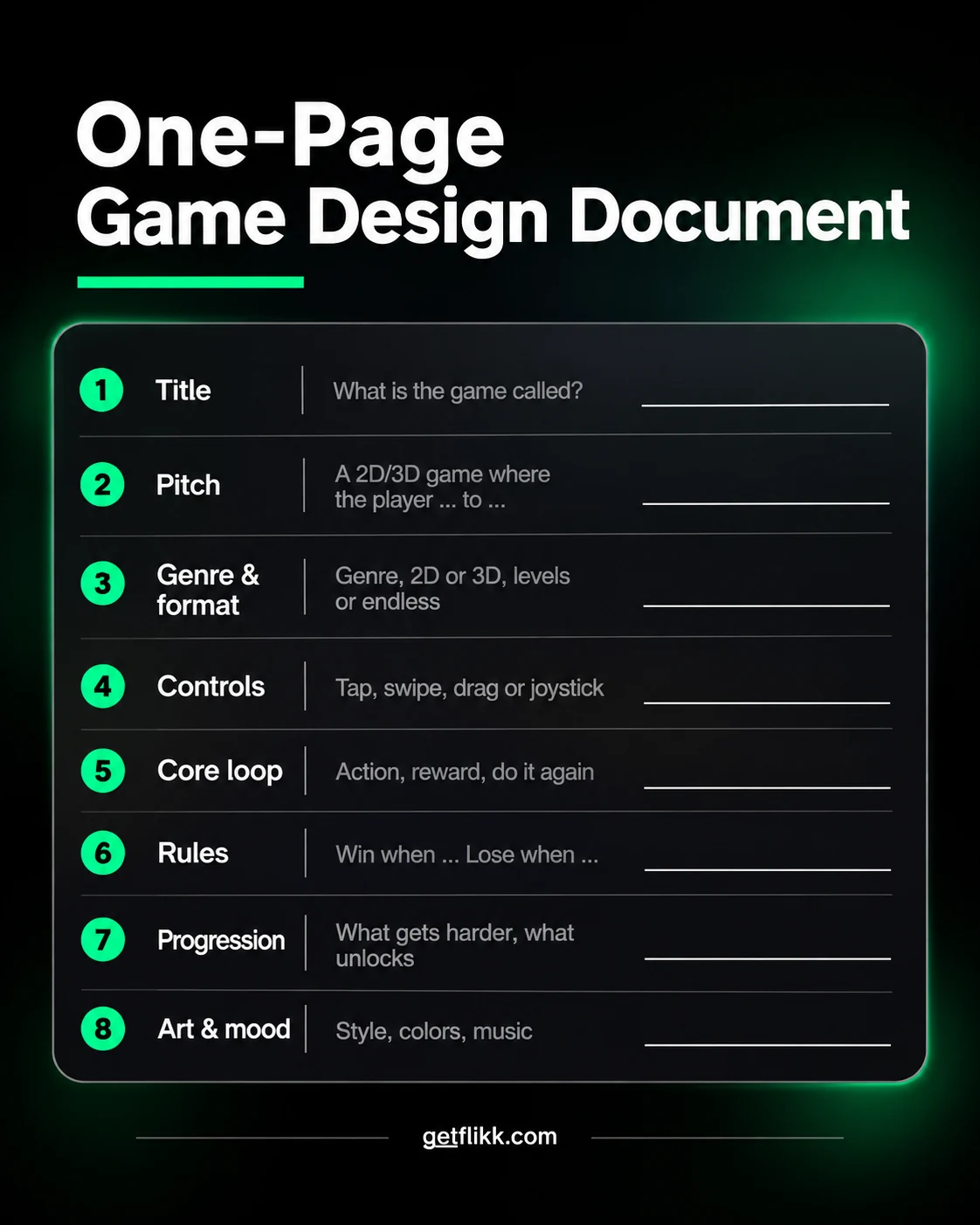
Turn it into a prompt: put the pitch, the core loop, the rules and the progression into two or three sentences. That's a strong prompt. More tips: how to write a game prompt that works.
6 real game design document examples
These are real game plans from Flikk. For each one, we show the prompt we wrote (typos fixed) and the full plan Flikk made from it, and what it teaches about writing a GDD.
1. Block Island Survival: a pitch that sums up the whole game
"Make me a 3D survival game on a small island. The player chops trees, mines rocks and catches fish to craft tools and build a hut. At night zombies come out of the forest, so the player needs walls and a campfire. Survive 3 nights to unlock a bigger island. Make the game in voxel style."
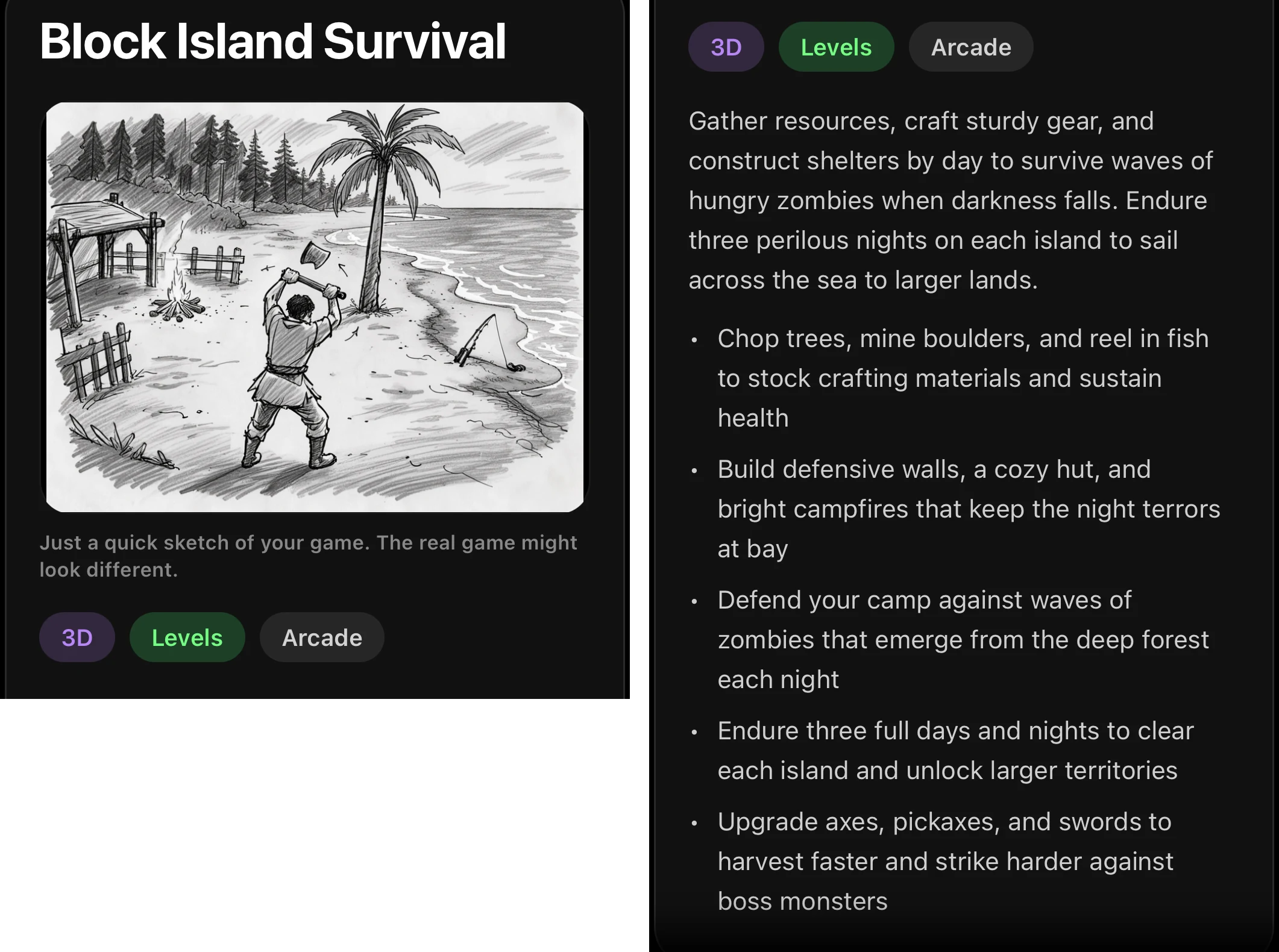
What it teaches: the pitch. The first paragraph of the plan is the whole game in two sentences: gather and build "by day", survive zombies "when darkness falls", endure three nights on each island "to sail across the sea to larger lands". It has the action, the danger and the goal. If you can't write your game in one or two sentences like that, the idea probably isn't clear yet.
More: how to make a survival game.
2. Graveyard Witch: say how the game is played
"A side view runner in a haunted graveyard at night. A little witch jumps over gravestones and dodges ghosts and wolves. Endless play, chase the high score."
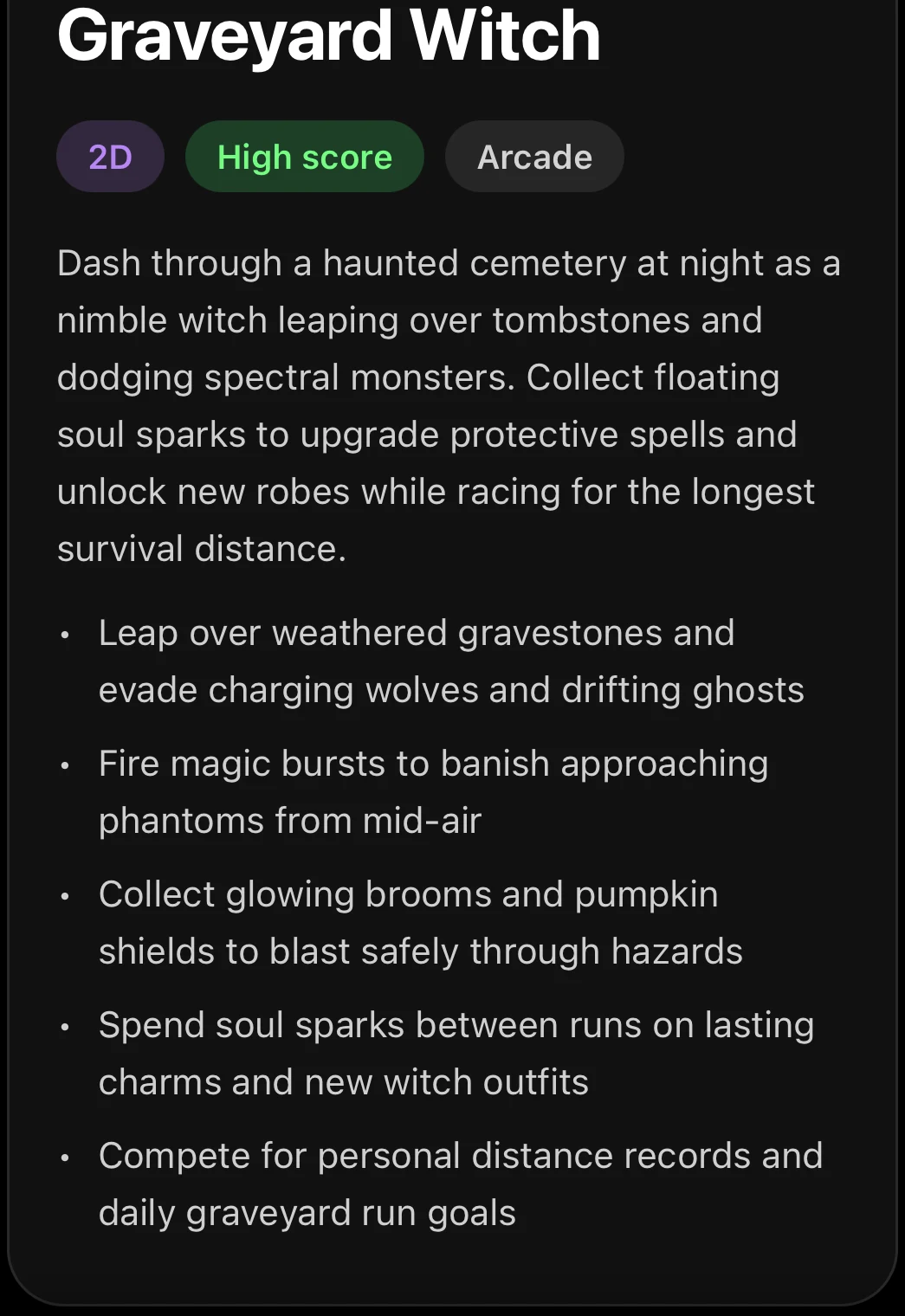
What it teaches: the game mode. We wrote "endless play, chase the high score", and the plan is tagged High score instead of Levels. The goal changes to "racing for the longest survival distance", with "personal distance records and daily graveyard run goals". A GDD should always say whether the game has levels, runs endlessly or never ends at all, because it changes everything else. More: game modes.
3. Billionaire Hustle: plan the whole journey
"Make me an idle tycoon game where I start with a lemonade stand, buy and sell altcoins and stocks, buy bigger businesses like a cafe and a hotel, and become a billionaire."
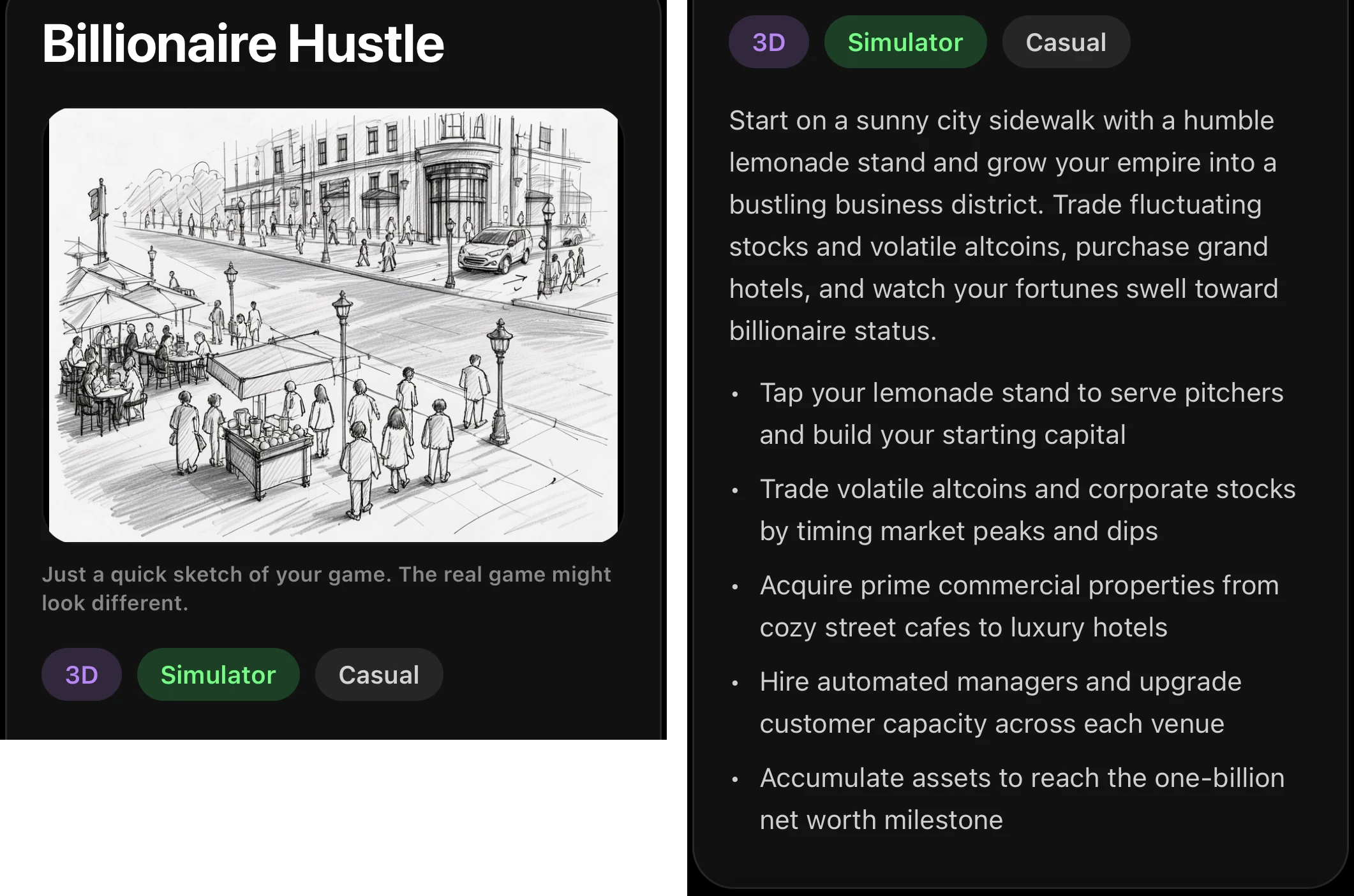
What it teaches: progression. The plan reads like a journey from start to finish: "Tap your lemonade stand to serve pitchers", then trade, then "acquire prime commercial properties from cozy street cafes to luxury hotels", then "hire automated managers", all the way to "the one-billion net worth milestone". A good GDD knows where the player starts, what changes in the middle and where it ends. More: game progression and how to make a tycoon game.
4. Santa's Packing Puzzle: how the levels get harder
"Make me a puzzle game where presents of different shapes and sizes have to fit into Santa's sack without gaps. Each level has more presents and a smaller sack."
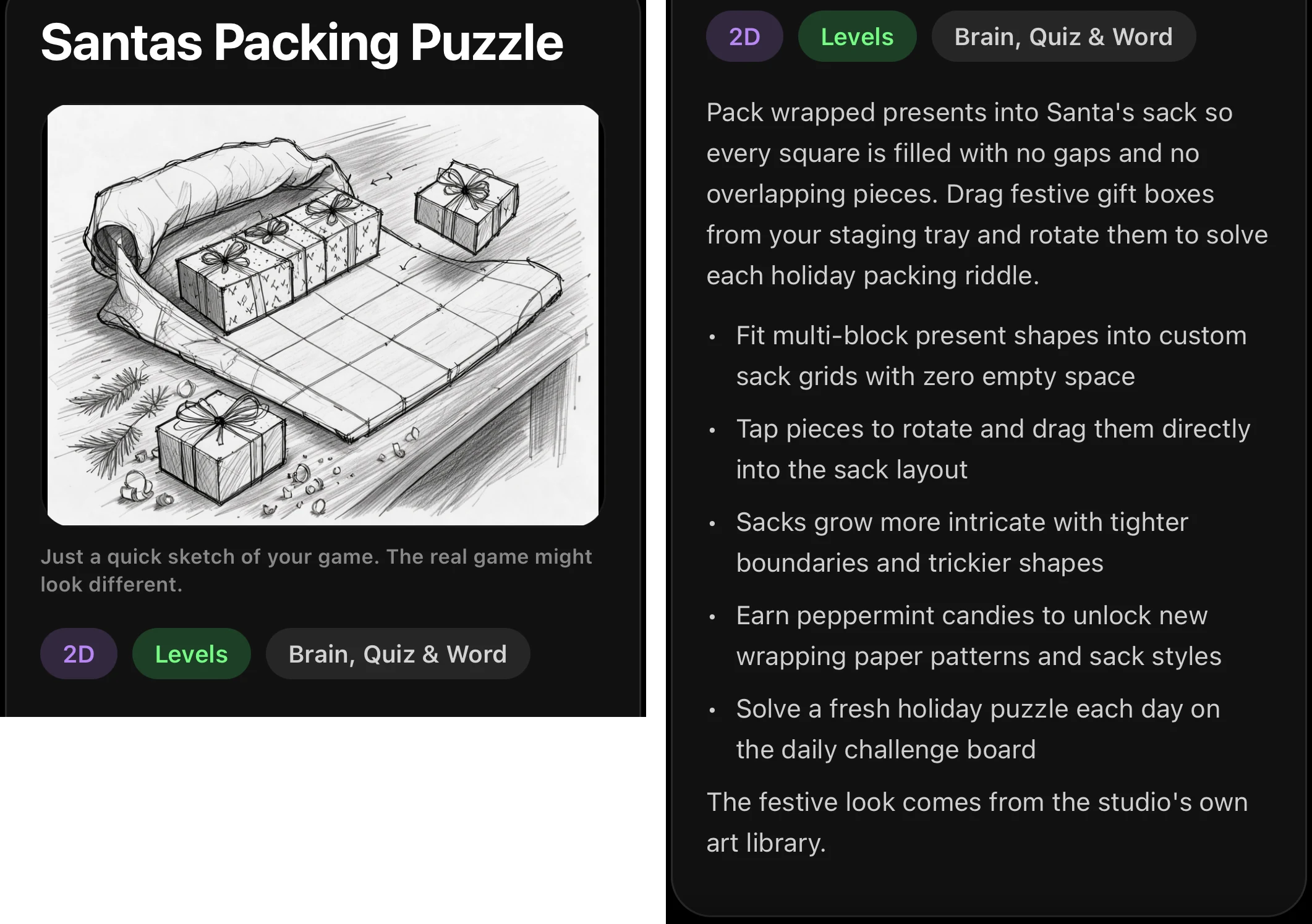
What it teaches: level design and difficulty. Our prompt said how the levels change ("more presents and a smaller sack"), and the plan turns it into a rule: "Sacks grow more intricate with tighter boundaries and trickier shapes." It also adds a reason to come back: "a fresh holiday puzzle each day on the daily challenge board". Write down how your game gets harder, not just that it does. More: level design and the difficulty curve.
5. Peak Climber: a detailed prompt becomes a detailed plan
"A pixel style side view platformer in a snowy mountain world. The hero is a mountain guide who runs and jumps over ice spikes and snowballs, collecting coins and keys. 3 lives, a yeti boss every 5th level, and a new mountain to unlock after each boss."
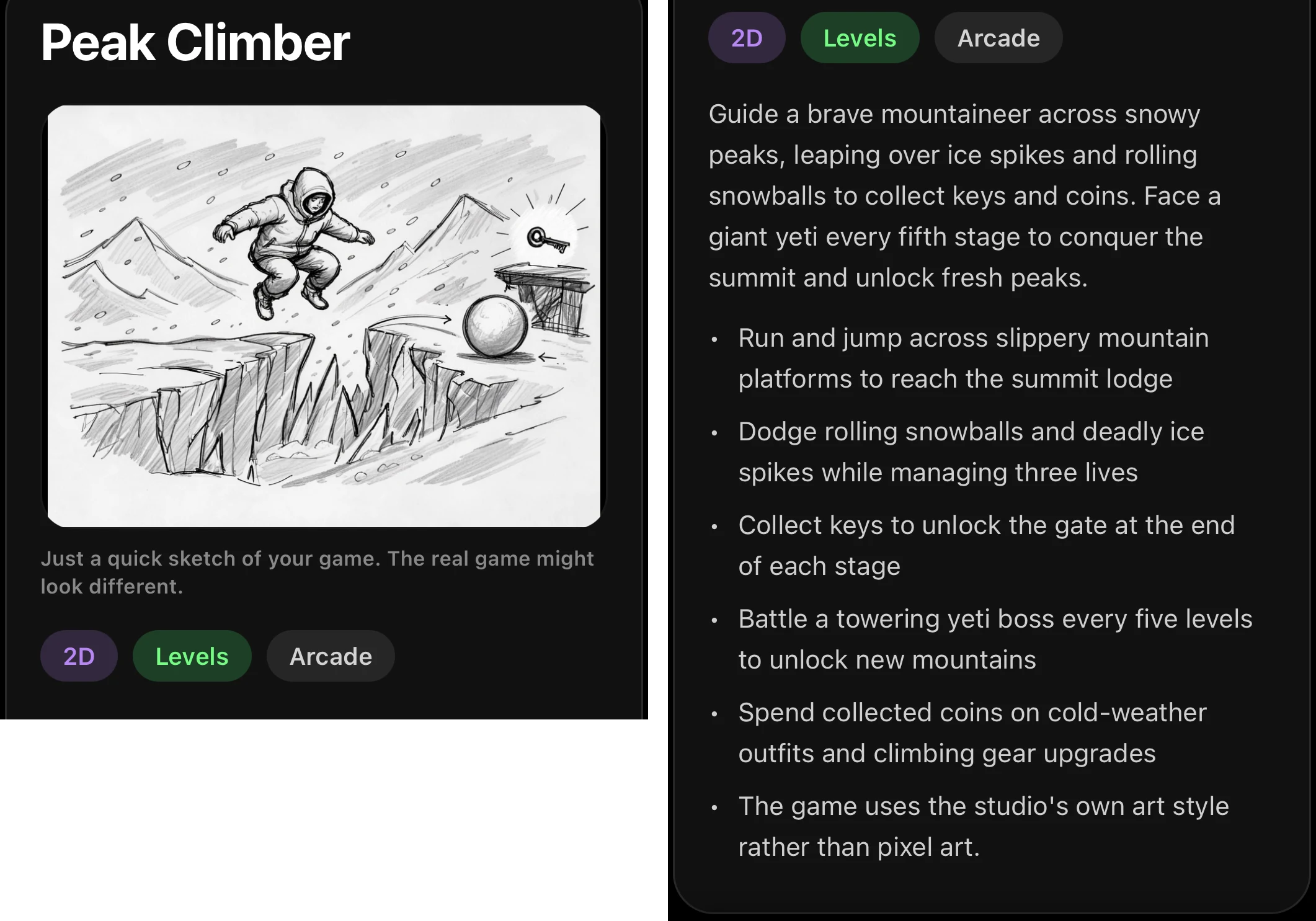
What it teaches: specific numbers. We gave exact numbers, and they're all in the plan: "managing three lives", "a towering yeti boss every five levels" and "to unlock new mountains". Numbers turn a vague idea into rules you can test.
The plan also says what the game will look like: "The game uses the studio's own art style rather than pixel art." That's the art section of the GDD, and it's good to read it before you build, so you know exactly what you'll get. More: boss fights.
6. Fruit Drop Merge: clear rules for winning and losing
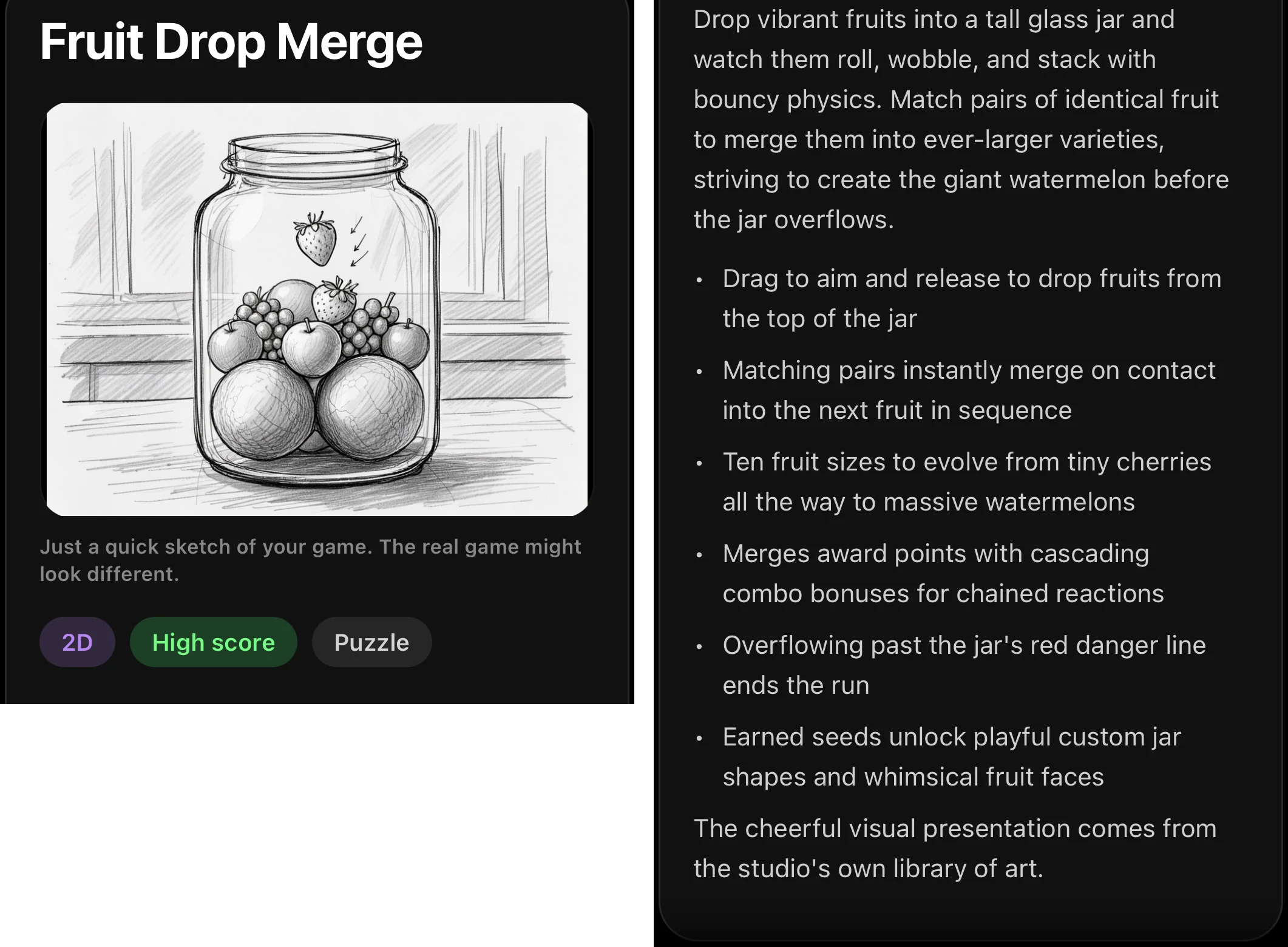
What it teaches: rules and the fail state. Every rule a player needs is right there: "Drag to aim and release to drop fruits", "matching pairs instantly merge on contact into the next fruit in sequence", "ten fruit sizes", and the way you lose: "Overflowing past the jar's red danger line ends the run." If a player could ask "how do I lose?" and your GDD has no answer, add one. More: how to make a merge game.
A GDD is a living document
A game design document isn't finished when the game is built. When you change the game, you update the plan. On Flikk, that happens with Make Edits: you describe the change, and Flikk writes down what it's going to change before it builds anything.
For Fruit Drop Merge, we asked for three new things in one edit:
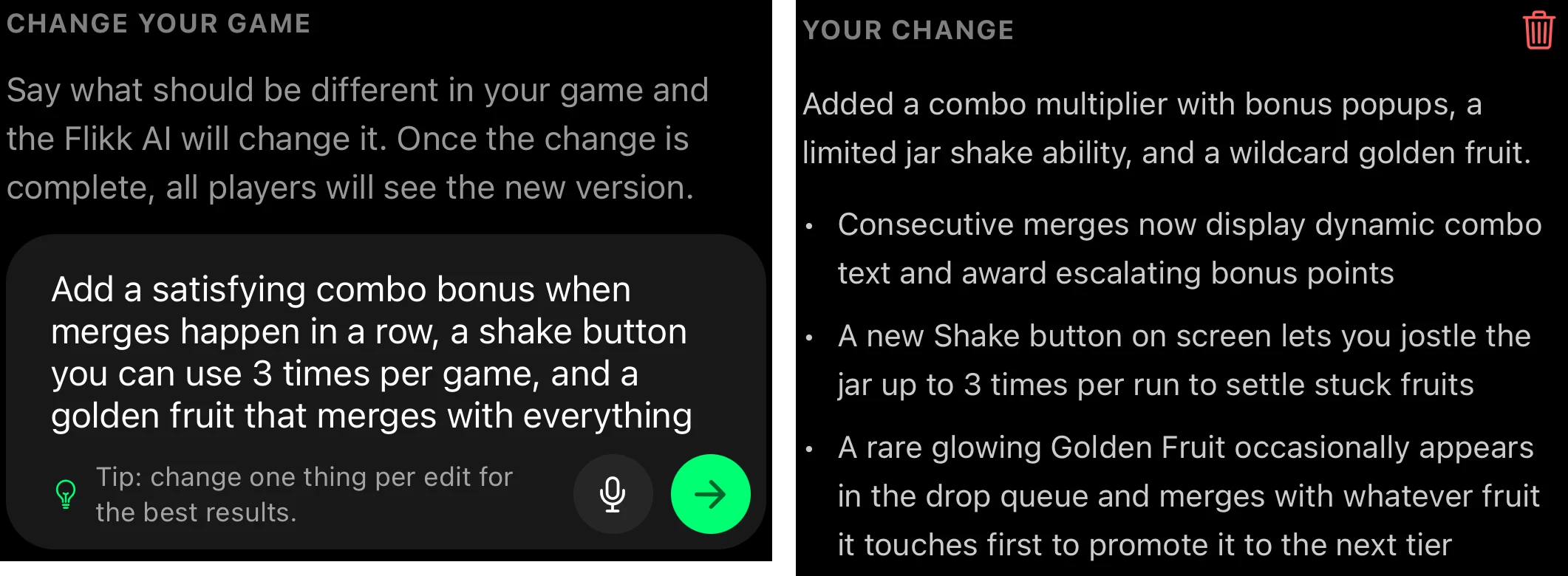
The change plan lists each one as a new rule: a combo multiplier with "escalating bonus points", a Shake button to "jostle the jar up to 3 times per run", and a rare Golden Fruit that "merges with whatever fruit it touches first". That's exactly how a GDD grows: one clear change at a time. Each edit costs 25 Tokens and takes about 5 minutes. More: Make Edits prompts that worked.
6 tips for writing a game design document
- Start with the pitch. One sentence: who you are, what you do, why. Everything else follows from it.
- Describe the core loop first. What the player does in the first 10 seconds matters more than level 50. See the most important part of game design.
- Use numbers. "3 lives", "a boss every 5 levels", "10 fruit sizes". Numbers are easy to test and easy to change.
- Write down how you lose. Every game needs a fail state or a reason to try again.
- Keep it short. For a small game, one page is enough. If it gets longer, your game might be too big for a first version.
- Update it when the game changes. An old GDD is worse than none, because it tells you the wrong thing.
Want ideas to plan? Try our 25 Christmas game ideas or easy game ideas for beginners, and look up any term in the game mechanics list.
FAQ
What is a game design document?
A game design document (GDD) is a written plan for a game. It describes the idea, the genre, the core loop, the rules, how the game gets harder, what players unlock and how it looks.
What should a game design document include?
A title, a one-sentence pitch, the genre and format (2D or 3D, levels or endless), the controls, the core loop, the rules for winning and losing, the progression and the art style and mood.
How long is a game design document?
It depends on the game. Big studio games can have very long GDDs. For a small mobile game, one page is enough.
Is there a free game design document template?
Yes. Copy the one-page GDD template in this post: title, pitch, genre and format, controls, core loop, rules, progression, and art and mood.
Do I need a GDD to make a game?
For a small game, you don't need a formal document, but you do need a plan. On Flikk, you get one automatically: every prompt turns into a free game plan with the name, a sketch, genre tags and what you do in the game.
What is the difference between a GDD and a game prompt?
A GDD is the full plan. A prompt is the short version you give an AI game maker. A good prompt contains the most important parts of a GDD: the pitch, the core loop, the rules and the progression.
Can a game design document change?
Yes, and it should. A GDD is a living document. Every time you change the game, you update the plan. On Flikk, Make Edits shows you a change plan before it builds the new version.