How to Make a Mobile Game Without Coding (Just Describe It)
No code, no engine, no computer. Describe your game in one sentence on your phone, and Flikk builds it in about 15 minutes. Here's every step.
In this article
You have a game idea, but you don't know how to code. Good news: you don't need to.
The short answer: you can make a mobile game without coding by describing it. On Flikk, you type your idea in one sentence, check the free game plan, tap Build it, and your game is ready to play in about 15 minutes. No code, no game engine, no computer, just your phone.
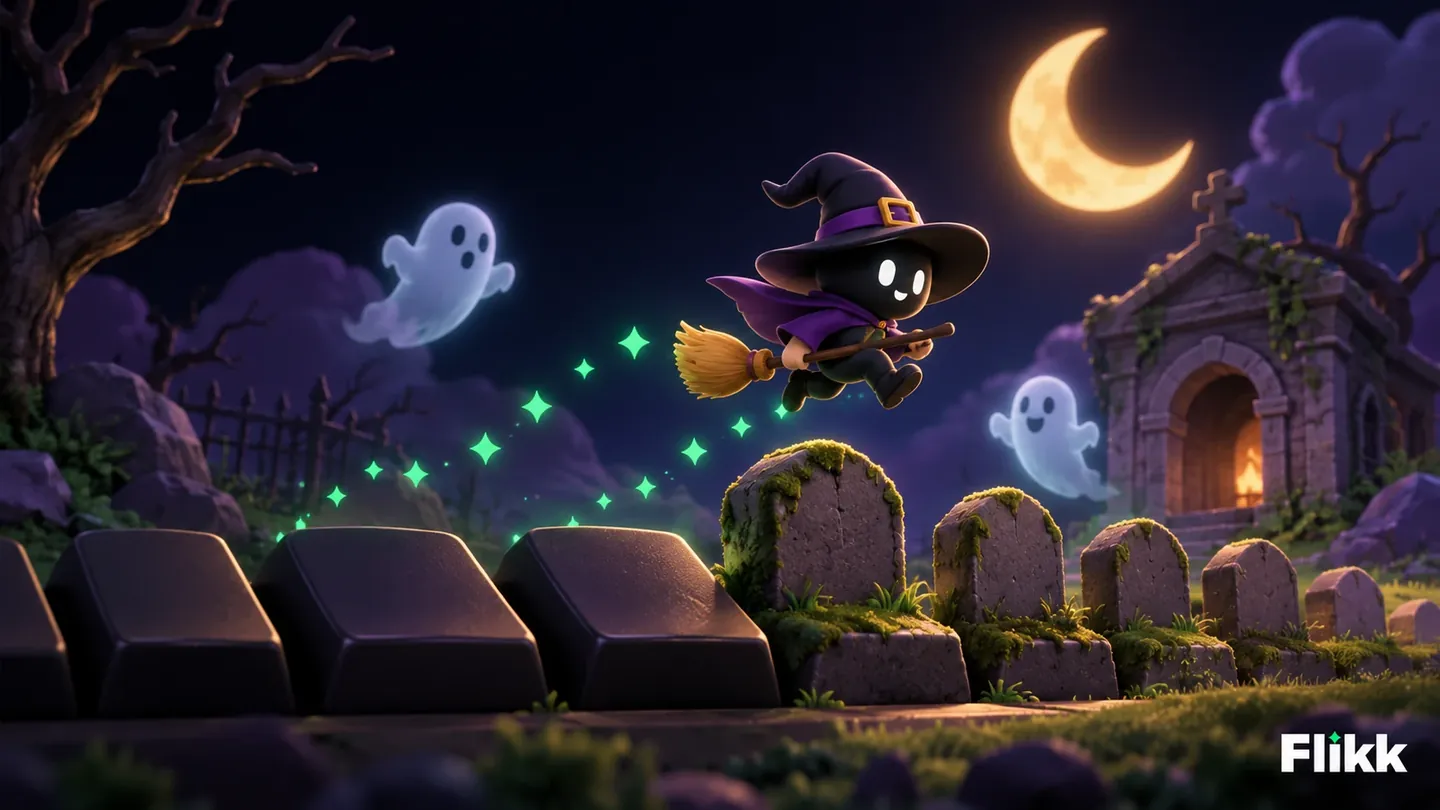
Here's every step, with a real game we made: Graveyard Witch, a little witch running through a haunted graveyard at night.
What you need to make a game without coding
- A phone. Flikk is free on iPhone and Android.
- The Flikk app. It's available in the US, the UK, Germany, Austria, France and Spain.
- One idea. A single sentence is enough.
That's it. No download per game, no editor, no programming language to learn.
How to make a mobile game without coding, step by step
Step 1: Open the Create tab and pick 2D or 3D
Open Flikk and tap Create at the bottom. You'll see "Describe your game. Flikk builds it." Under the text box, pick 2D or 3D.
Not sure which one? 2D games are flat, quick to read on a small screen, and great for runners, puzzles and platformers. 3D games have depth and a camera. Our post on 2D vs 3D games helps you decide. For Graveyard Witch, we picked 2D.
Step 2: Describe your game in one sentence
Type your idea. Here's exactly what we wrote:
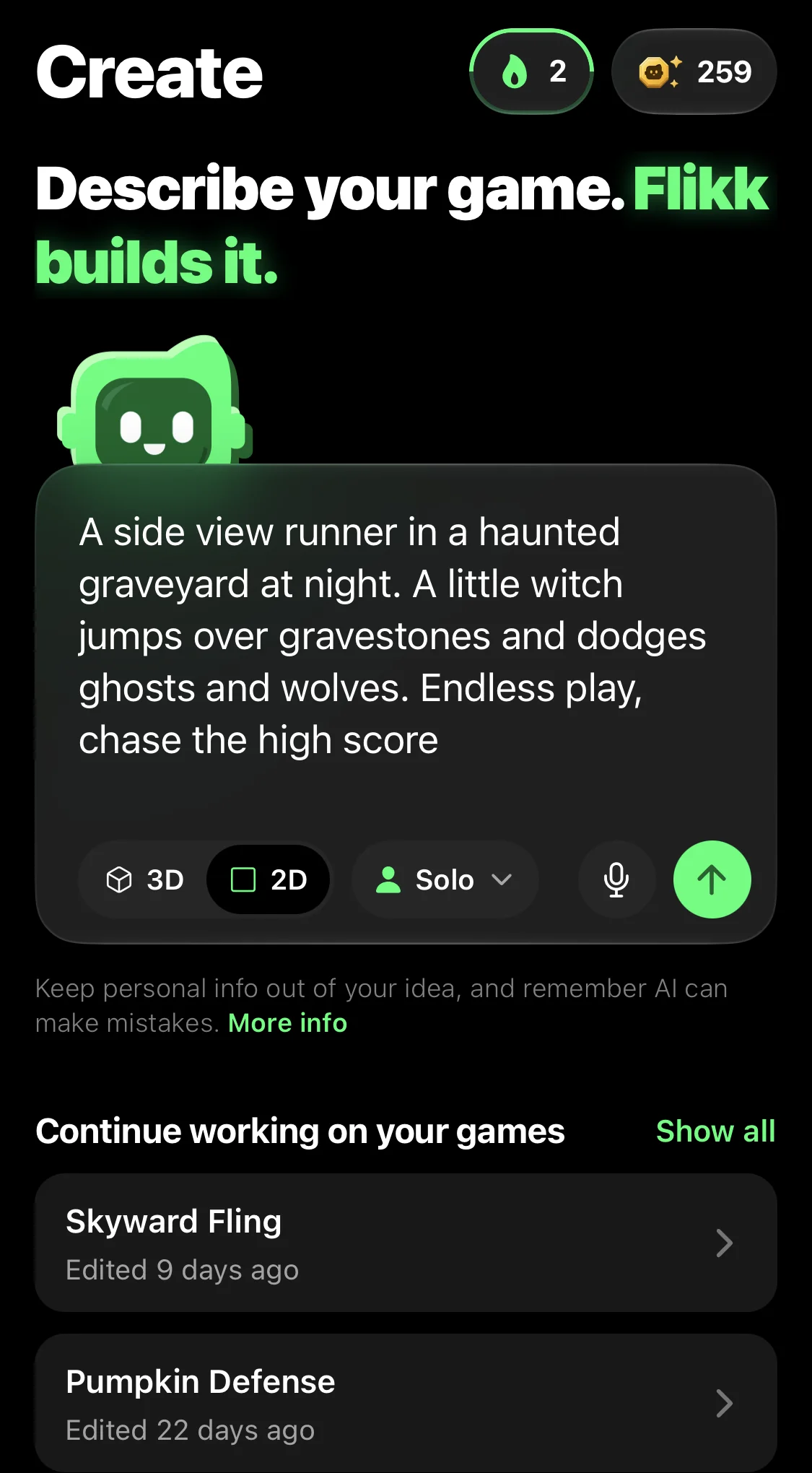
"A side view runner in a haunted graveyard at night. A little witch jumps over gravestones and dodges ghosts and wolves. Endless play, chase the high score."
Notice what's in it: how the game is seen (side view), the type (runner), the place (a haunted graveyard at night), the hero (a little witch), what's in the way (gravestones, ghosts, wolves) and the goal (chase the high score). That's all Flikk needs.
Step 3: Check the game plan (it's free)
About 20 seconds later, Flikk shows a game plan: a name for your game, a short description and the main rules. For 2D and 3D games, you also get a quick sketch.
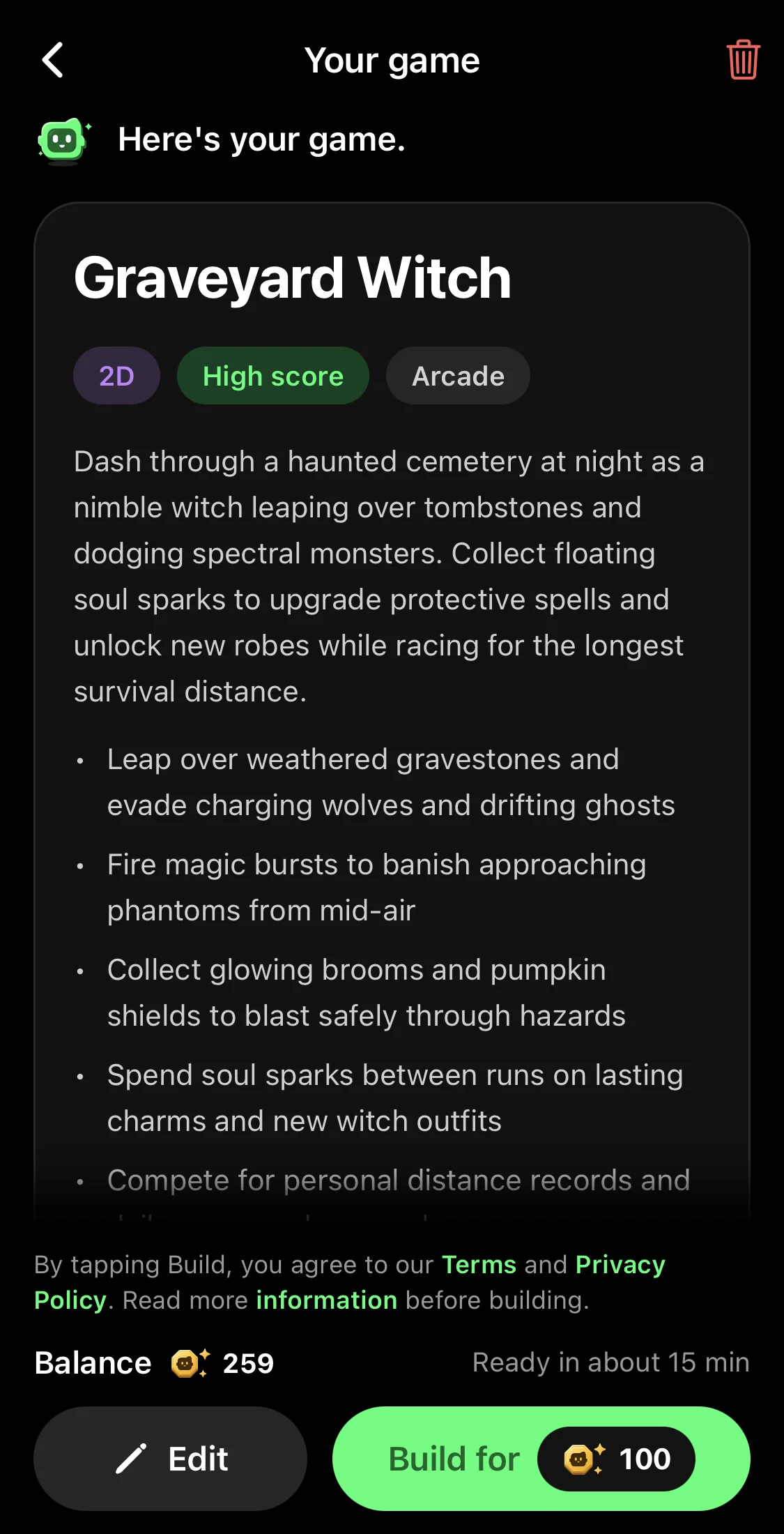
Our plan named the game Graveyard Witch and added things we didn't ask for: magic bursts to banish phantoms, soul sparks to collect, and new witch outfits to unlock between runs.
Getting a game plan costs nothing. Don't like it? Tap Edit and change your idea, or start over. You can try as many ideas as you want before you build one.
Step 4: Tap Build it and wait about 15 minutes
Happy with the plan? Tap Build it. A new game costs 100 Tokens and takes about 15 minutes.
You don't have to watch. Play a few games in Discover in the meantime: your new game waits on your Profile under Your Games, as a Building card with a progress bar. Curious what happens in the meantime? Read what happens after you tap Build it.
Step 5: Play your game
Here's Graveyard Witch, built from that one sentence. The witch runs through the graveyard on her own, past gravestones and a stone mausoleum, with green soul sparks to collect. You tap Jump to clear the gravestones and Magic to blast the ghosts.
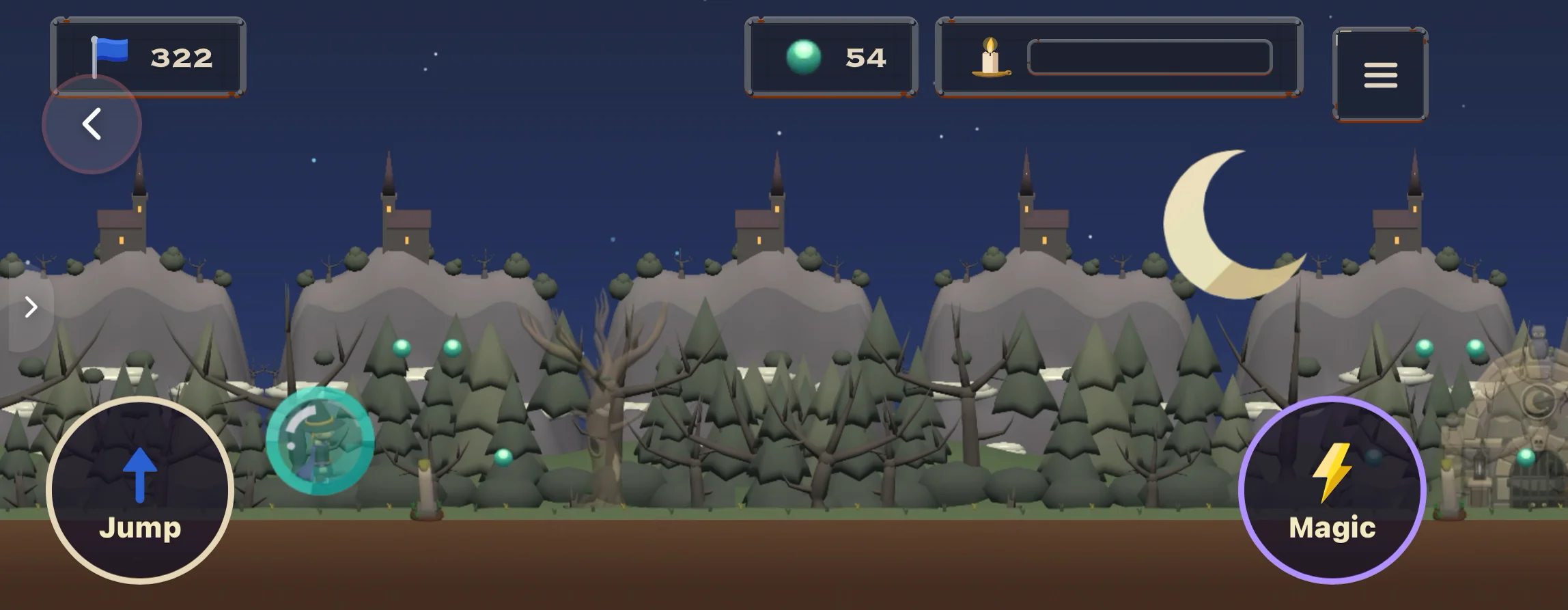
And because we asked to "chase the high score", that's exactly what the game does. Every run ends with your score and your best so far:
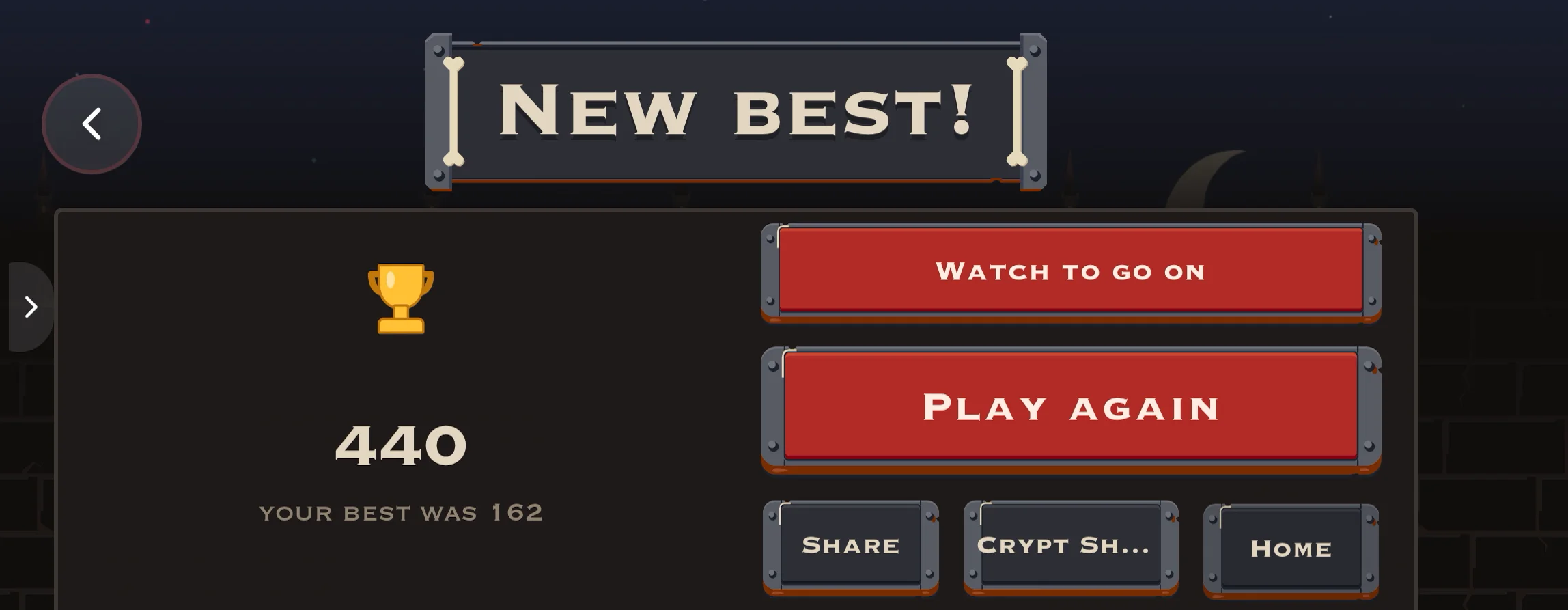
Your finished game lands in Discover, where everyone on Flikk can find it and play it.
Step 6: Change it with Make Edits
The first version is a start, not the end. Too hard? Too slow? Missing something? Open your game, go to Make Edits and describe the change in plain words, like "give the player 3 lives" or "add a boss every 500 meters".
Flikk shows your change as a plan first. Tap Build it, and about 5 minutes later the new version is live. An edit costs 25 Tokens. The game people can play right now doesn't change until your edit is done.
Need ideas? Our list of Make Edits prompts has dozens, and grow a game one edit at a time shows how far small changes can take a game.
Step 7: Share it
Tap Share on your game to send it to friends in Flikk, or share a link anywhere: WhatsApp, Instagram, TikTok and more. Our guide on how to get more players for your Flikk game has the best tips.
How to describe a game idea that works
A good idea answers six questions. You don't need all of them, but the more you answer, the closer the game gets to what you pictured:
- How is it seen? Side view, top view, or 3D.
- What kind of game is it? Runner, platformer, puzzle, racing, tower defense, idle game.
- Where does it happen? A haunted graveyard, a pirate harbor, a snowy mountain.
- Who is the hero? A witch, a knight, a chef. A job is enough.
- What's in the way? Enemies, obstacles, a timer.
- What's the goal? Beat levels, chase a high score, unlock new worlds.
Some ideas to copy:
- "A top-view game where a pirate captain collects treasure chests on a pirate harbor while dodging crabs. A parrot boss every 5th level."
- "A sorting puzzle on an underwater reef: put the colorful fish back into their matching shells."
- "A cooking game in a restaurant. A chef serves burgers and fries to customers before they get angry. 3 lives per day."
For more, read our full guide on how to write a game prompt, or grab one of our easy game ideas for beginners.
What you can and can't make without code
You can make runners, platformers, puzzles, match-3 and sorting games, idle and tycoon games, racing games, quizzes, shooters, tower defense and much more, in 2D or 3D. 2D games can use worlds like a tropical beach, a castle, a jungle, a city or a space colony, with characters that walk, jump and fight, and sound built in.
Good to know:
- Building takes about 15 minutes, not seconds. Edits take about 5.
- The first version won't always be what you pictured. That's what Make Edits is for. If something's off, our post Flikk didn't make the game you pictured? 8 fixes that work helps.
- You can only edit your own games. Like someone else's game? Describe your own version in your own words.
Other ways to make a game without coding
Flikk is the quickest way if you want to stay on your phone. If you have a computer and more time, these are worth a look:
- Roblox Studio. Free on Windows and Mac, with great tutorials and a huge store of ready-made assets. Real games there are scripted in Luau, though, so "no code" only gets you so far. We compared it with Flikk in Roblox Studio Is a Great Start.
- GDevelop. An open-source, no-code engine that runs on phones, browsers and desktops. You build with visual "events" instead of code. More control than Flikk, more to learn.
Want to make a 3D game specifically? Read how to make a 3D game without coding.
FAQ
Can I make a game without coding?
Yes. On Flikk, you describe your game in one sentence, and Flikk builds it for you in about 15 minutes. You don't write any code, and you don't need a game engine or a computer.
How do I make a mobile game for free?
Download Flikk (free on iPhone and Android) and describe your idea in the Create tab. Getting a game plan is free. Building a game costs 100 Tokens, and you can buy more Tokens as an optional in-app purchase.
How long does it take to make a game without coding?
On Flikk, about 15 minutes from tapping Build it to playing your game. Each change with Make Edits takes about 5 minutes.
Do I need a computer to make a game?
No. With Flikk, you make the whole game on your phone: describe it, build it, play it, change it and share it.
Can I make a 2D and a 3D game without coding?
Yes. In the Create tab, pick 2D or 3D before you describe your game. Flikk makes both.
Who owns the game I make?
The game is yours. It's shown with your username, and it lands in Discover where everyone on Flikk can play it.
Can other people play my game?
Yes. Every finished game lands in Discover, where anyone on Flikk can find it, and you can share a link with friends.