How to Make a Platformer Game Without Coding (On Your Phone)
Run, jump, collect, reach the goal. Here's what makes a platformer fun, how we made one from one sentence on Flikk, and 10 platformer ideas to copy.
In this article
Platformers are one of the oldest and best-loved kinds of games: you run, you jump, you dodge, and you try to reach the end of the level in one piece.
The short answer: you can make a platformer game without coding by describing it. On Flikk, you write one sentence like "a side view platformer in a snowy mountain world where a mountain guide jumps over ice spikes", and Flikk builds the game in about 15 minutes, on your phone. You don't need Unity, Scratch or a computer.
We tried it ourselves. Below, you'll see the platformer we made from one sentence, what makes a platformer fun, and 10 platformer ideas you can copy.
Key takeaways
- You can make a platformer without coding on Flikk: describe it in one sentence, and it's ready in about 15 minutes.
- A good platformer prompt names the view, the world, the hero, the obstacles and the goal: side view, a snowy mountain, a mountain guide, ice spikes, keys.
- Every platformer needs five parts: tight jumping, obstacles and monsters, things to collect and power-ups, a goal for every level, and a boss or a big challenge.
- Flikk turned our sentence into a real game with levels, checkpoints, keys, three lives and a "Super Hard" level.
- Pick 2D for a classic side-view platformer, or 3D if you want depth and a camera.
What is a platformer game?
A platformer is a game where you move a character from platform to platform: run, jump over gaps, dodge enemies and obstacles, and reach the end of the level. Most platformers are seen from the side (side view), but there are also 3D platformers with a camera behind the player.
The best platformers are easy to start and hard to master: one button to jump, but every level asks you to time it a little better. More on that in our post on easy to learn, hard to master.
We made a platformer in one sentence
Step 1: Describe your platformer
Open the Create tab in the Flikk app (free on iPhone and Android), pick 2D, and describe your game. Here's exactly what we wrote:
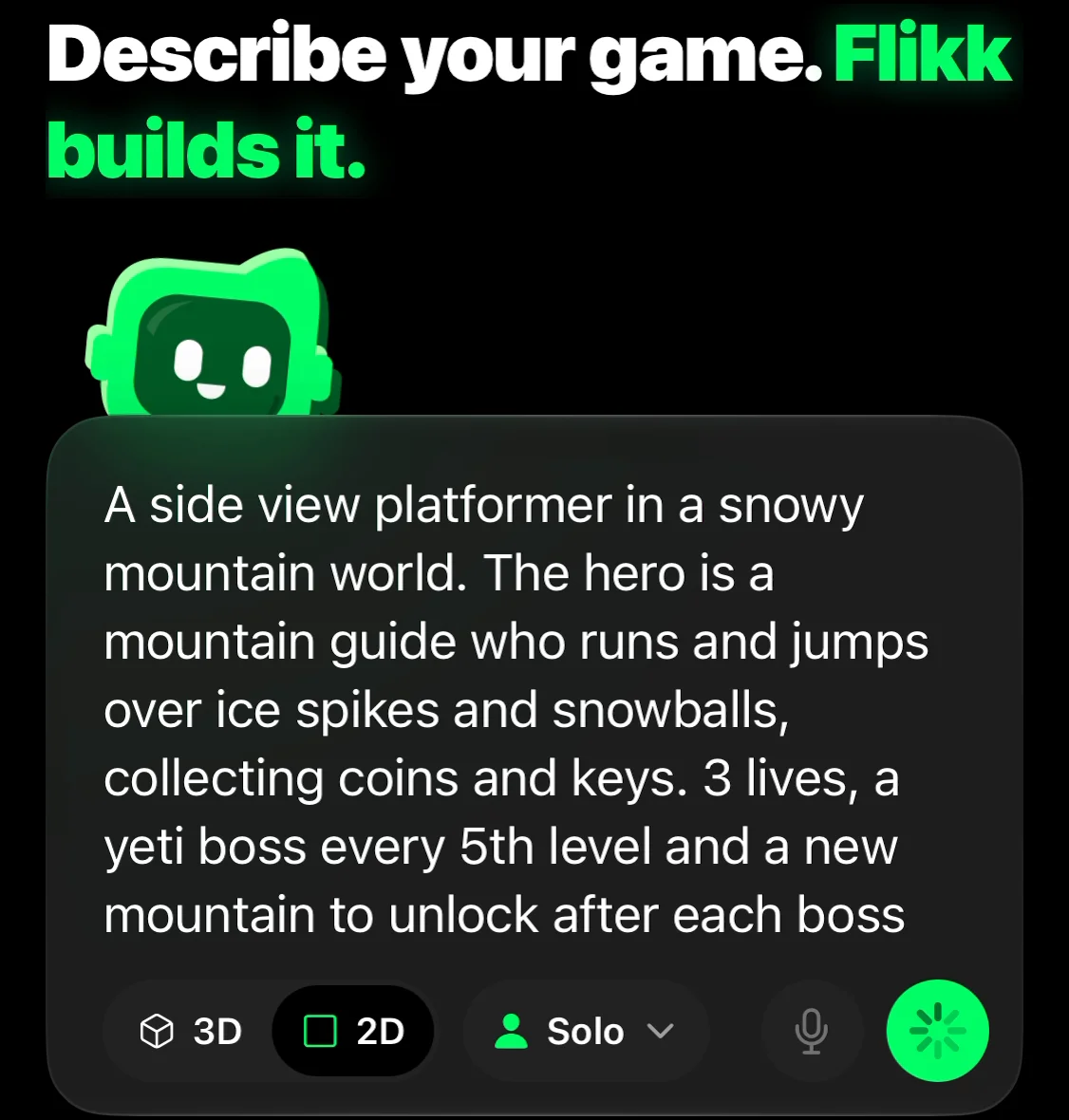
"A side view platformer in a snowy mountain world. The hero is a mountain guide who runs and jumps over ice spikes and snowballs, collecting coins and keys. 3 lives, a yeti boss every 5th level and a new mountain to unlock after each boss."
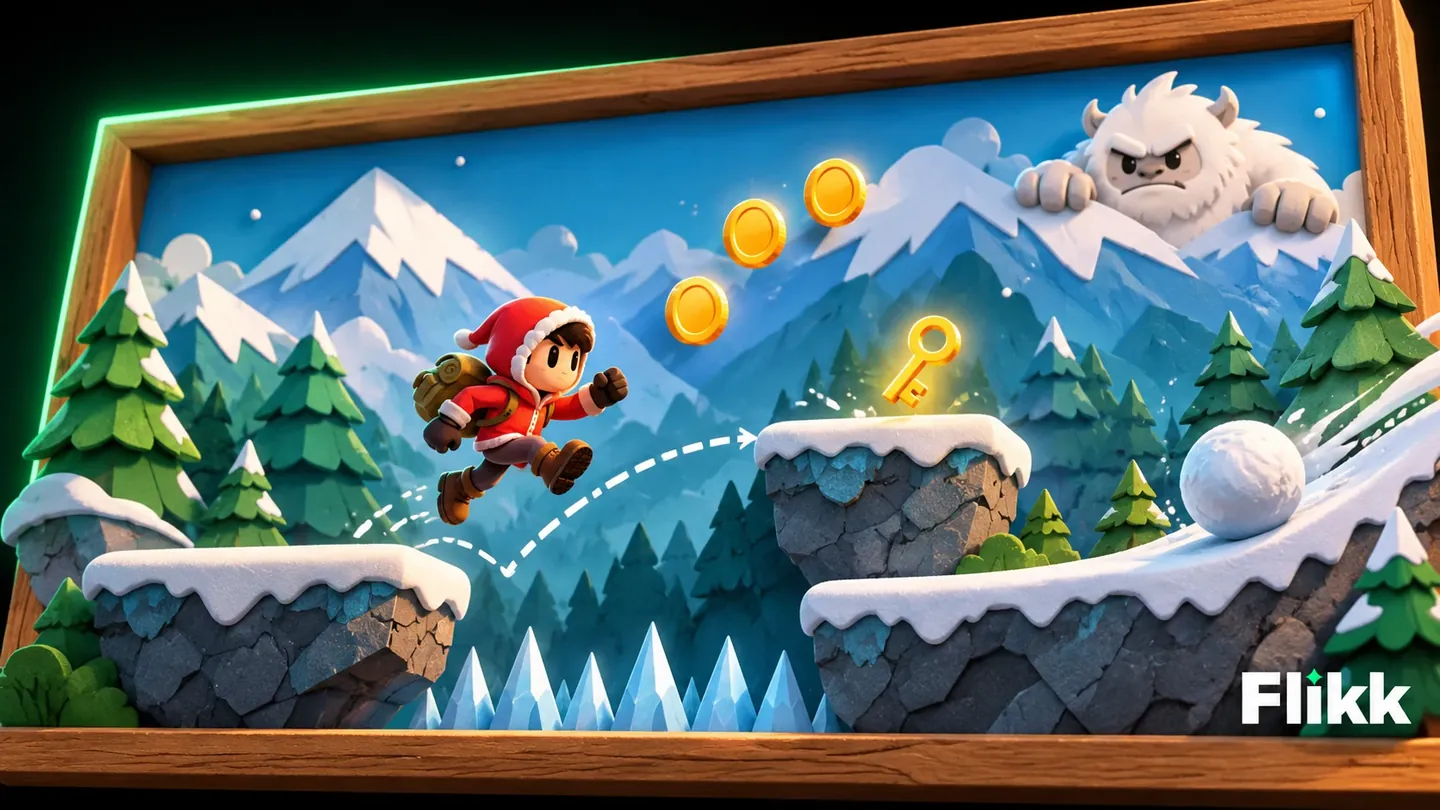
It answers five questions: how it's seen (side view), where (a snowy mountain world), who the hero is (a mountain guide), what's in the way (ice spikes and snowballs) and what to collect and beat (coins, keys, a yeti boss).
Step 2: Check the game plan
Shortly after, Flikk showed a free game plan with a sketch. It named the game Mountain Guide and wrote down the rules: precise side-scrolling platforming with run, jump and double jump, keys that unlock the mountain gate, a towering yeti boss at the end of every mountain peak, coins to spend on new climber parkas and gear upgrades, and three lives per stage with checkpoints.
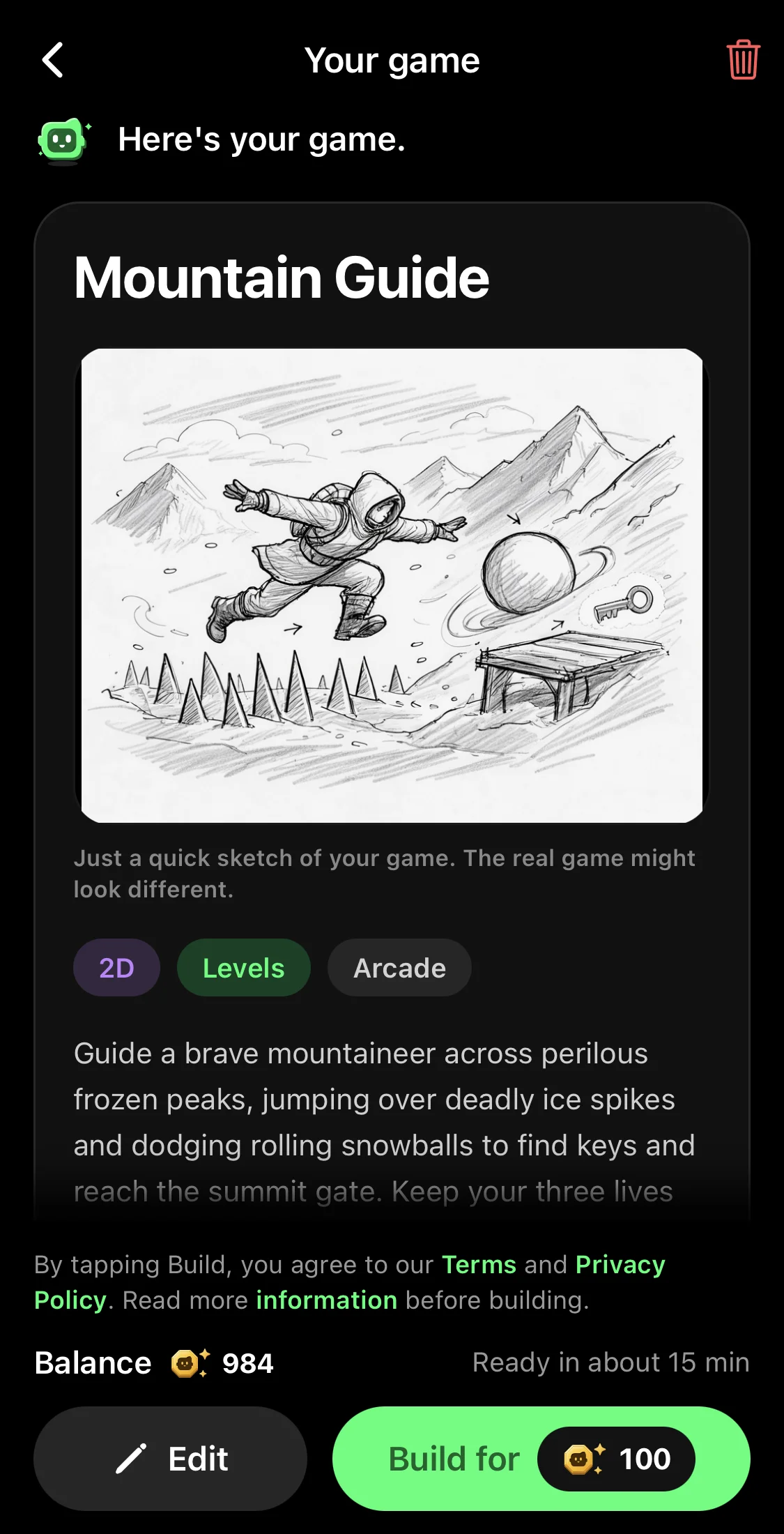
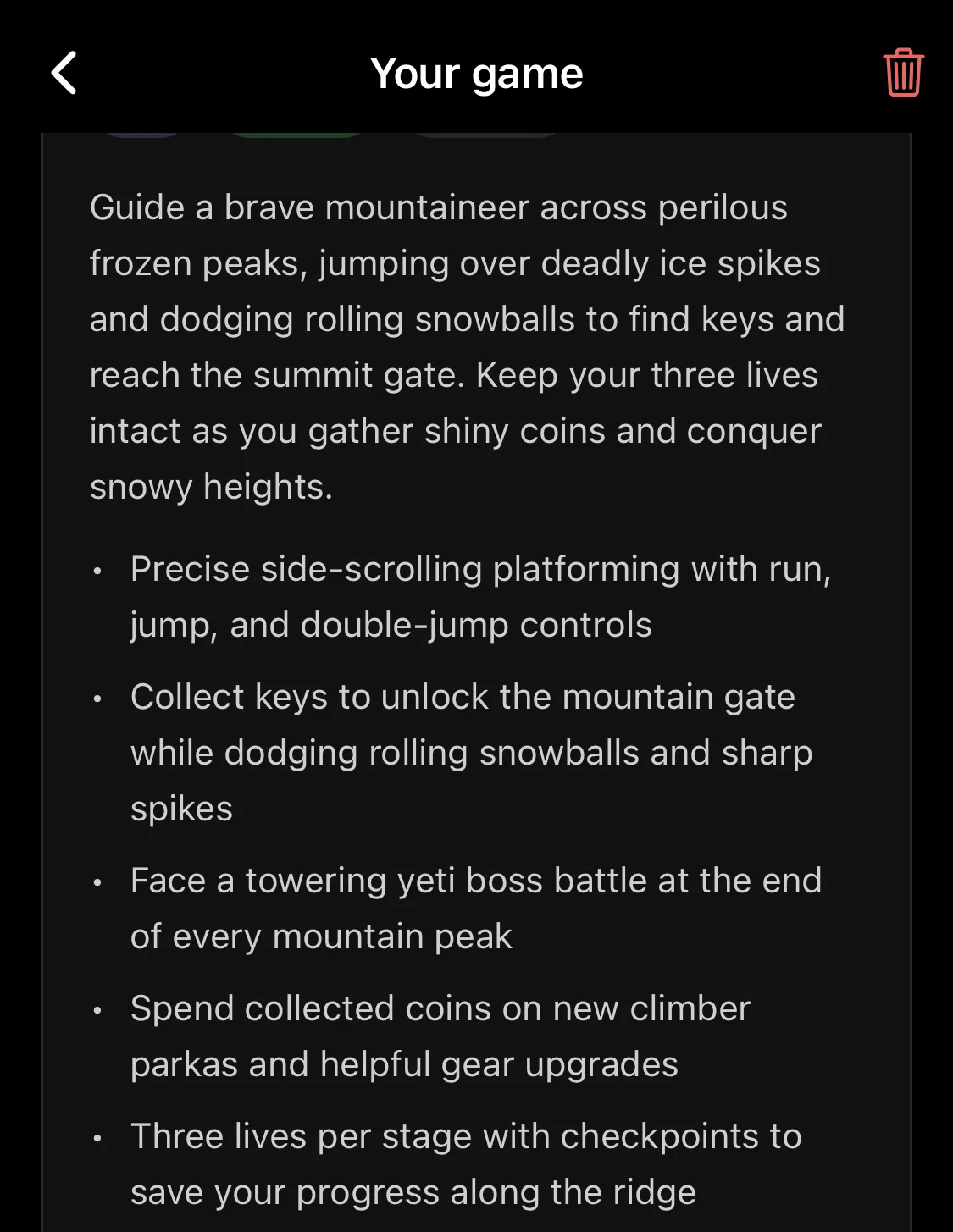
The double jump, the checkpoints and the gear upgrades weren't in our sentence. Flikk added them because a good platformer needs them.
Getting a plan is free, so you can try a few ideas before you build. When you like one, tap Build it (100 Tokens). Your game is ready in about 15 minutes, and Flikk sends you a notification when it's done.
Step 3: Play it
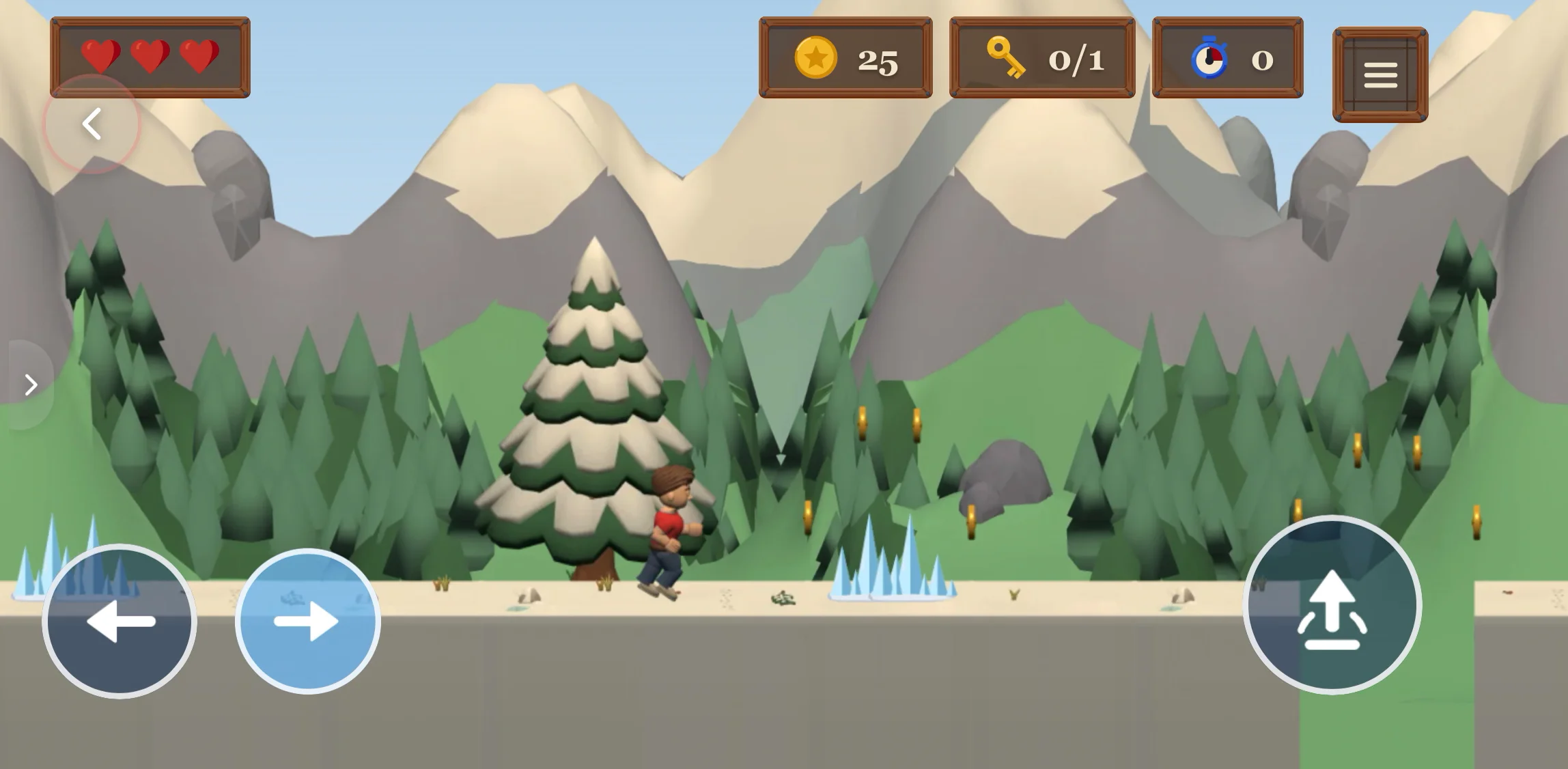
Here's Mountain Guide. Our mountain guide runs through a snowy pine forest, with three hearts, a coin counter and a key counter at the top, and big buttons to move and jump. Ice spikes wait between the coins:
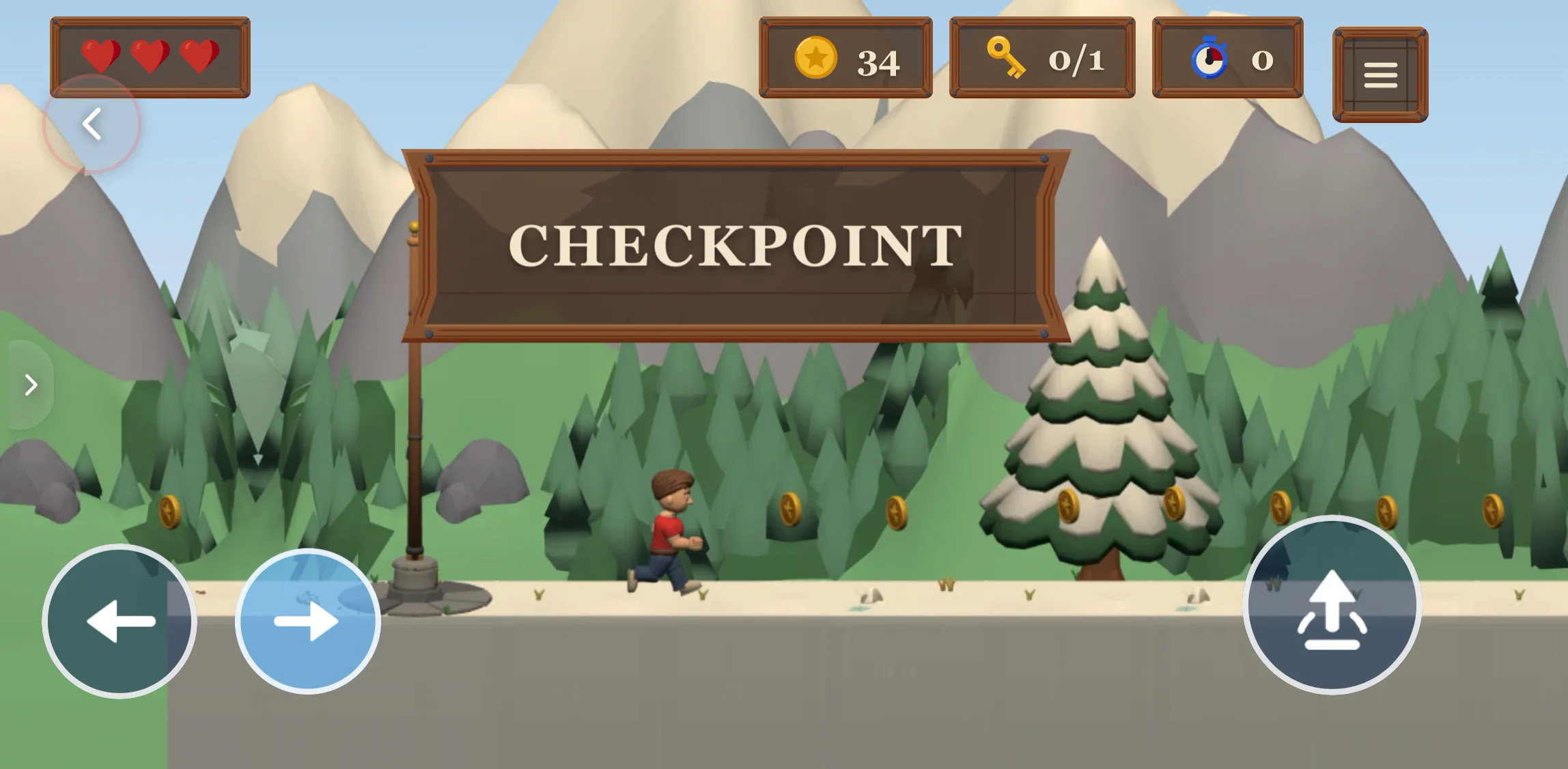
Halfway through the level, a checkpoint. If you lose a heart after this, you start again from here, not from the beginning:
Every level hides a key. You need it to open the gate at the end:
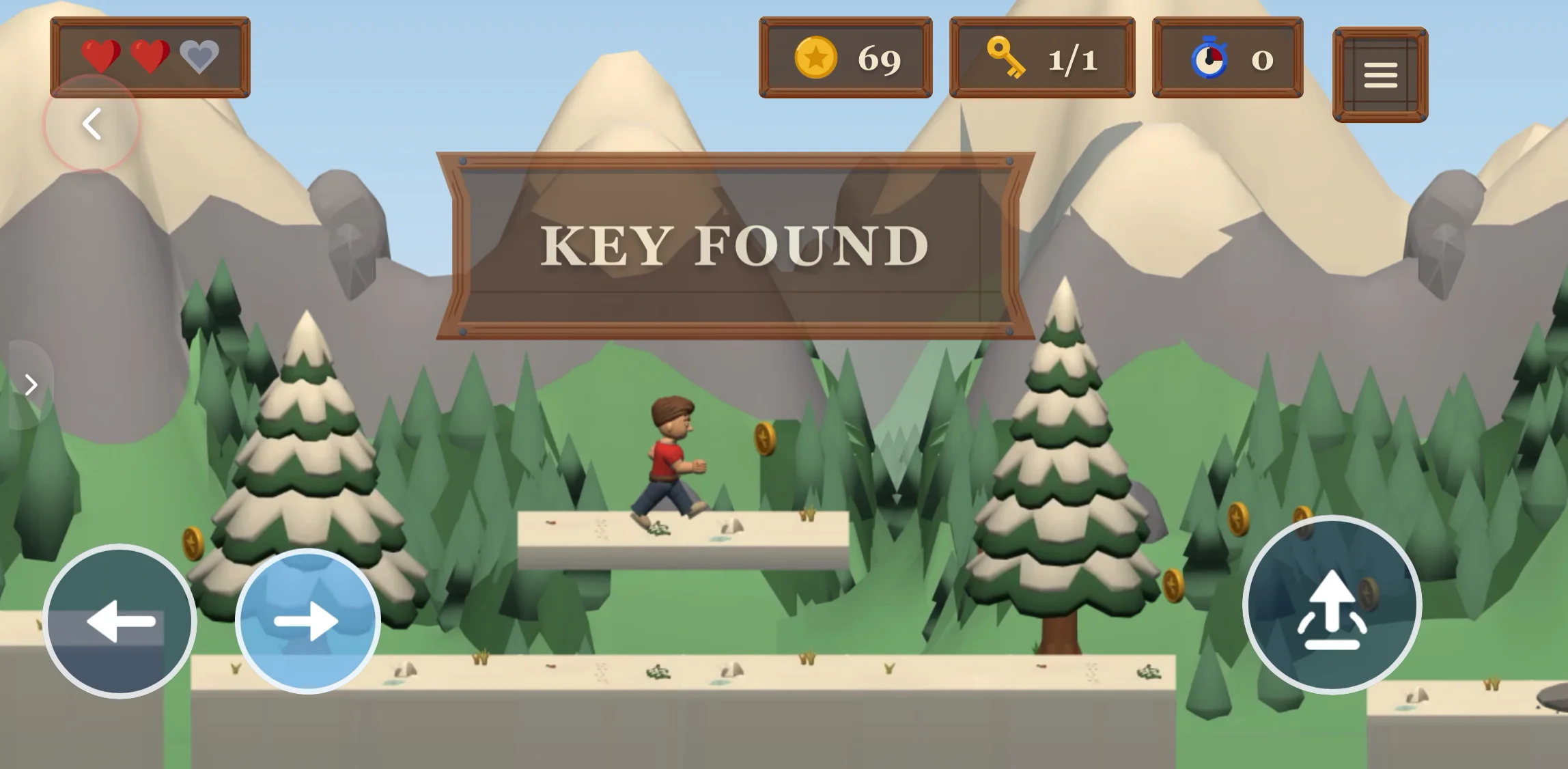
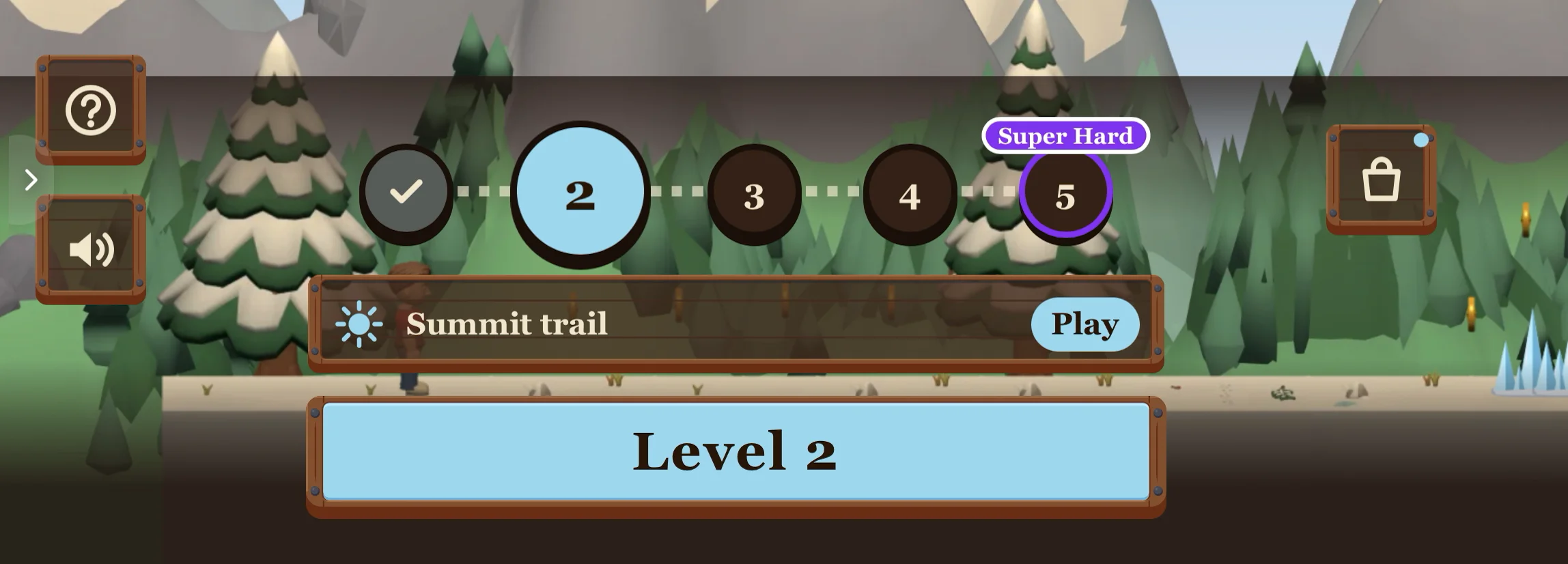
Reach the gate, and the next level opens. The level map already shows what's coming: four more levels on this mountain, and level 5 is marked "Super Hard".
▶ Play Mountain Guide in your browser
The 5 parts every platformer needs
Mountain Guide has all five. Use them as a checklist for your own prompt.
1. Jumping that feels good
The jump is the heart of every platformer. It should be quick, easy to control and fair. A double jump gives players a second chance in the air. More on how controls should feel in our guide to mobile game controls.
2. Obstacles and monsters in the way
Gaps, spikes, rolling snowballs and moving platforms test your timing. Monsters make it even more exciting: a snow wolf that walks back and forth, a bat that swoops down, a slime that hops toward you.
Give players a way to fight back. The classic platformer move: jump on a monster's head to defeat it. Or let the hero throw snowballs, swing a sword or dash through enemies. Just write it in your prompt: "jump on the monsters to defeat them".
Start with one kind of obstacle or monster, then mix them as the levels get harder. That's what a good difficulty curve is about.
3. Things to collect and power-ups
Coins, keys, stars, gems. Collectibles show players the best path and reward them for taking risks. A key per level gives every level a clear mini goal.
Power-ups make it even better: a boost that makes you bigger, a star that makes you invincible for a few seconds, boots for a higher jump, a shield that saves you from one hit. Ask for them in your prompt, like "a shield power-up that protects you from one hit". Our post on power-ups has lots more ideas.
4. A clear goal and checkpoints
Every level needs an end: a gate, a flag, a door. Checkpoints in the middle keep long levels from feeling unfair. Lives, like three hearts, add just enough pressure.
5. A boss or a big challenge
Every few levels, something big: a boss, a "Super Hard" level, a new world. That's what keeps players coming back. Our post on boss fights shows how to make them memorable.
10 platformer game ideas to copy
Open the Create tab, pick 2D, and paste one of these. Change the details to make it yours.
- "A side view platformer in a jungle. A little explorer jumps across crumbling ruins and defeats monkeys by jumping on them, collecting golden idols. A giant snake boss every 5th level."
- "A side view platformer in a haunted castle. A knight jumps across moving platforms, dodges ghosts and finds the key to the next tower."
- "A side view platformer on a pirate ship. A cabin boy jumps over barrels and cannonballs to reach the treasure at the top of the mast."
- "A side view platformer in space. An astronaut jumps between floating asteroids with low gravity, collecting stars before the oxygen runs out."
- "A side view platformer in a candy world. A gummy bear bounces on marshmallows, stomps angry jelly monsters and finds a star power-up that makes it invincible for 5 seconds."
- "A side view platformer in a volcano. A fire salamander jumps over lava pools and rising flames to reach the cool cave at the top."
- "A side view platformer in a city at night. A ninja runs across rooftops, jumps over chimneys and dodges searchlights."
- "A side view platformer under the sea. A diver swims and jumps between coral reefs, avoids jellyfish and finds the lost pearl in every level."
- "A side view platformer in a toy room. A wind-up robot jumps across books and building blocks, collecting batteries. A teddy bear boss every 5th level."
- "A 3D platformer where a fox jumps between floating islands in the sky, collecting golden acorns. A new island opens after every 5 levels."
Want a 3D platformer? Our guide on how to make a 3D game without coding shows how we made one.
Tips to make your platformer better
- Say "side view" or "3D". It decides how your whole game looks.
- Name the obstacles and monsters. "Ice spikes, rolling snowballs and snow wolves you can jump on" gives you much better levels than "obstacles".
- Add power-ups. A higher jump, a shield or a few seconds of invincibility make every level more fun.
- Ask for checkpoints and lives. "3 lives and a checkpoint in the middle of every level" keeps it fair.
- Plan the big moments. A boss every 5th level, a new world after every boss.
- Keep it readable on a phone. Big buttons, clear platforms, one obstacle at a time at the start.
- Change it after you play. Too hard? Ask for it with Make Edits: "make the gaps smaller in the first 3 levels". Each edit costs 25 Tokens and takes about 5 minutes. See our list of Make Edits prompts.
New to Flikk? Our guide on how to make a mobile game without coding walks you through every step, and what's new in 2D games on Flikk shows the worlds you can use.
FAQ
How do I make a platformer game without coding?
Describe it. On Flikk, you write one sentence about your platformer, for example "a side view platformer in a snowy mountain world where a mountain guide jumps over ice spikes", and Flikk builds the game in about 15 minutes. No code needed.
Can I make a platformer game on my phone?
Yes. With Flikk, you make the whole platformer on your phone: describe it, build it, play it, change it and share it. Flikk is free on iPhone and Android.
What makes a platformer game fun?
Jumping that feels good, obstacles and monsters that test your timing, things to collect and power-ups, a clear goal with checkpoints, and a boss or a big challenge every few levels.
Can I add monsters and power-ups to my platformer?
Yes. Write them in your prompt, for example "snow wolves you can defeat by jumping on them" or "a shield power-up that protects you from one hit". You can also add them later with Make Edits.
Should my platformer be 2D or 3D?
For a classic side-view platformer, pick 2D: it's easier to read on a phone. Pick 3D if you want depth and a camera that follows the player. Our post on 2D vs 3D games helps you decide.
How long does it take to make a platformer?
On Flikk, about 15 minutes from tapping Build it to playing your game. Each change with Make Edits takes about 5 minutes.
Do I need Unity or Scratch to make a platformer?
No. Unity and Scratch are great tools to learn, but with Flikk you don't need either. Describe your platformer in one sentence, and Flikk builds it.