Roblox Studio Is a Great Start. Flikk Is an Even Easier One.
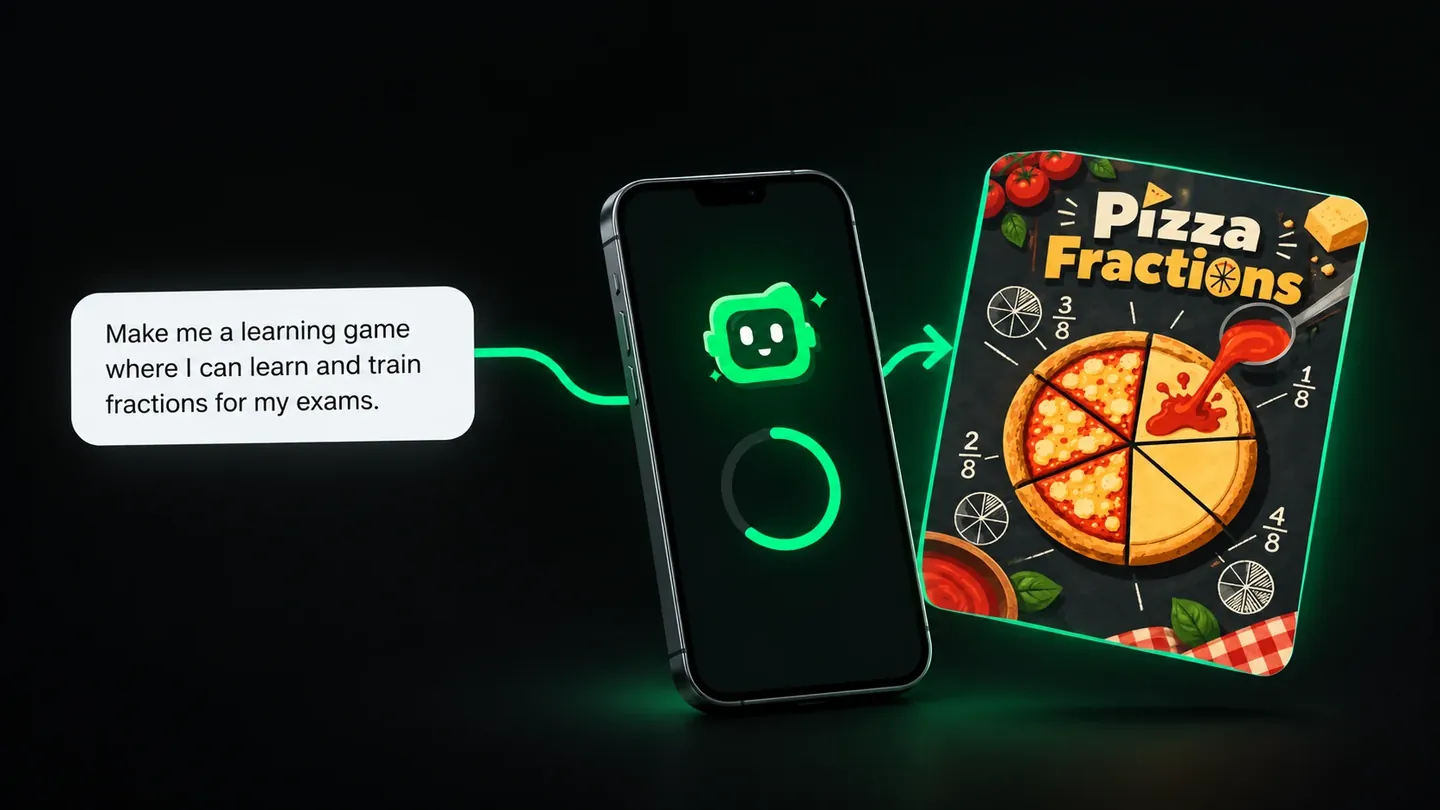
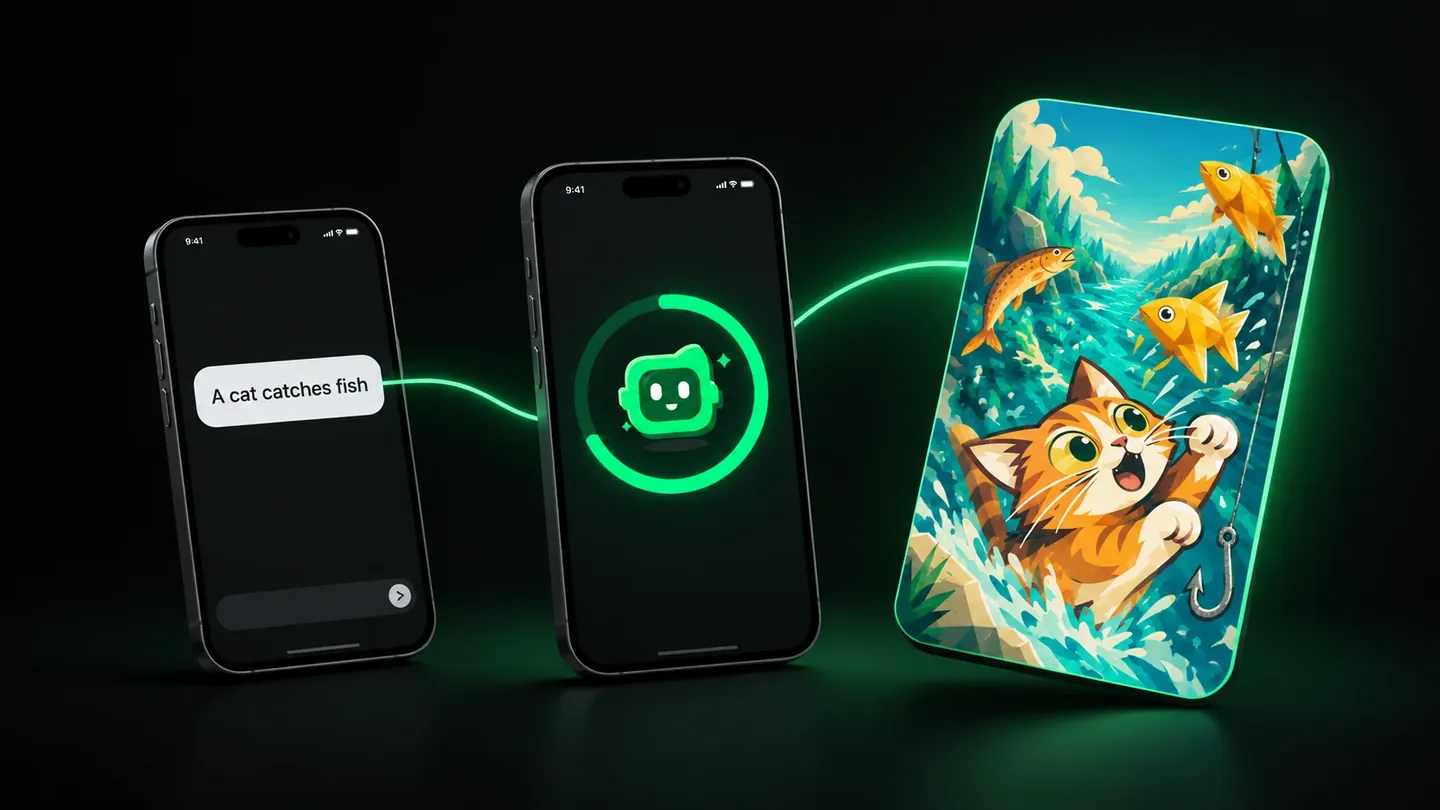
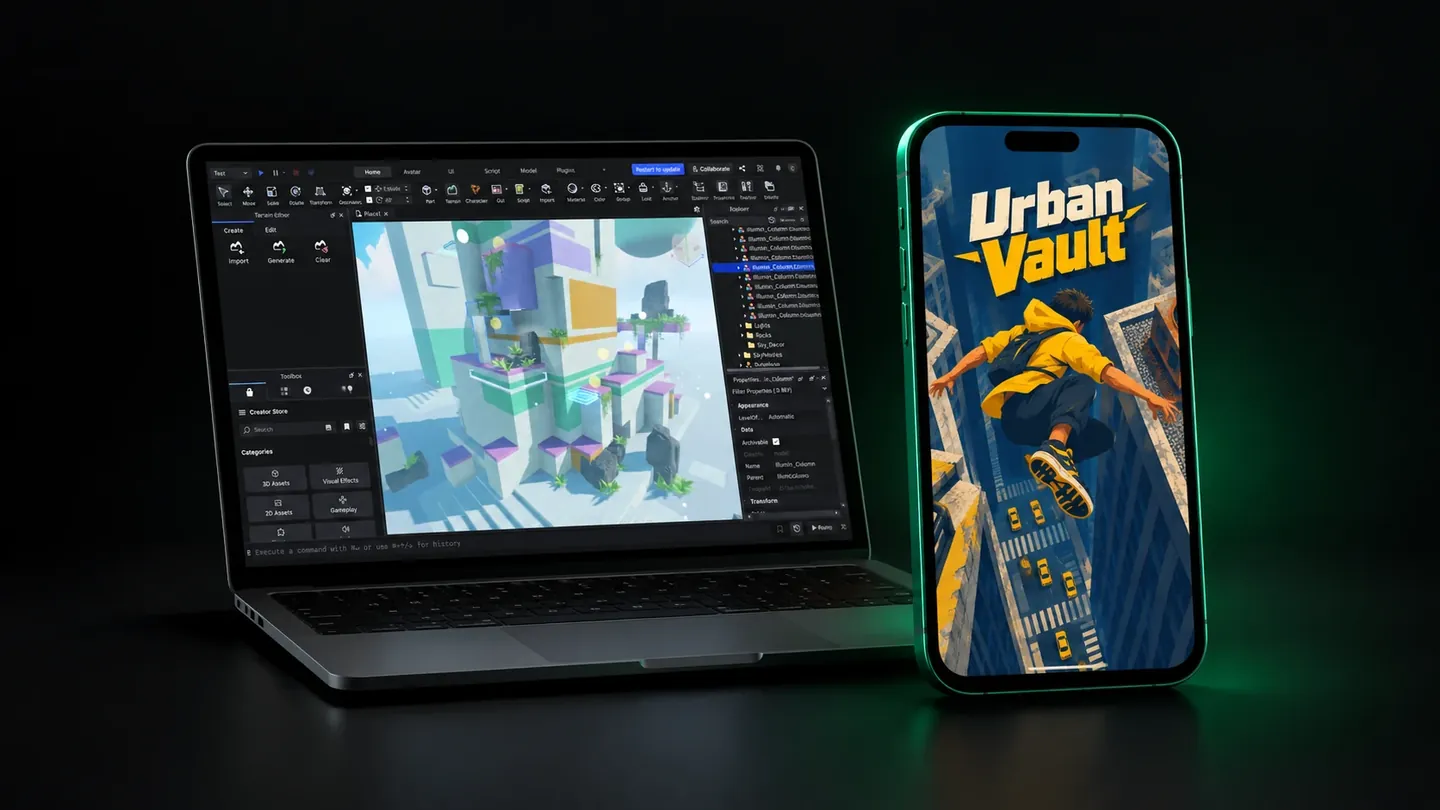
Roblox Studio is a great first game engine, but it needs a computer, code and tutorials. On Flikk you describe a game on your phone and play it in about 15 minutes.
In this article
- Roblox Studio vs Flikk at a glance
- Roblox Studio: a genuinely good place to start
- Where beginners get stuck
- Roblox has great tutorials. Flikk doesn't need any.
- The test: one sentence to a playable game on Flikk
- Why Flikk is easier to start with
- Make Edits: where the real game design happens
- Where Roblox Studio is better
- Where Flikk is better
- Two paths, one goal
- FAQ
Almost everyone who plays games long enough asks the same question: what if I made my own? For a lot of people, the first stop is Roblox Studio. It makes sense. Roblox is where they already play, so building there feels like the natural next step.
But natural doesn't always mean easy. Short answer: if you want to learn real game development, with 3D worlds and code, Roblox Studio is a great place to start. If you just want to turn an idea into a game you can play today, on your phone, without code or tutorials, Flikk is the easier first step. You describe the game in a sentence, and about 15 minutes later you're playing it.
Quick note: I'm on the Flikk team, and Flikk is our app. I've tried to be fair to Roblox Studio. Below is exactly what I tested and where every Roblox fact comes from.
How we tested: On October 12, 2026, I opened Roblox Studio on a Mac, started a new project and the Platformer template, play-tested it and looked at its scripts. I did not script my own game in Studio. On the same day I made a game in Flikk from one sentence on my iPhone and timed it. Roblox facts come from Roblox's own docs and shareholder letter, plus the education sites linked below.
Roblox Studio vs Flikk at a glance
| Roblox Studio | Flikk | |
|---|---|---|
| Device | Windows or Mac computer | iPhone or Android phone |
| How you make a game | Build it in a full 3D editor | Describe it in one sentence |
| Coding needed | Yes, for real gameplay (Luau) | No |
| Tutorials needed | Recommended (official tutorials) | No |
| Time to a first playable game | Minutes from a template; your own idea means building and scripting it | About 15 minutes for your own idea |
| Changing the game | Edit and script by hand, or ask the AI Assistant | Describe the change in Make Edits |
| 2D or 3D | 3D | 2D, with 3D coming in the next update (October 2026) |
| Play other people's games | Yes, on Roblox | Yes, in Discover |
| Price | Free | Free to start, optional in-app purchases |
| Where | Worldwide | US only |
Roblox Studio: a genuinely good place to start
Credit where it's due. Roblox Studio is free on Windows and Mac. The Creator Store inside it has millions of ready-made assets made by Roblox and other creators. And it gives you fast feedback: change something, press Play, see what happens.
When you open it, Studio greets you with a guided tour and a row of templates, from an empty Baseplate to a Platformer and Laser Tag.
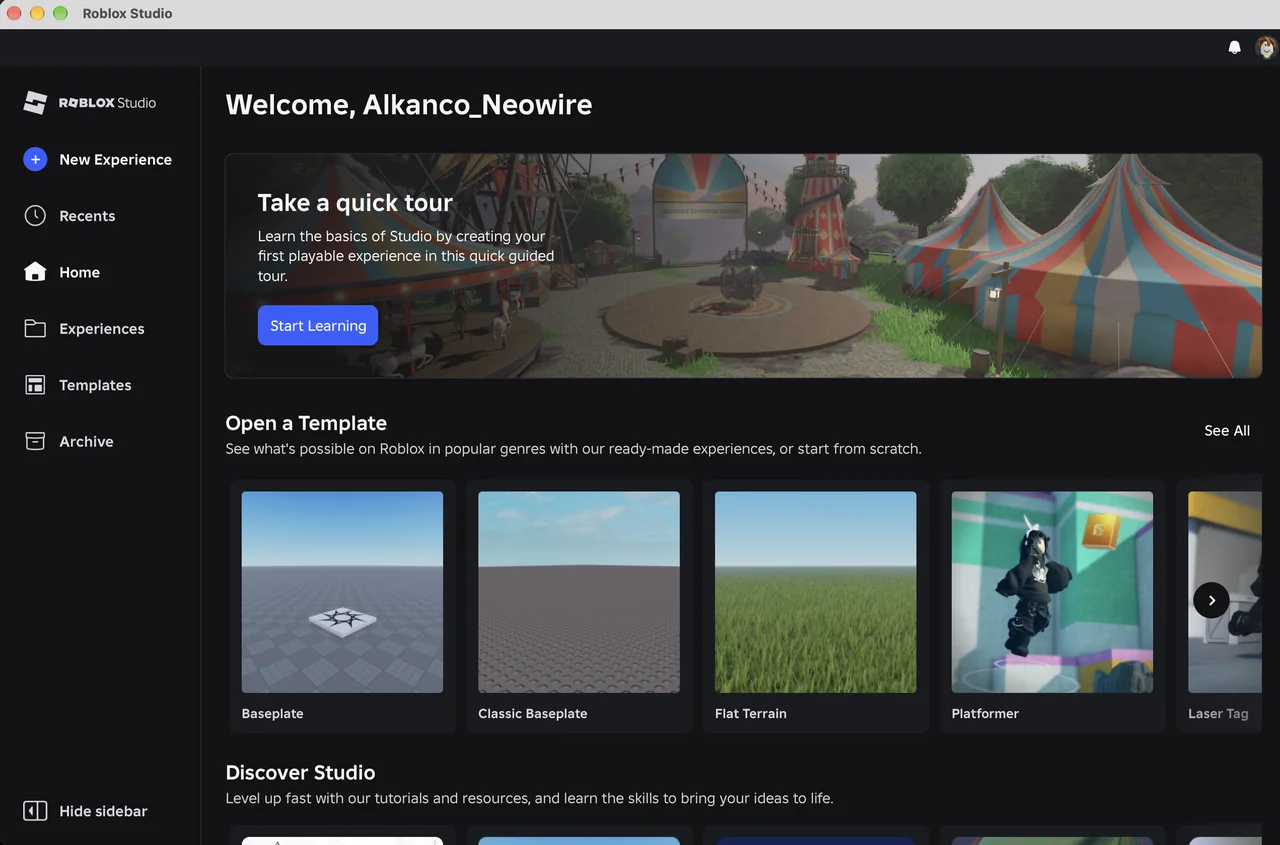
The Platformer template is genuinely impressive. In a few clicks I had a colorful 3D level with moving platforms and coins, and I was running around it as my avatar.
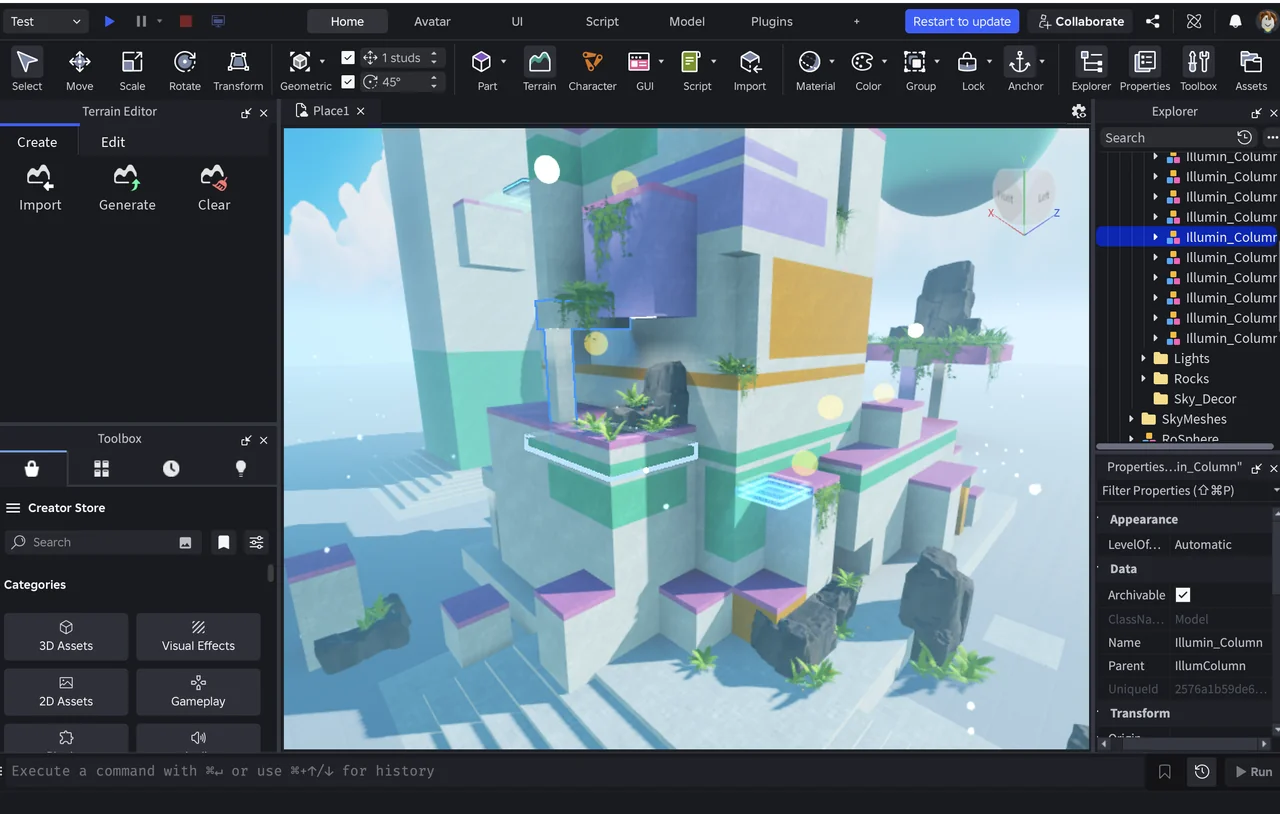
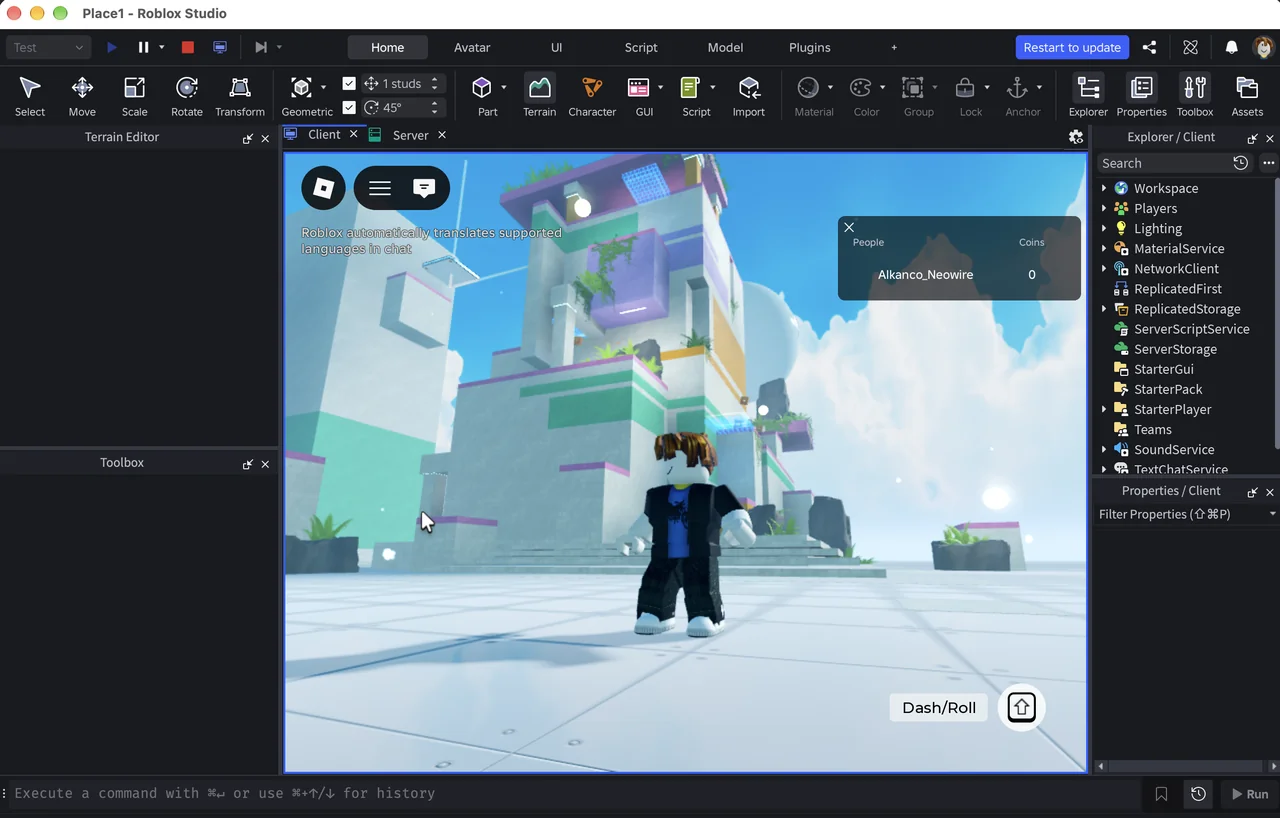
Roblox has also added a lot of AI. The Roblox Assistant in Studio can write and run code, generate models and materials from a text prompt, and playtest your game. And the audience is huge: Roblox reported 123 million daily active users in the second quarter of 2026. For a young creator, that's a built-in crowd of players.
Where beginners get stuck
Still, "beginner-friendly" is relative. A few hurdles show up again and again.
You need a computer. Roblox Studio only runs on Windows and macOS. If your main device is a phone or tablet, you can play Roblox, but you can't open Studio. (Roblox is testing a new mobile tool called Build. More on that in the FAQ.)
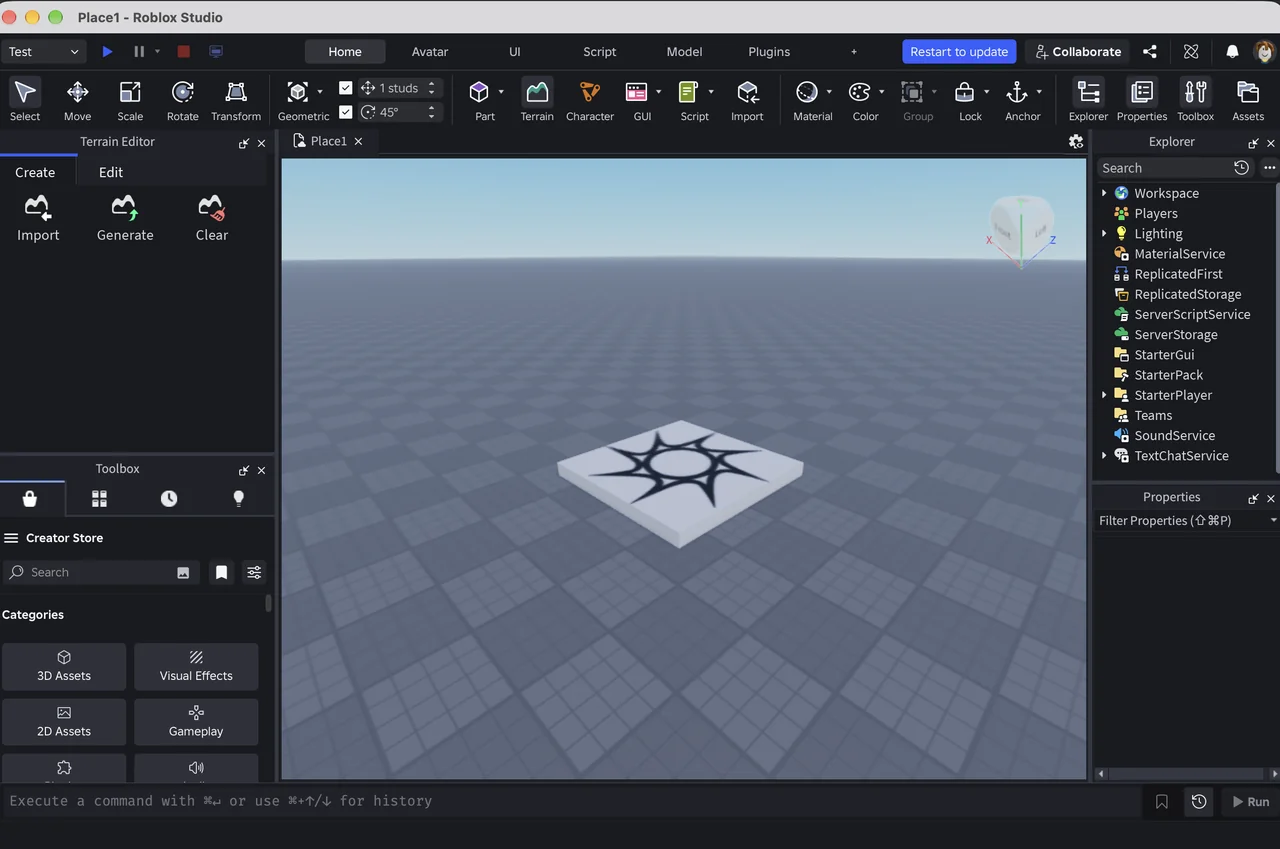
You need to learn the editor. A new project opens to an empty grey plate surrounded by toolbars, an Explorer tree with more than a dozen services, a Properties panel and a Toolbox. Every one of those makes sense once you know it. On day one, it's a lot.
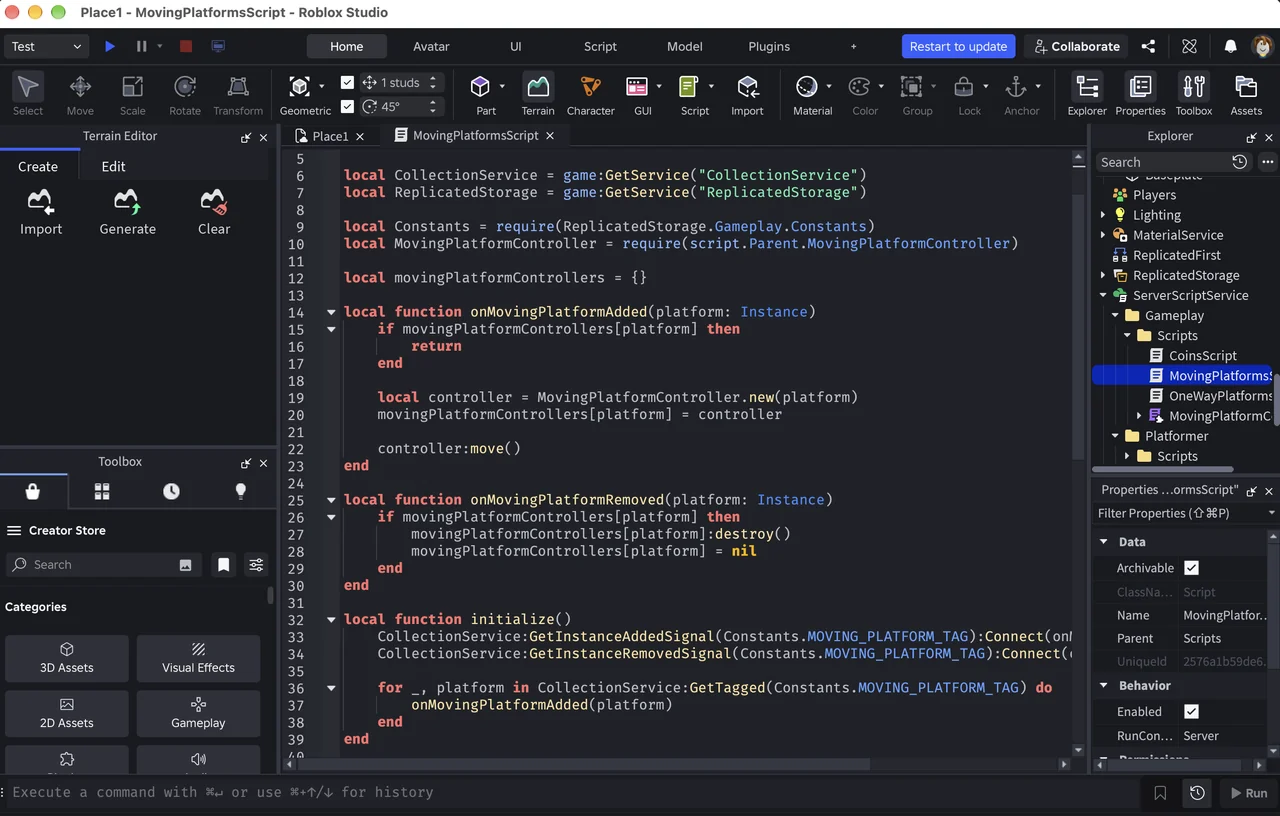
You need to code. Placing blocks is easy, but anything with real gameplay means scripting in Luau. Even the moving platforms in the Platformer template are a page of code like this:
Coding teachers at CodaKid write that newcomers "often struggle with fundamental programming concepts such as variables, loops, and functions," and that "debugging errors in scripts can feel overwhelming when you're just starting out."
The interface is mostly in English. One coding school notes that Studio is most often recommended for ages 9 to 10 and up, partly because you need basic English to find your way around.
The result? Motivation can fade before the first game is done. Back in 2014, a University of Southampton outreach team ran a week of Roblox workshops with primary school pupils. They noticed that the scripting itself was "not too difficult," but "to get any depth was difficult." And: "Whenever they came across a barrier, they seemed to give up and create a new world." Studio has changed a lot since then, but that pattern will sound familiar to anyone who has taught beginners.
That's not really a Roblox problem. It's a first-step problem: the gap between "I have an idea" and "I made something" is too wide.
Roblox has great tutorials. Flikk doesn't need any.
Roblox knows this, and it's done a lot to help. Studio's home screen opens with "Take a quick tour" and a Start Learning button, and the official tutorials walk you through making your first game step by step. They're good. If you want to learn Studio, use them.
But a tutorial is still homework before the fun part. You learn the tools first, and your own idea has to wait.
Flikk skips that step. Open the Create tab and it says what to do in one line: "Describe your game. Flikk builds it." There's nothing to learn first, because the only tool is a sentence, and you already know how to write one.
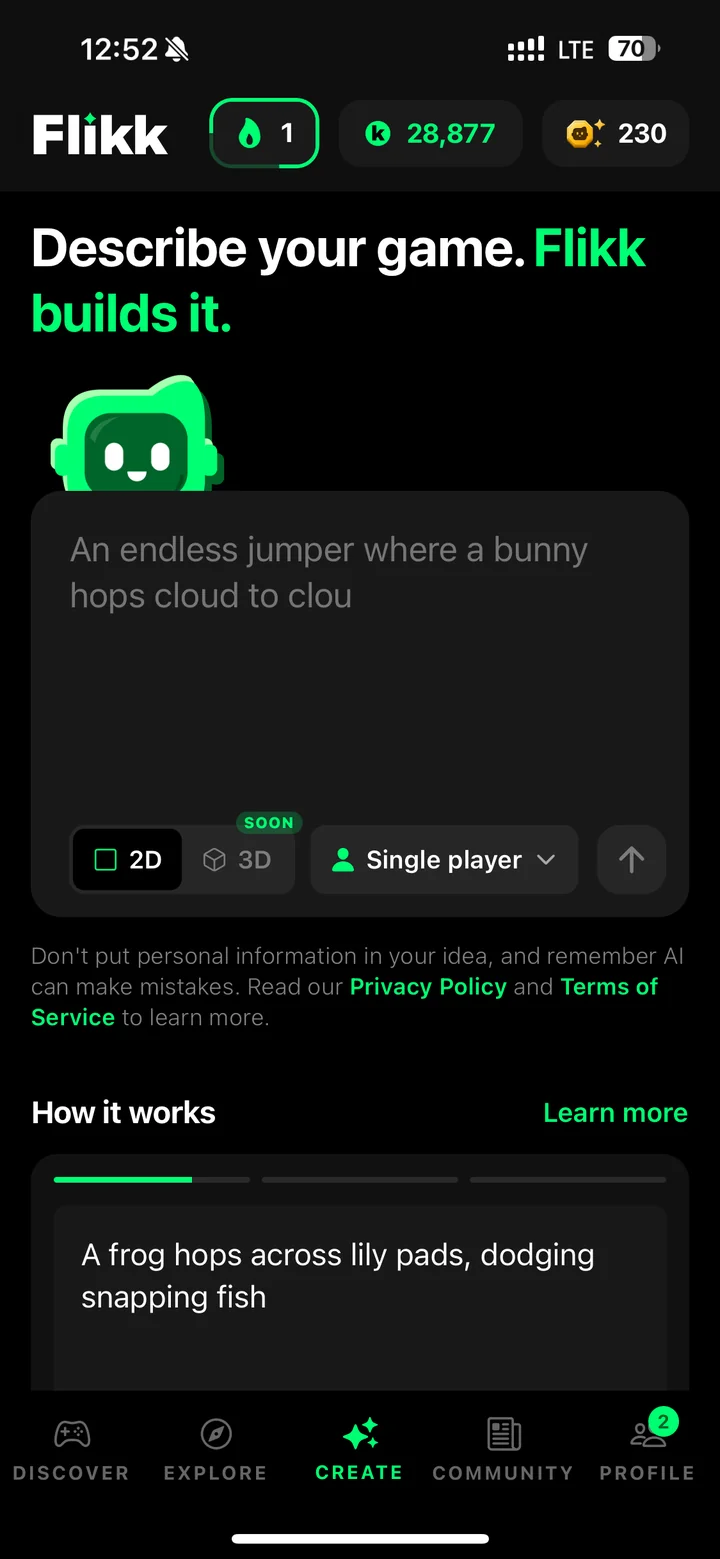
The test: one sentence to a playable game on Flikk
Here's my real build from October 12, 2026, start to finish. I wanted a rooftop parkour game, so I typed this, typos and all:
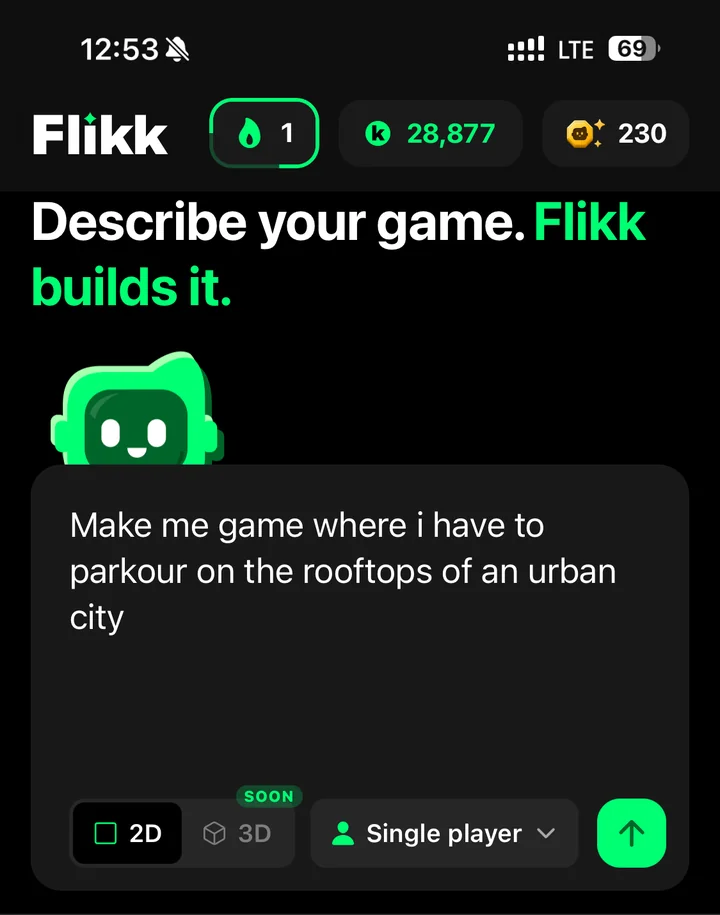
Make me game where i have to parkour on the rooftops of an urban city
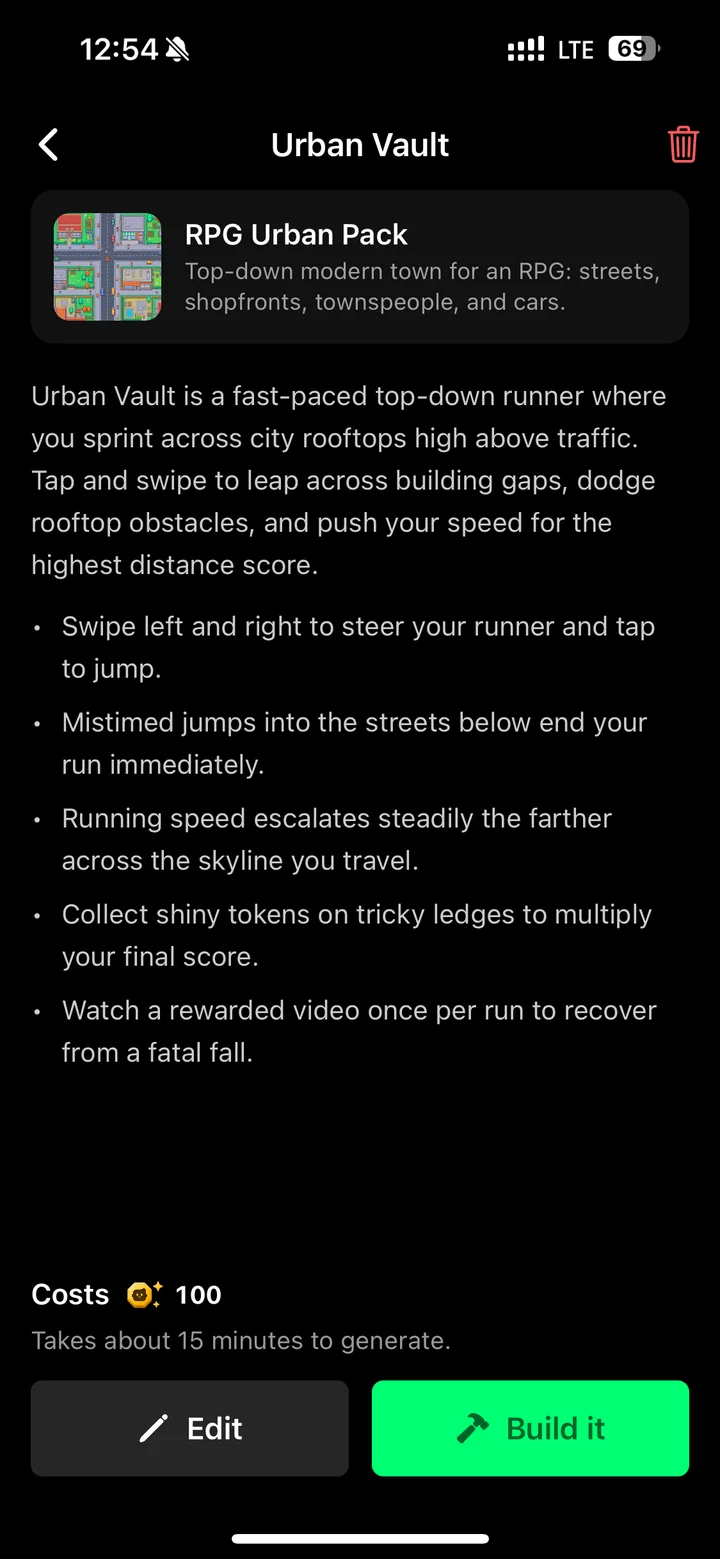
A minute later, Flikk showed me a game plan. It named the game Urban Vault: a fast top-down runner across city rooftops. You swipe to steer, tap to jump the gaps between buildings, and collect tokens on tricky ledges to multiply your score. Your speed keeps going up the farther you get. It also showed the cost (100 Tokens) and "Takes about 15 minutes to generate."
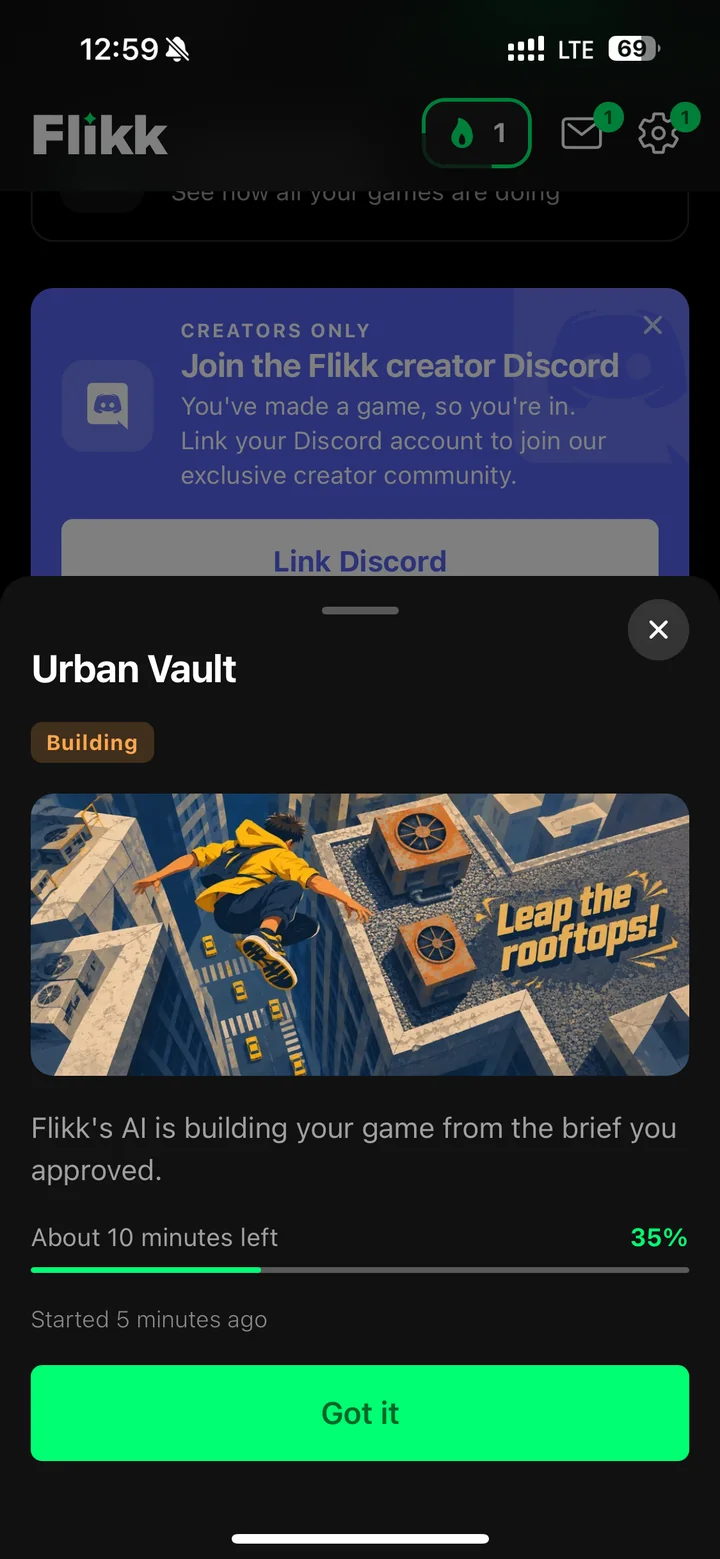
I could have changed the plan with Edit, but it was what I had in mind, so I tapped Build it at 12:54. Flikk builds the game inside the app and shows how much time is left. Five minutes in, it already had cover art.
At 13:08 the game was done and published, with its own page, stats, a leaderboard and a Make Edits tab. That's about 14 minutes from tapping Build it to a finished game, and I didn't touch a single setting.
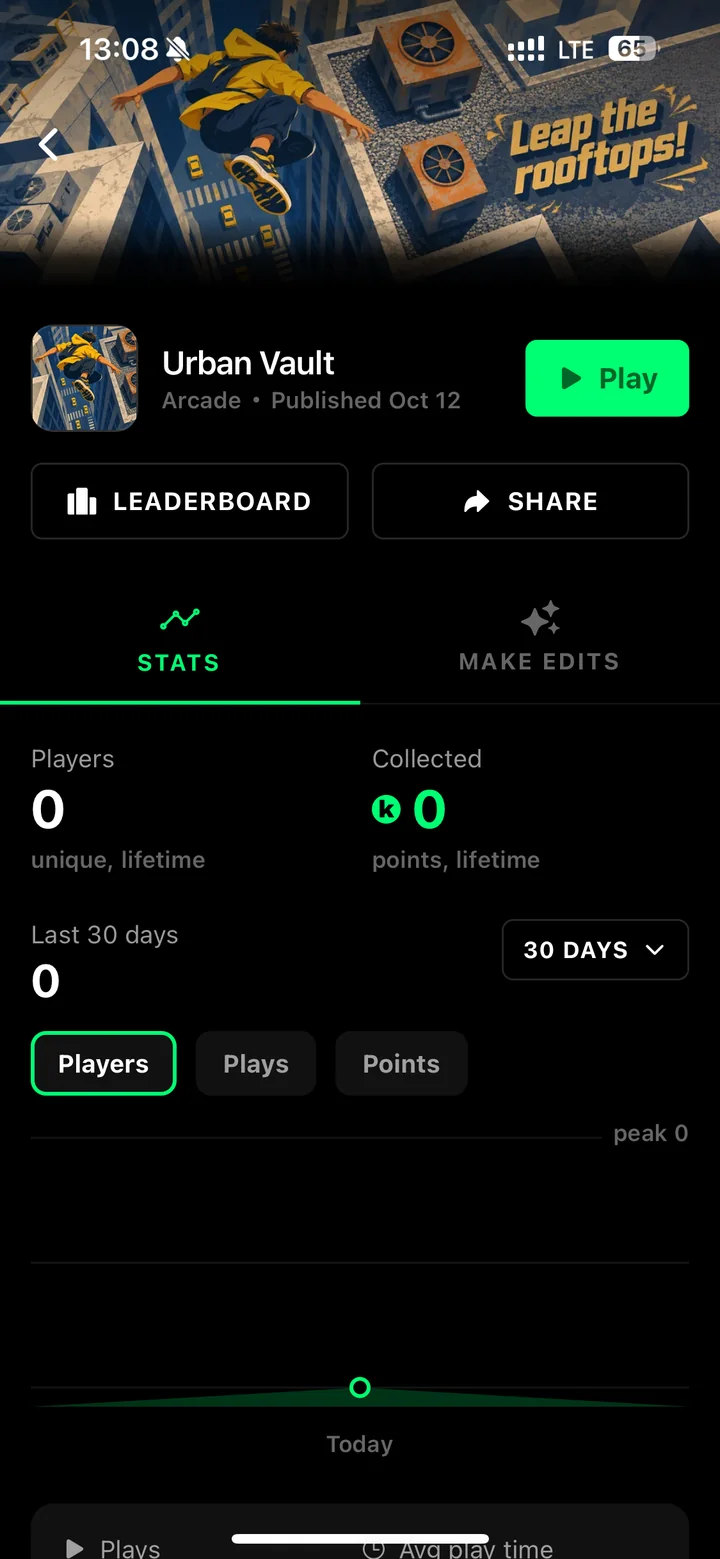
Then I played it. It has a title screen ("Leap the streets. Never look down."), a daily target of 150 meters and a "How to play" button. The cars drive on the streets below, and your score multiplier climbs as you collect coins.
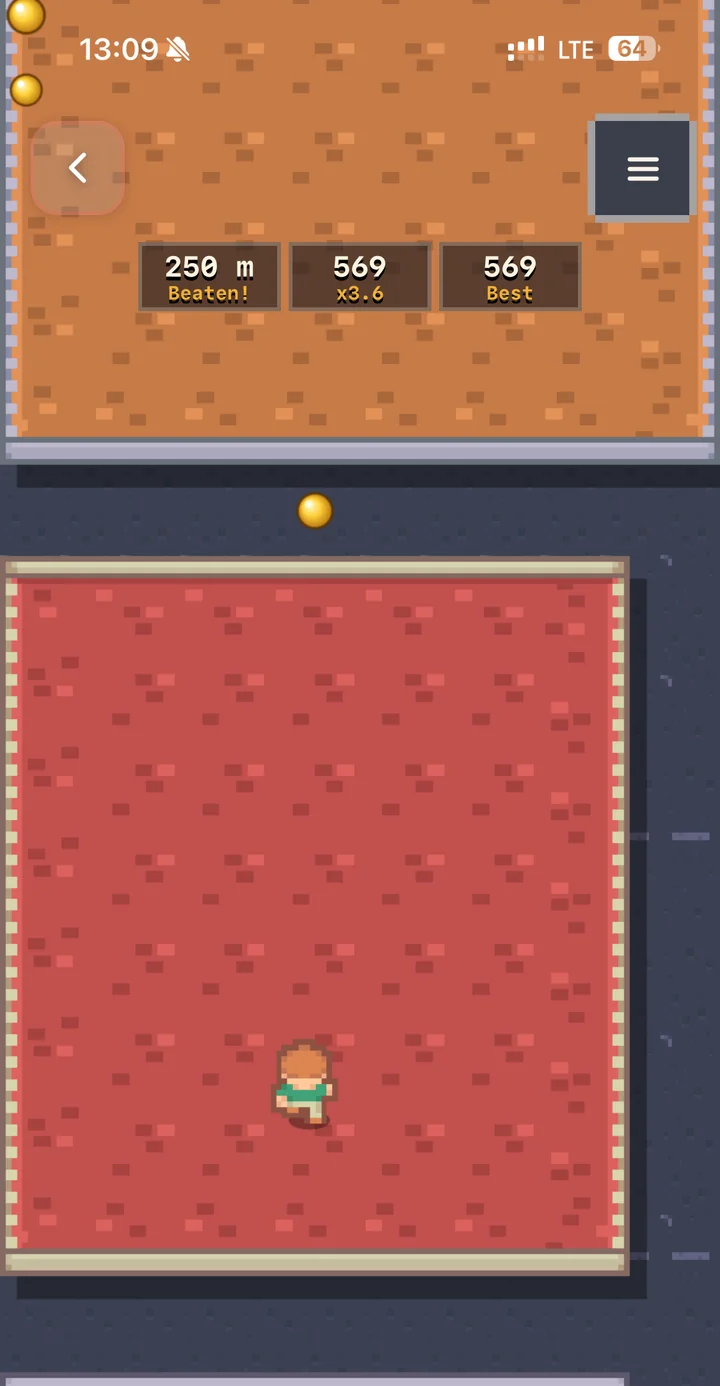
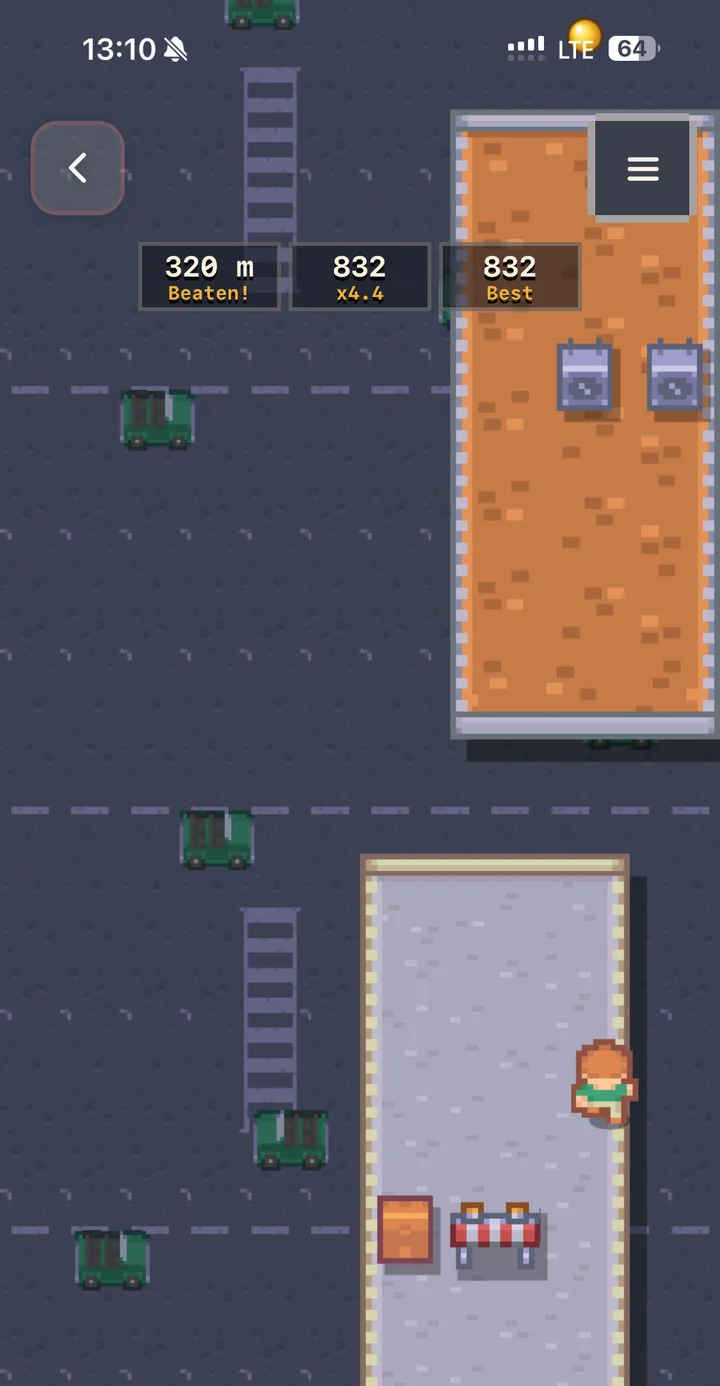
My best run was 859. You can play it too: search for Urban Vault in the app.
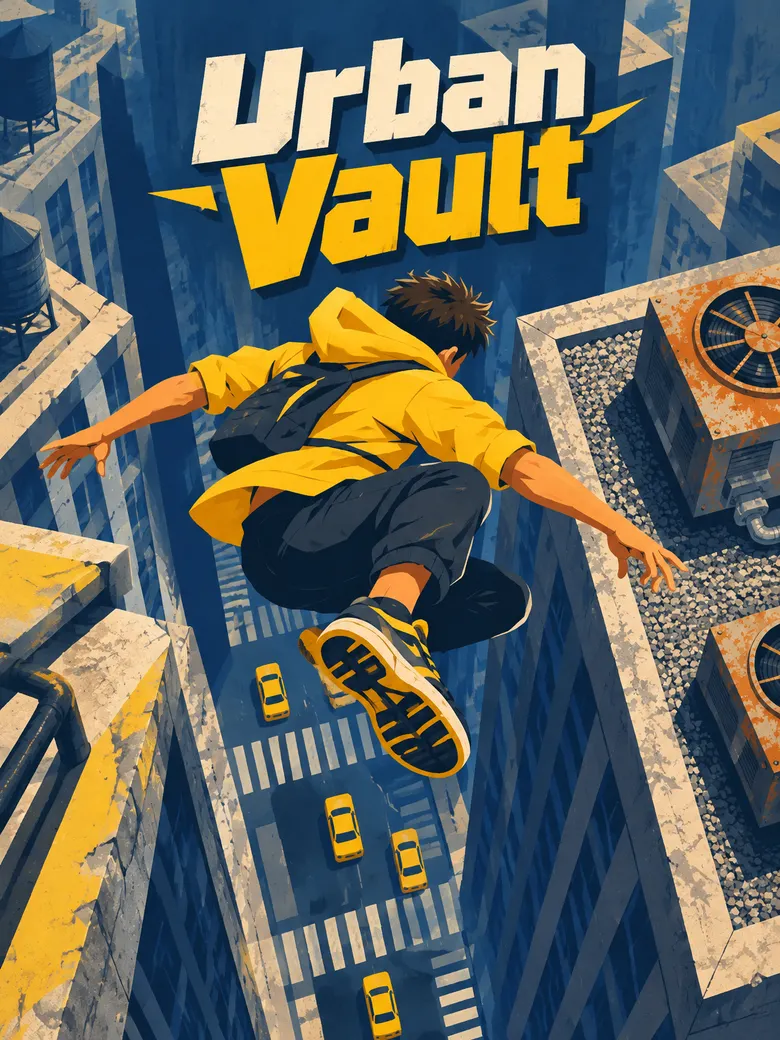
To be honest about it: Urban Vault is a 2D game seen from above, not the 3D parkour you'd build in Roblox Studio. I made it just before Flikk's 3D update, which will let you make 3D games the same way. But it's my idea, playable on my phone, and I got there without opening an editor, watching a tutorial or writing a line of code.
Why Flikk is easier to start with
Put the two side by side and the difference isn't that one is "better." Each step that Studio asks you to learn, Flikk does for you:
- No setup. No computer, no install, no project settings. You make the game on the same phone you play on.
- No tools to learn. No Explorer, no Properties, no Toolbox. The whole interface is a text box.
- No code. You say what the player does ("tap to jump the gaps"), and Flikk writes the rules. There are no variables, loops or bugs to chase.
- A plan before the build. Flikk shows you the game plan first, in plain English, so you can check it understood you before anything is built.
- A finished game, not a project. About 15 minutes later you have a game with a title screen, a score and a leaderboard, and it's live in Discover where everyone on Flikk can play it.
- Changes in plain words. Not quite right? Open Make Edits and describe the change: "make it harder," "add more coins," "give the player more lives."
That last point matters most. In Studio, the hard part comes when you want to change something and have to find the right script. On Flikk, changing your game is the same as making it: you describe it.
That's why Flikk works so well for people who opened Studio, saw the empty baseplate and closed it again. You don't need to become a programmer to find out whether your idea is fun. You only need to explain it.
Make Edits: where the real game design happens
The first version is just the beginning. With Make Edits you keep shaping the game: make the jumps harder, add a timer, change the art style, add a boss at the end. Each edit takes about 5 minutes, and the version people are playing doesn't change until the new one is done.
This is the heart of game design. Real developers rarely get it right on the first try. They play, notice what's off, and tweak. Flikk lets beginners practice exactly that loop (idea, test, improve) without a line of code in the way.
If you want to know what to improve, read my guide to the most important part of game design. It explains the core loop and shows how I improved a Flikk game step by step with three edits. Try the same thing with your first game.
Where Roblox Studio is better
A fair comparison has to say this clearly. Roblox Studio is the better choice if you want:
- Big, detailed 3D worlds. Studio builds full 3D experiences with physics, avatars and terrain, and you control every part of them.
- Full control. In Studio you decide every detail, down to a single line of code. On Flikk, the AI makes many decisions for you.
- Real programming skills. Learning Luau teaches you how code works, and that carries over to other languages and engines.
- The Roblox audience. Your game lives where millions of people already play every day.
- Bigger, longer projects. Studio is built for games people work on for months, alone or with a team.
Where Flikk is better
- Starting right now. One sentence, about 15 minutes, a playable game.
- Your phone is enough. iPhone or Android, no computer needed.
- No code and no tutorials. You describe the game and the changes in your own words.
- Learning what makes a game fun. You can try idea after idea quickly, and see which ones are worth playing.
- 3D, the easy way. Flikk's next update, coming in October 2026, adds 3D games. You'll pick 3D next to 2D in the Create tab and describe your game the same way, in one sentence. That makes the gap between "describe it" and the kind of worlds people build in Studio a lot smaller.
Two paths, one goal
Flikk isn't here to replace Roblox Studio. Think of it as the step before it.
- Pick Roblox Studio if you have a computer, want to learn to code, and are happy to work through tutorials before your own game takes shape.
- Pick Flikk if you have an idea right now and want to play it today, or if Studio felt like too much the first time.
You can also do both. Make a few games on Flikk, learn what makes them fun, and take that confidence with you to a bigger engine later.
Got a game idea? Write it in one sentence. Open the Create tab in Flikk, and in about 15 minutes you're playing it.
Download Flikk on iOS · Download Flikk on Android
FAQ
Is there an easier alternative to Roblox Studio?
Yes. If you want to make a game without code, Flikk is one of the easiest ways to start. You describe the game in one sentence on your phone, Flikk shows you a game plan, and after you approve it, it builds the game in about 15 minutes. You can then change it by describing what should be different.
Can you make a Roblox game on your phone?
Roblox Studio itself only runs on Windows and Mac. In July 2026, Roblox announced Build, an AI tool in the Roblox app for iPhone and iPad that turns a text prompt into a game. As of October 2026 it's in a limited test for age-checked users in a few countries, starting with New Zealand. If you want to make a game on your phone today, Flikk works on iPhone and Android in the US.
Do you need to know how to code to use Roblox Studio?
For simple building, no: you can place parts and use templates and Creator Store assets. For real gameplay, yes. Roblox games are scripted in Luau, and Studio's AI Assistant can help write code, but you still need to understand and fix it in the editor.
Is Flikk free?
Flikk is free on iOS and Android, and making games is free to start. Optional in-app purchases let you make more games or edit the ones you made. As of October 12, 2026, a new game cost 100 Tokens. Flikk is available in the US.
Can I make 3D games on Flikk?
Yes, with Flikk's 3D update, which is coming in October 2026. You choose 3D instead of 2D in the Create tab and describe your game the same way, in one sentence. When I wrote this on October 12, 2026, the 3D option was already in the Create tab, marked "Soon."