What Happens After You Tap Build It on Flikk (and What to Do When Your Game Is Ready)
You tapped Build it. Now what? Here's what happens while Flikk builds your game, what you get when it's done, and what to do in your first minutes as a creator.
In this article
You typed your idea, read the game plan and tapped Build it. Now there's a game being made just for you. This post walks you through what happens next: how long it takes, where to find your game while it builds, what you get when it's done, and what to do first.
Quick note: Flikk is our app. Every screenshot and time below comes from games we built.
Minute 0: you tap Build it
Every game plan ends with two buttons: Edit and Build it. Below them you see the cost (100 Tokens) and "Takes about 15 minutes to generate." Building is the only step that costs Tokens. Everything before it, including the plan, is free.
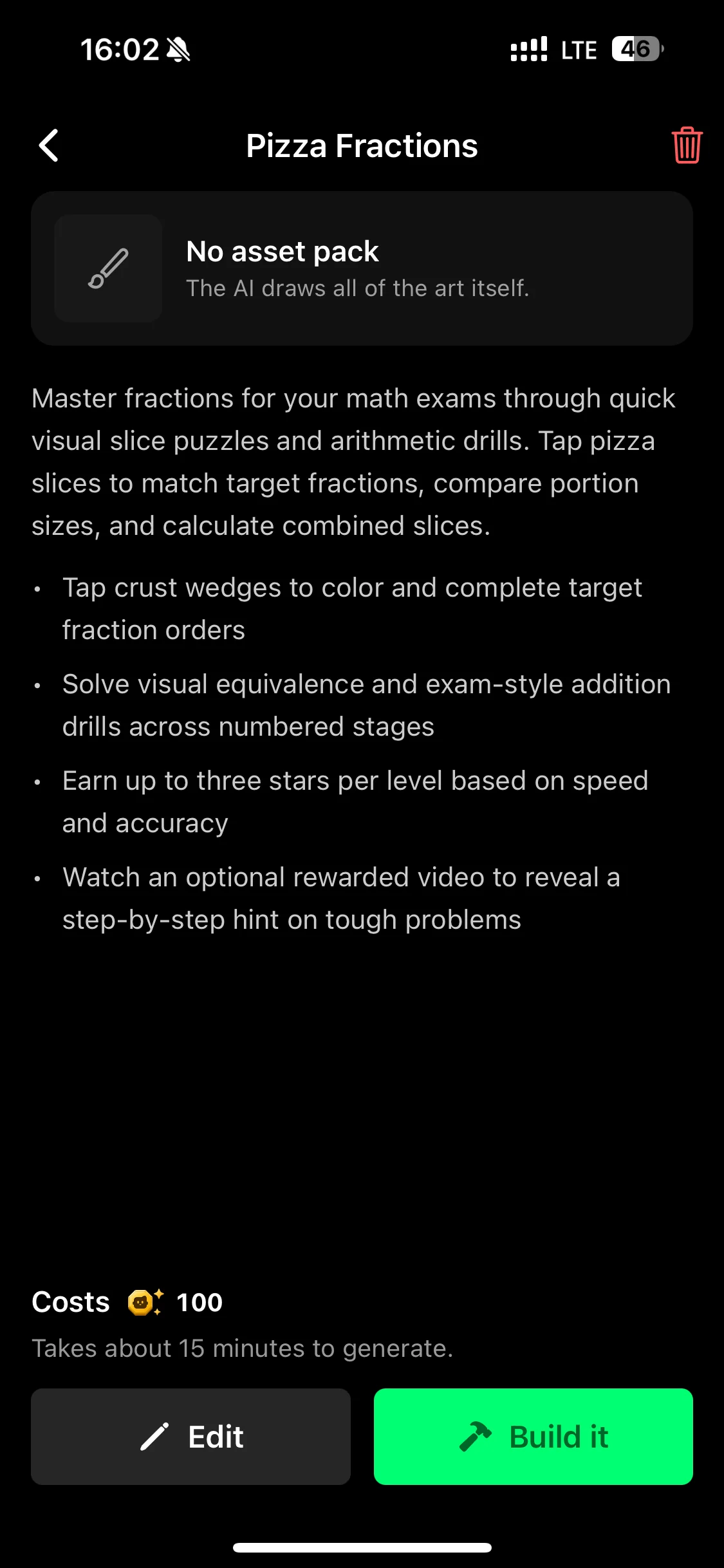
Not happy with the plan yet? Tap Edit first. Once you build, changes go through Make Edits.
Minutes 1 to 15: Flikk builds your game
Flikk builds the game right inside the app and shows how much time is left.
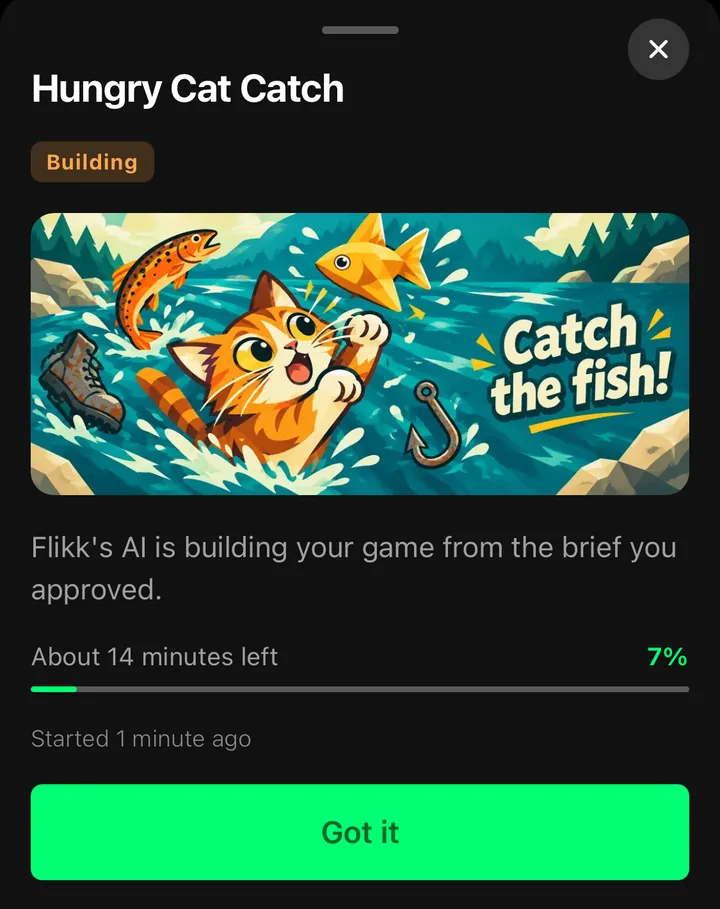
You don't have to watch. Close the screen, play a few games in Discover, or plan your first edit. Your new game waits on your Profile under Your Games, as a card that says Building, with a progress bar and when it started:
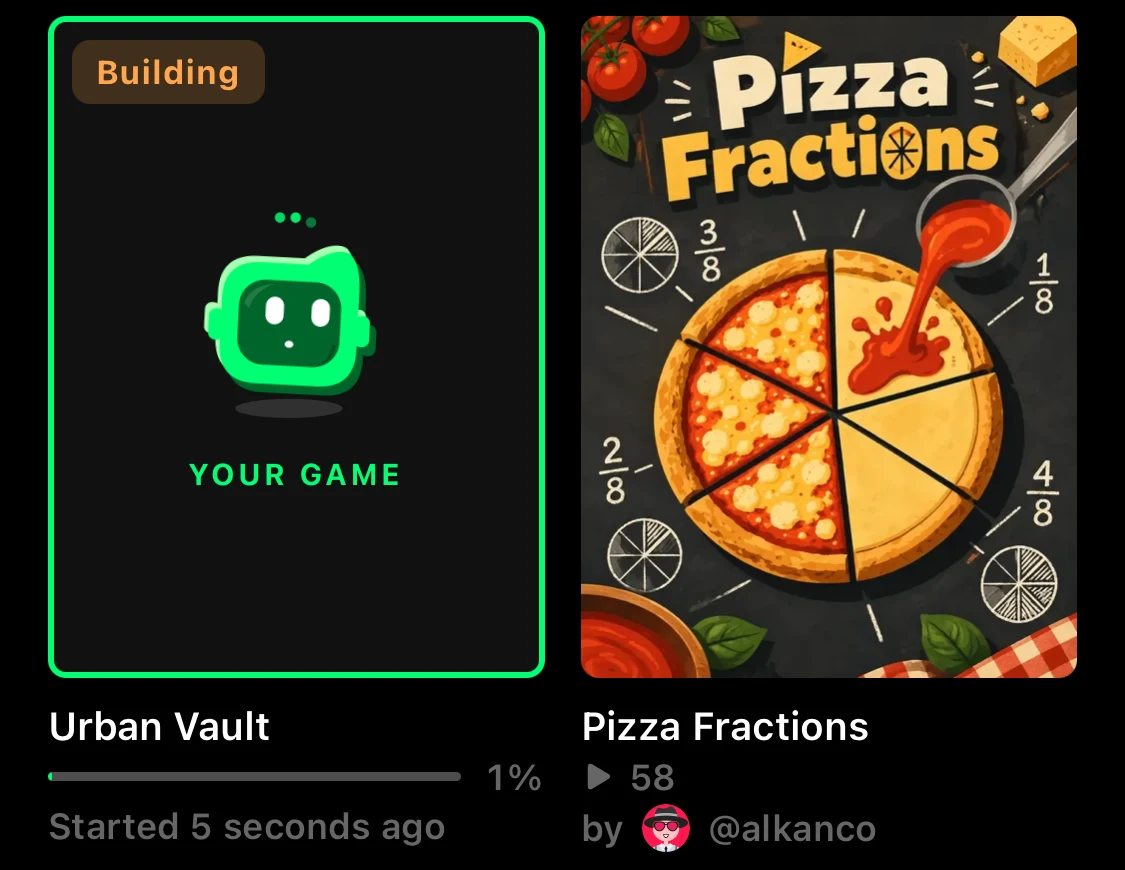
How long did ours take?
| Game | From Build it to playable |
|---|---|
| Pizza Fractions | about 14 minutes |
| Urban Vault | about 14 minutes |
| Hungry Cat Catch | about 10 minutes |
So "about 15 minutes" is a good guess. Plan for the full 15, and enjoy it if yours is faster.
Minute 15: your game is live
When the build is done, your game gets its own page, and it's live right away. It lands in Discover, where everyone on Flikk can find it. If you're in the creator Discord, it also shows up in #showcase automatically.
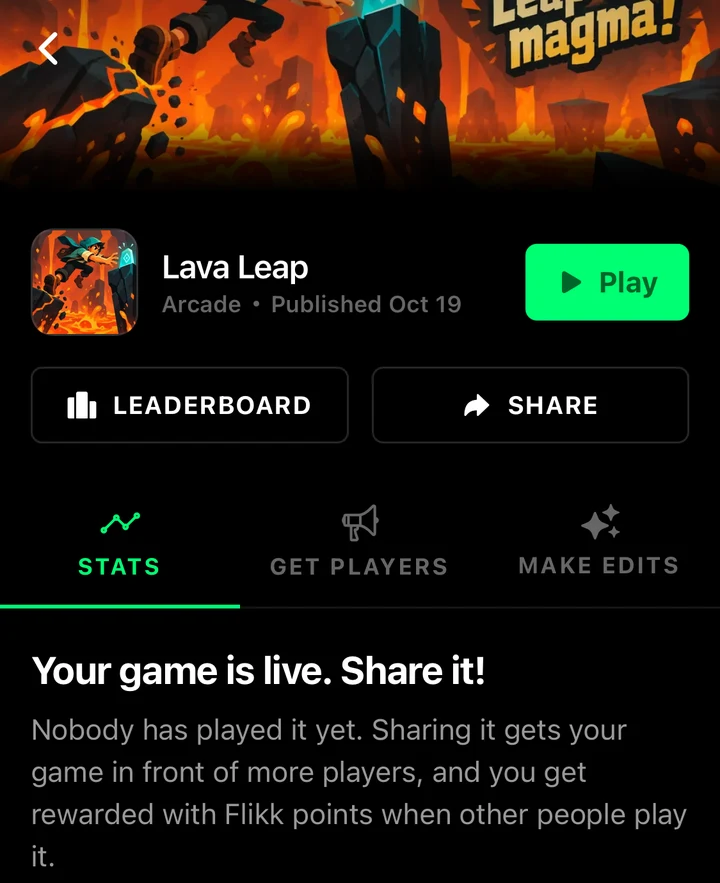
Your game page has everything in one place:
- Play, to try it yourself.
- Leaderboard and Share.
- Stats: who played and how much.
- Get Players: artwork, share buttons and captions to spread the word.
- Make Edits: change anything about your game.
Don't like the name the companion picked? Tap the name to change it.
Your first play: what to look for
Tap Play. Our games came with a title screen, often a How to play screen, and levels or a high score. Flikk built 50 levels for Lava Leap and 40 for Pizza Fractions, from one sentence each.
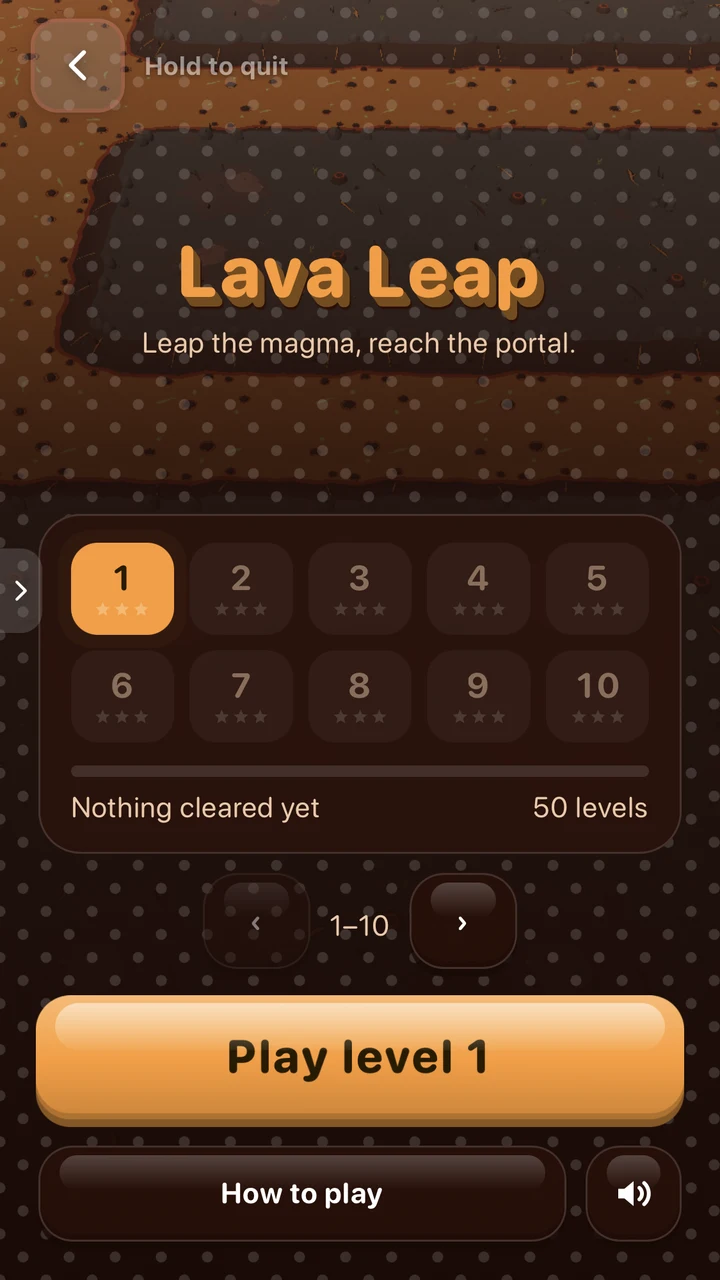
Some games explain themselves before you start:
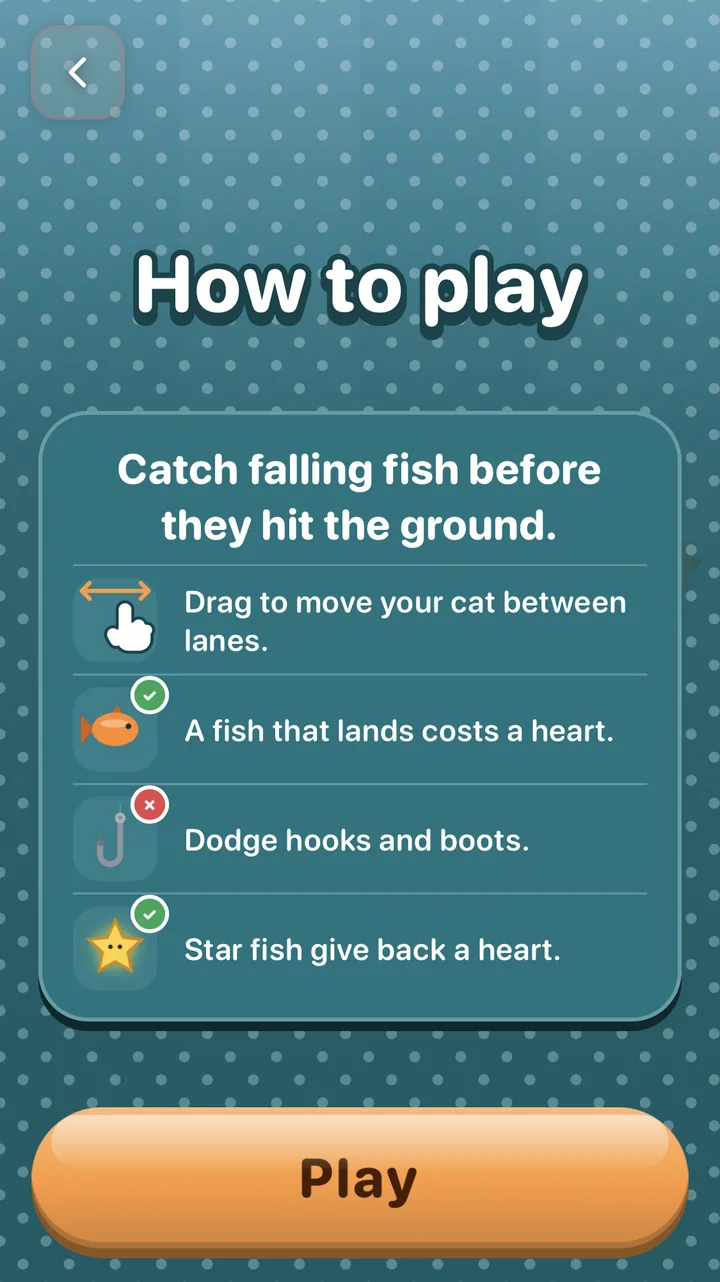
Play for a few minutes, and keep a list. Ask yourself:
- Is it fun after 30 seconds? If not, the core loop needs work. Our guide on the most important part of game design shows how to fix it.
- Is it too easy or too hard? Say so in an edit.
- Is anything broken or covered up? Describe what you see, and Flikk fixes it.
- What's missing? A boss, a night mode, a bonus round?
That list is your first edit.
Your first edit: about 5 minutes
Open Make Edits, describe one change from your list, and check the plan. An edit costs 25 Tokens and takes about 5 minutes. Our Urban Vault edit (a night mode and flips) took 7 minutes from Build it to playing.
Your game stays playable while it updates. "The game people can play right now doesn't change until it's done." Then every player gets the new version.
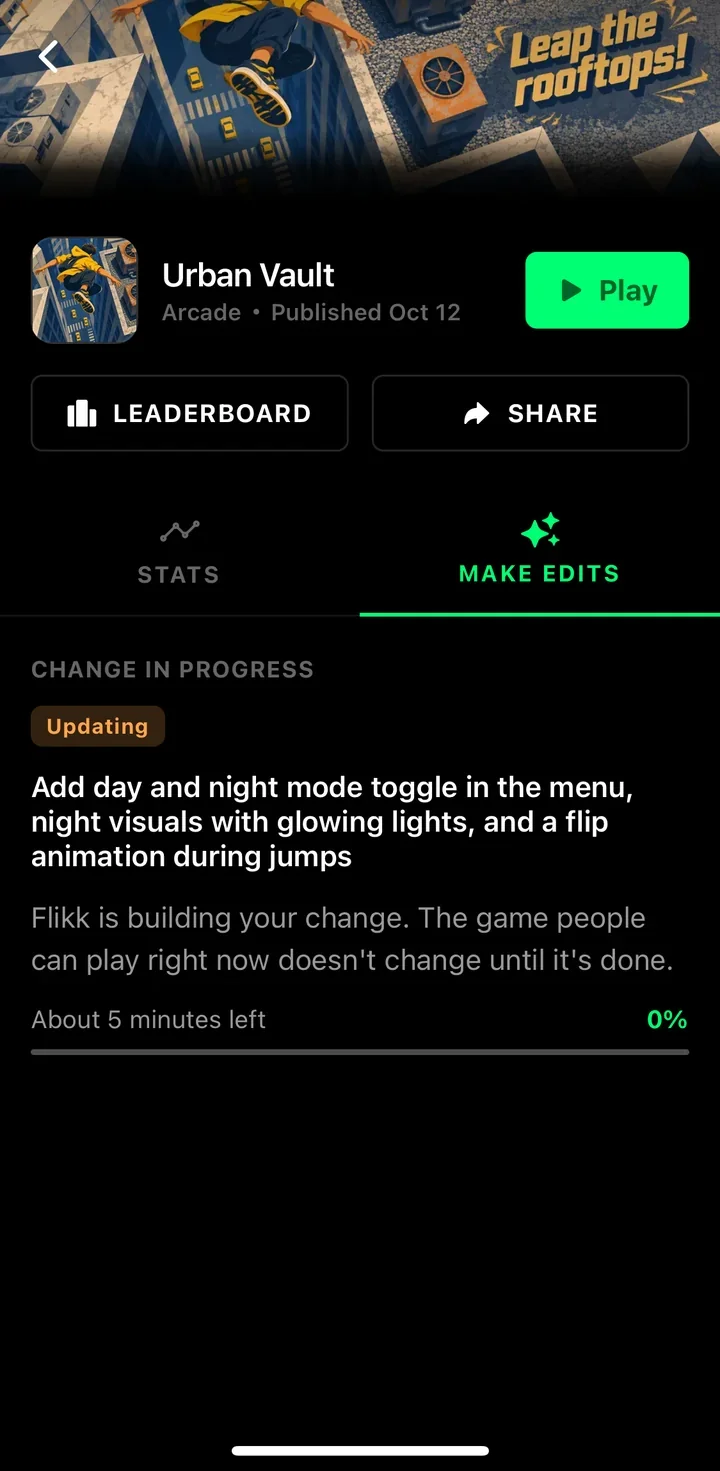
Not sure what to type? Here are 9 edit prompts that worked.
Your first players
A brand-new game starts with zero players. The fastest way to the first few is your friends:
- Open the Get Players tab and share your banner in a group chat.
- Send the game to friends with Share → Share with friends.
- Play a round, then challenge them to beat your score.
Our guide on how to get more players goes through every step.
And one more thing: you're now a Flikk creator, so you can join the Flikk creator Discord. Open Profile → Your Games and tap Link Discord. Meet other creators in the Discord.
Your first game, as a checklist
- Tap Build it, then go play something. Your game builds on your Profile.
- When it's live, play it for a few minutes and write down what bugs you.
- Rename it if you like: tap the name.
- Make one edit from your list.
- Share it with a friend and challenge their score.
- Link Discord and say hi in #new-creators.
Haven't made your first game yet? Open the Create tab and describe one in a sentence. Not sure how? Start with Meet the Flikk Companion.
Download Flikk on iOS · Download Flikk on Android
FAQ
How long does Flikk take to build a game?
About 15 minutes. Ours took between 10 and 14 minutes from tapping Build it to a playable game. An edit takes about 5 minutes.
Can I use the app while my game is building?
Yes. You don't have to watch the build. Your game shows up on your Profile under Your Games as a Building card with a progress bar, and you can play other games in the meantime.
Is my game public as soon as it's built?
Yes. Your finished game lands in Discover, where everyone on Flikk can play it. That's why you shouldn't put personal information in your game idea.
Can I change my game after it's built?
Yes. Open your game's page and tap Make Edits. Describe the change, check the plan and tap Build it. Players keep the current version until the new one is ready, in about 5 minutes.
Can I rename my game?
Yes. On your game's page, tap the game's name to change it.