10 Educational Game Ideas for a School Project (Make Yours in About 15 Minutes)
Need a school project idea? Make your own learning game on your phone. Ten game ideas by subject, prompts to copy, and how to present it in class.
In this article
Need an idea for a school project that isn't another poster? Make a game about your topic. A learning game shows that you understand the subject well enough to turn it into rules, questions and levels. With Flikk, you describe the game in a sentence or two, and it's ready to play in about 15 minutes. No coding needed.
Below are 10 educational game ideas by subject, each with a prompt you can copy. Two of them we built ourselves, so you can see what you actually get. At the end: how to turn your game into a project your teacher will love.
Quick note: Flikk is our app. The two games marked "we built it" are real, and the other prompts are ideas to try. Getting a game plan for them is free.
How it works
Most teachers like game projects that follow the same steps game designers use: brainstorm, sketch, build a prototype, test it, improve it. Flikk covers each one:
- Brainstorm: pick your topic and describe the game in the Create tab.
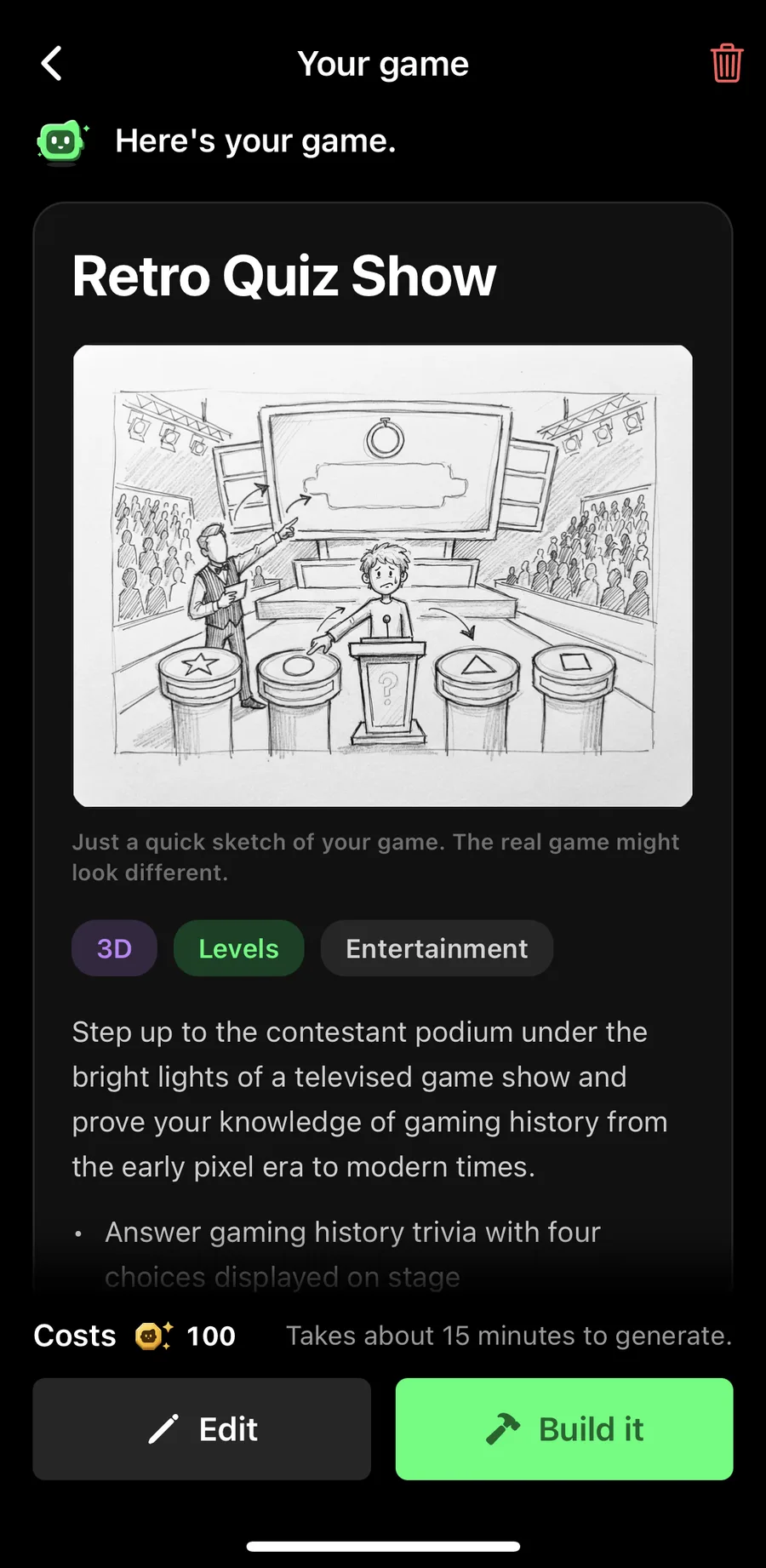
- Sketch: the companion (Flikk's little green robot) answers with a game plan: a name, a quick sketch and the rules. Getting a plan is free.
- Build: tap Build it. A new game costs 100 Tokens and takes about 15 minutes.
- Test: play it yourself, then send it to classmates.
- Improve: change it with Make Edits. Each edit costs 25 Tokens and takes about 5 minutes.
Each step gives you something to show in your presentation. More on that at the end.
Math
1. Fractions on a pizza (we built it)
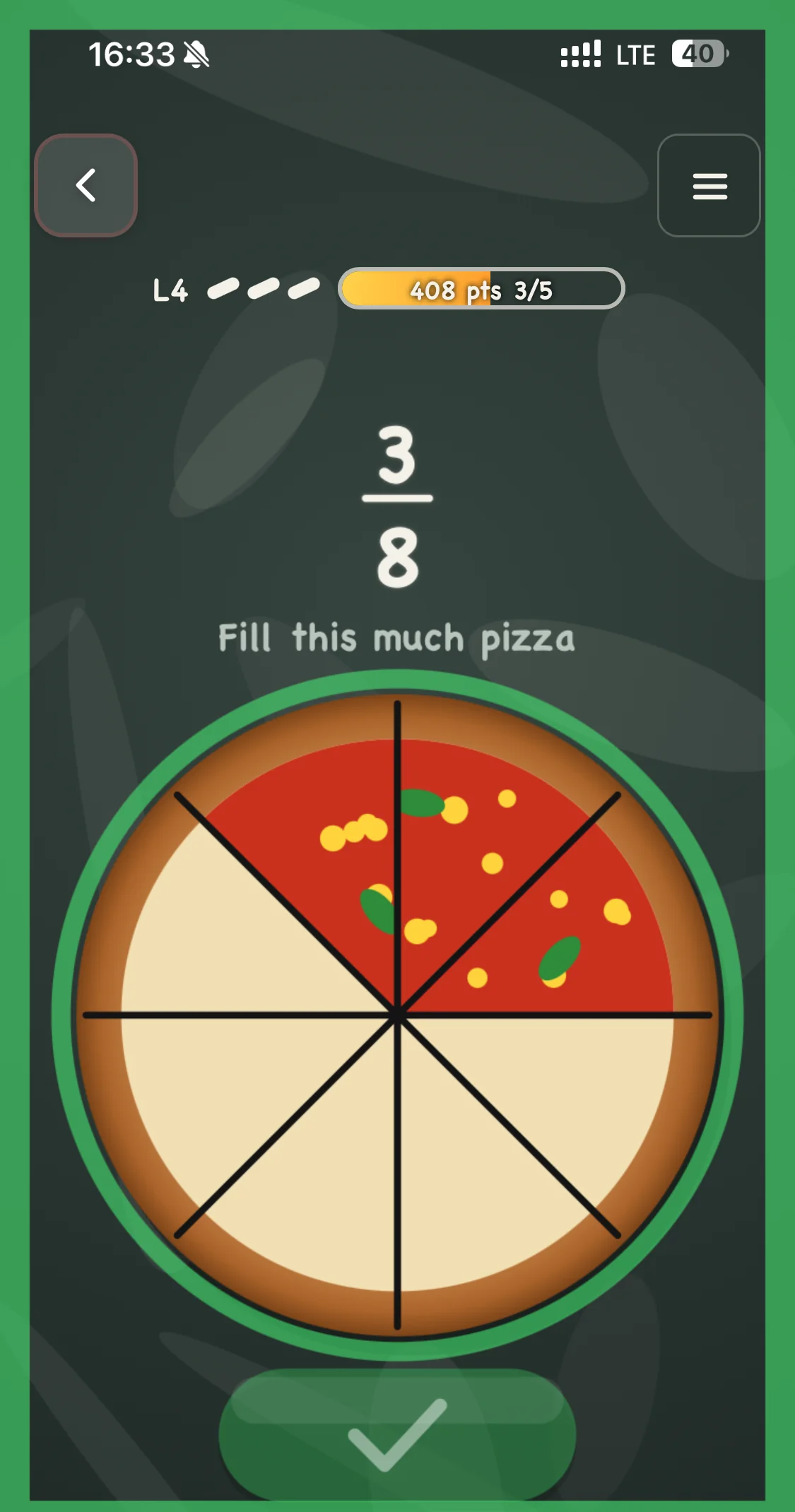
Make me a learning game where I can learn and train fractions for my exams. Make also mini games for visual learning, like showing fractions on a pizza.
That's the prompt we typed, and Flikk built Pizza Fractions: 40 levels where you fill a pizza to match a fraction, pick the bigger share, and find which fraction is shaded. A right answer flashes green, a wrong one flashes red, so you see your mistake right on the pizza.
The whole story, with every question type, is in Make Your Own Study Game.
Trivia for any subject
2. A quiz show about your topic (we built two)
A spooky Halloween trivia game show about monsters, horror movies and Halloween traditions, with a candle timer that blows out when time runs out.
A quiz works for every subject: history, biology, literature, even your class's reading list. We built two. Haunted Trivia Show is about Halloween traditions, with a candle on the podium as the timer. Retro Quiz Show is about video game history, with a different era to pick before each round.
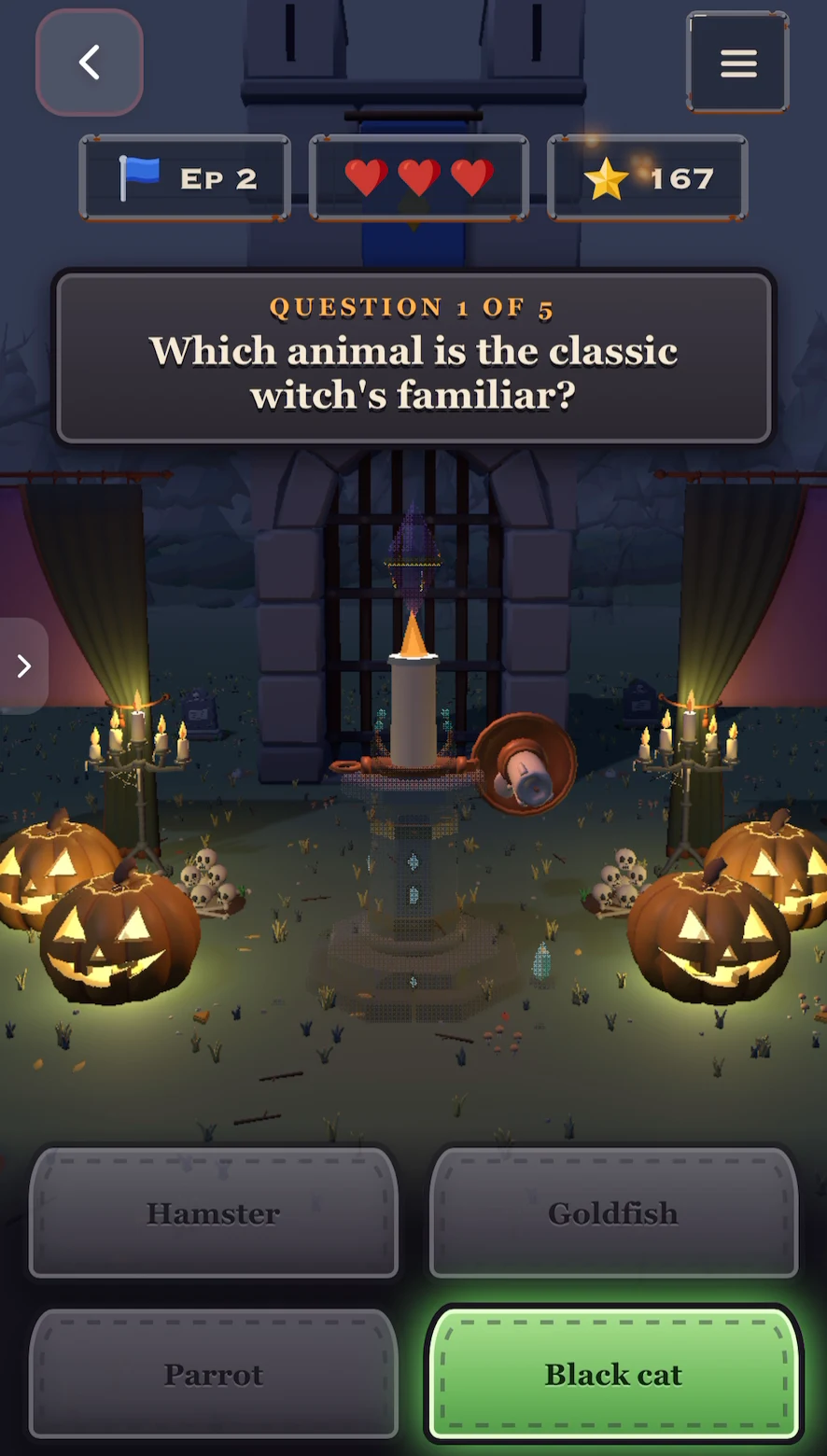
For your project: swap the topic. "A trivia game show about the American Revolution, with four answers per question and harder questions every level." Both games are shown step by step in 10 Halloween Game Ideas and How to Make Your Own Trivia Game.
Science
3. Solar system
A space game where I fly a rocket to the right planet after reading a clue about it, like "the biggest planet" or "the planet with rings". Landing on the wrong planet costs fuel.
4. Food chains
Drag animals and plants onto the right level of a food chain before the timer runs out. Every level adds more animals.
5. The periodic table
A match-3 game with element symbols. When I match three of the same element, show its name and atomic number.
6. Saving the oceans
A fishing game where I only catch fish from healthy populations. Catching an endangered fish costs a life, and a short fact explains why.
History and geography
7. Put history in order
Put events from the American Revolution in the right order on a timeline before the clock runs out. Every level adds more events.
8. Flags and countries
A plane flies over a world map, and I tap the country that matches the flag on screen before the plane runs out of fuel.
Languages
9. Grammar sorting
Catch falling words and sort them into baskets for nouns, verbs and adjectives. Wrong basket costs a heart.
10. Vocabulary memory
A memory card game where I match Spanish words to pictures. Every level adds more pairs.
Got a different topic? Use the same pattern: say what the player does, what it's about, and what makes it a challenge (a timer, lives, harder levels). Our game prompt guide shows good and bad examples.
Turn your game into a great project
A game alone is fun. A game plus the story of how you made it is a project. Here's how to show your work:
Show your sketch
The companion's game plan comes with a pencil sketch and the rules it understood. Screenshot it. It's your design document: what you planned before anything was built.
Check every fact
This one matters. Flikk's own Create tab reminds you that AI can make mistakes. Play every level and check the questions and answers against your textbook. Found a wrong one? Fix it with Make Edits, and tell your teacher you did. That's real research.
Take screenshots while you play
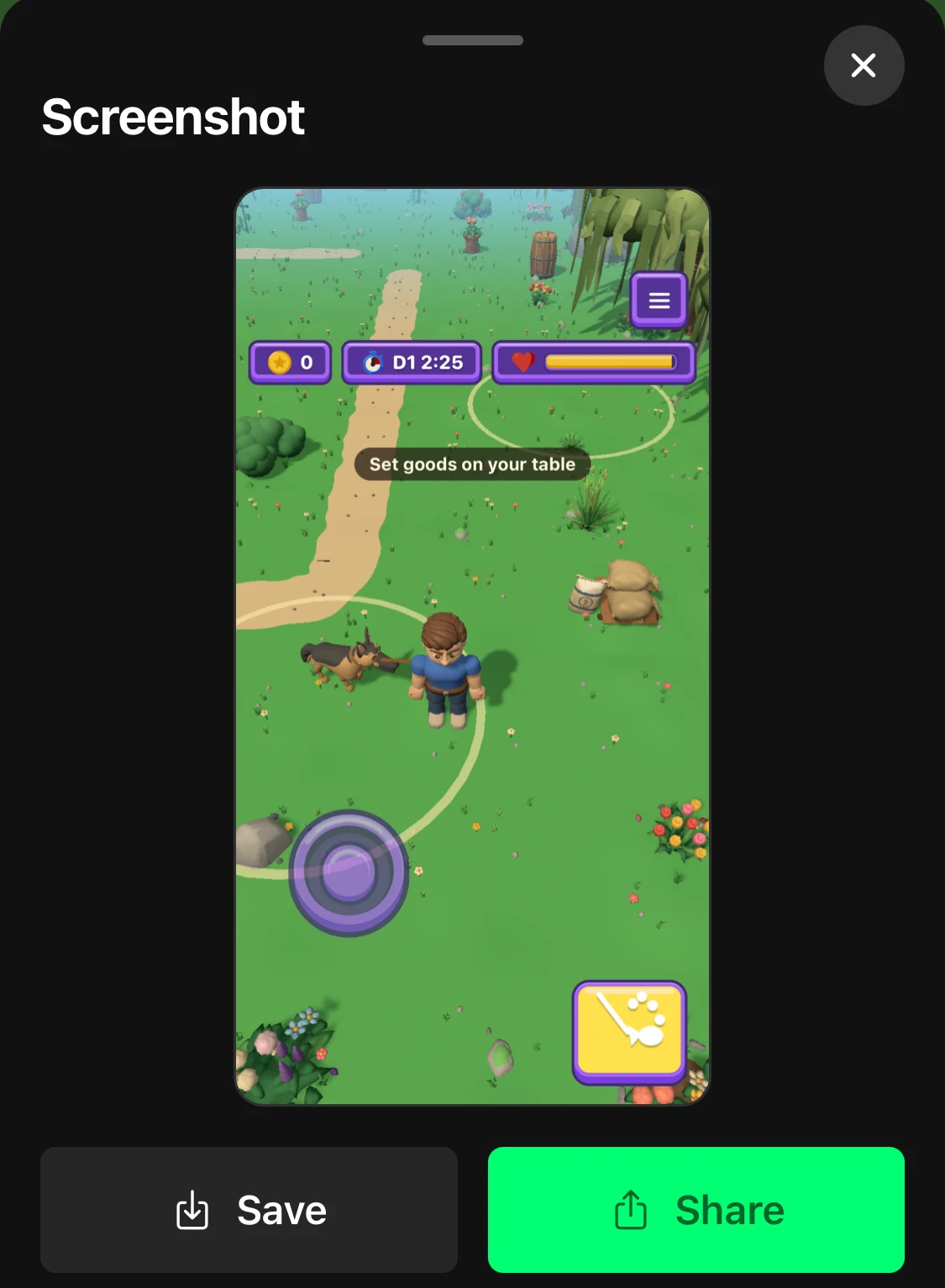
Tap the camera button on the left side of the screen while you play. You can save the screenshot to your phone for your slides.
Let classmates test it
Send your game to classmates and ask what was too easy, too hard or confusing. On your game's page, tap Share. Friends on Flikk get it in their inbox. For anyone else, tap Share another way to send a message or copy the link.
Improve it, and show the versions
Use their feedback with Make Edits. "The first level is too hard" or "Add more questions about the Boston Tea Party" is enough. Flikk shows a plan of the change first:
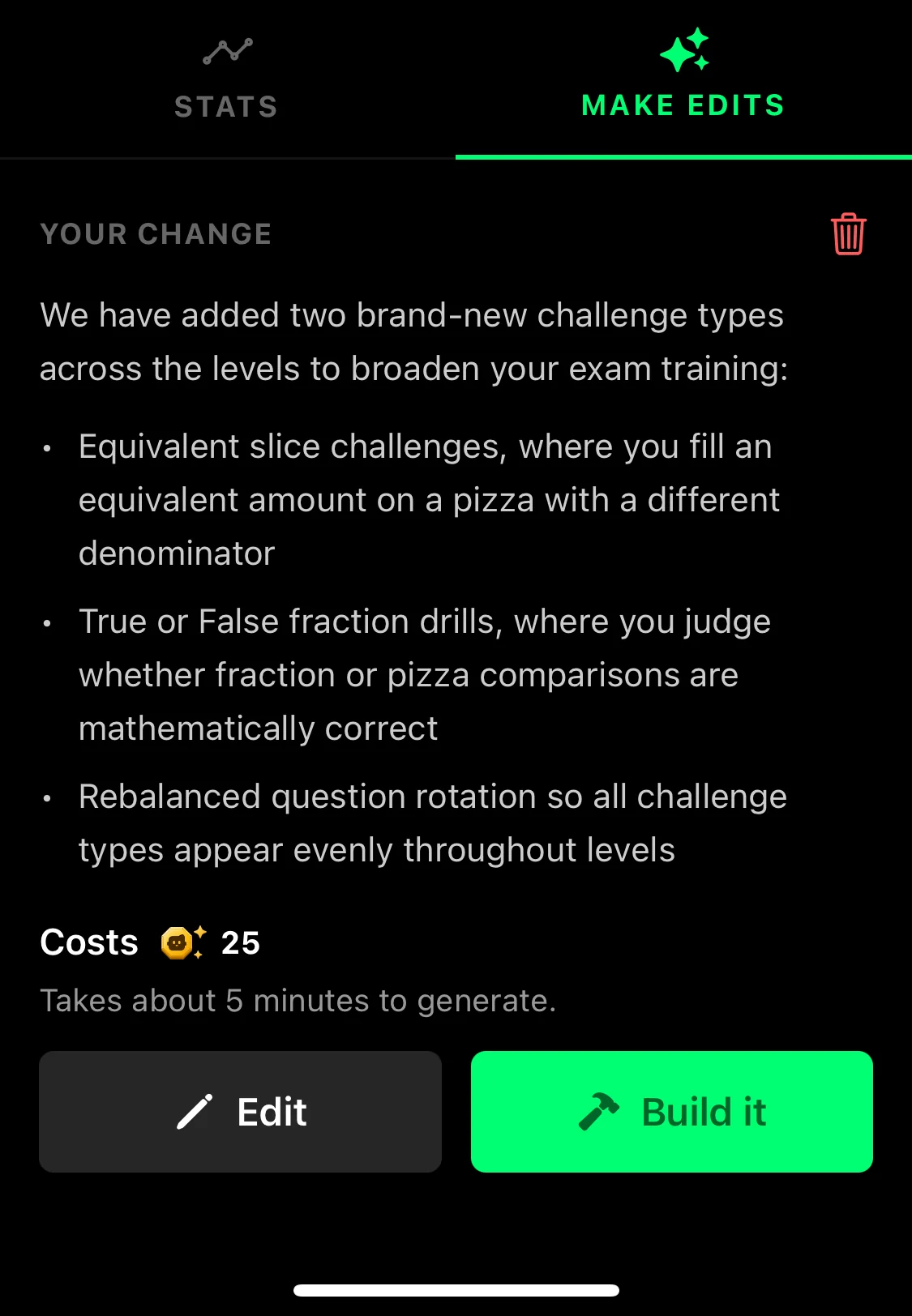
Screenshot version 1 and version 2 side by side. "Here's what testers said, here's what I changed" is exactly what teachers look for. Need edit ideas? Here are 9 edit prompts that worked.
Be open about how you made it
Tell your teacher you made the game with Flikk, an AI game maker. The idea, the topic, the fact-checking and the improvements are yours, and that's what your project shows.
Ready? Open the Create tab, pick a topic from this list and describe your game. Getting a plan is free.
Download Flikk on iOS · Download Flikk on Android
FAQ
Can I make an educational game without coding?
Yes. On Flikk, you describe the game in a sentence or two, like "a quiz show about the solar system with four answers per question". Flikk shows you a game plan, and once you tap Build it, the game is ready in about 15 minutes. No code, no engine.
How much does it cost to make a game for school?
Flikk is free to download, and getting a game plan is free. Building a new game costs 100 Tokens and each edit costs 25 Tokens. You can buy Tokens as an optional in-app purchase.
What's a good subject for a game project?
Anything with facts, steps or categories works well: fractions, the planets, food chains, history timelines, flags, grammar or vocabulary. If you can make a quiz about it, you can make a game about it.
Are the questions in my game always correct?
Not always. AI can make mistakes, so play every level and check the facts against your notes or textbook. If something is wrong, fix it with Make Edits.
Can my classmates play my game?
Yes. Every game you make lands in Discover, where everyone on Flikk can play it, and you can send it to friends from the game's page. Don't put personal information in your game, since everyone can see it.