How to Make Your Own Trivia Game (We Turned a Video Game Quiz Into a Game Show)
Make your own trivia game on your phone, no code needed. We built a 3D video game quiz show from one sentence, then grew it with edits.
In this article
You can make your own trivia game by describing it. In the Flikk app, you type one sentence about your quiz, and Flikk builds a playable trivia game with questions, a timer and a score in about 15 minutes. No code, no question forms to fill in, nothing to install.
Most guides to making a trivia game show you how to fill in a quiz form or build a slideshow. That's great for a party. But a form isn't a game. In this guide, we made a real one: a 3D video game quiz show called Retro Quiz Show, from one sentence. Then we grew it with two edits, fixed a bug with a third, and you'll see every step.
Quick note: Flikk is our app. Every screenshot below is from that real build, and every prompt is exactly what we typed. Game names in the questions belong to their owners.
Step 1: Describe your trivia game in one sentence
Open Flikk, tap Create and switch to 3D. Then describe your quiz. This is the sentence we used:
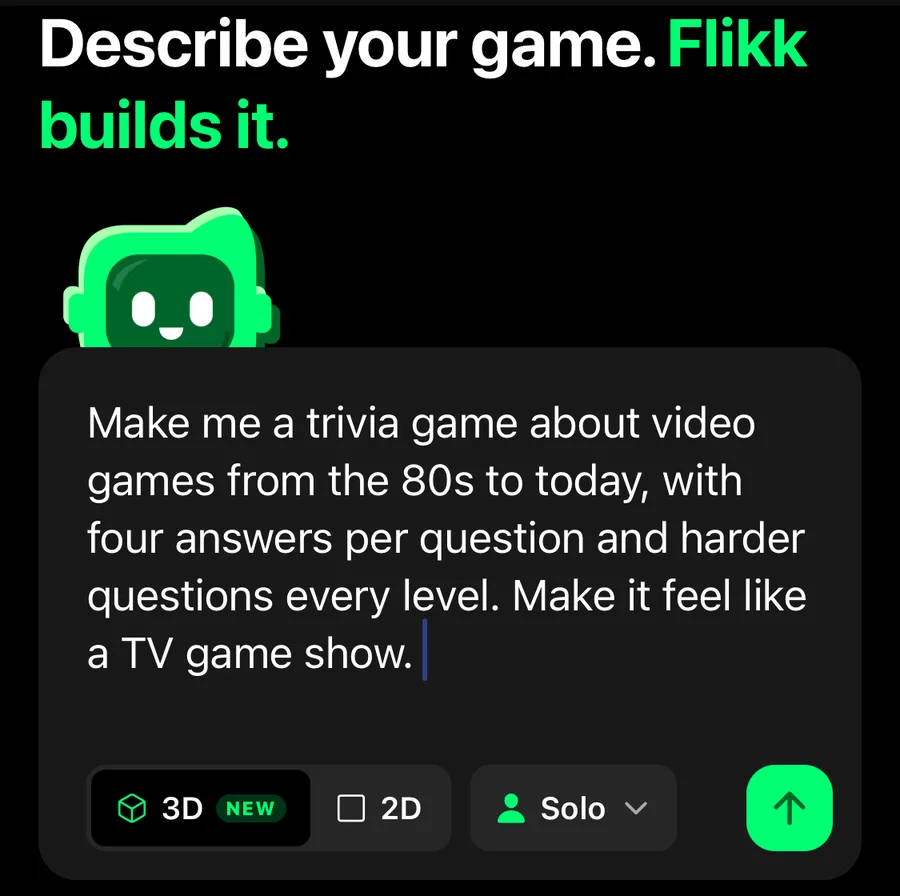
"Make me a trivia game about video games from the 80s to today, with four answers per question and harder questions every level. Make it feel like a TV game show."
It says what the questions are about (video games from the 80s to today), how you answer (four choices), how it gets harder (every level) and what it should feel like (a TV game show).
A narrow topic works better than "general knowledge". It gives the game a clear theme, and the questions feel like they were written for a fan.
Step 2: Check the game plan
Before it builds anything, the companion (the little green robot) shows you what it understood. It named our game Retro Quiz Show, drew a quick sketch of a game show stage, and wrote the rules.
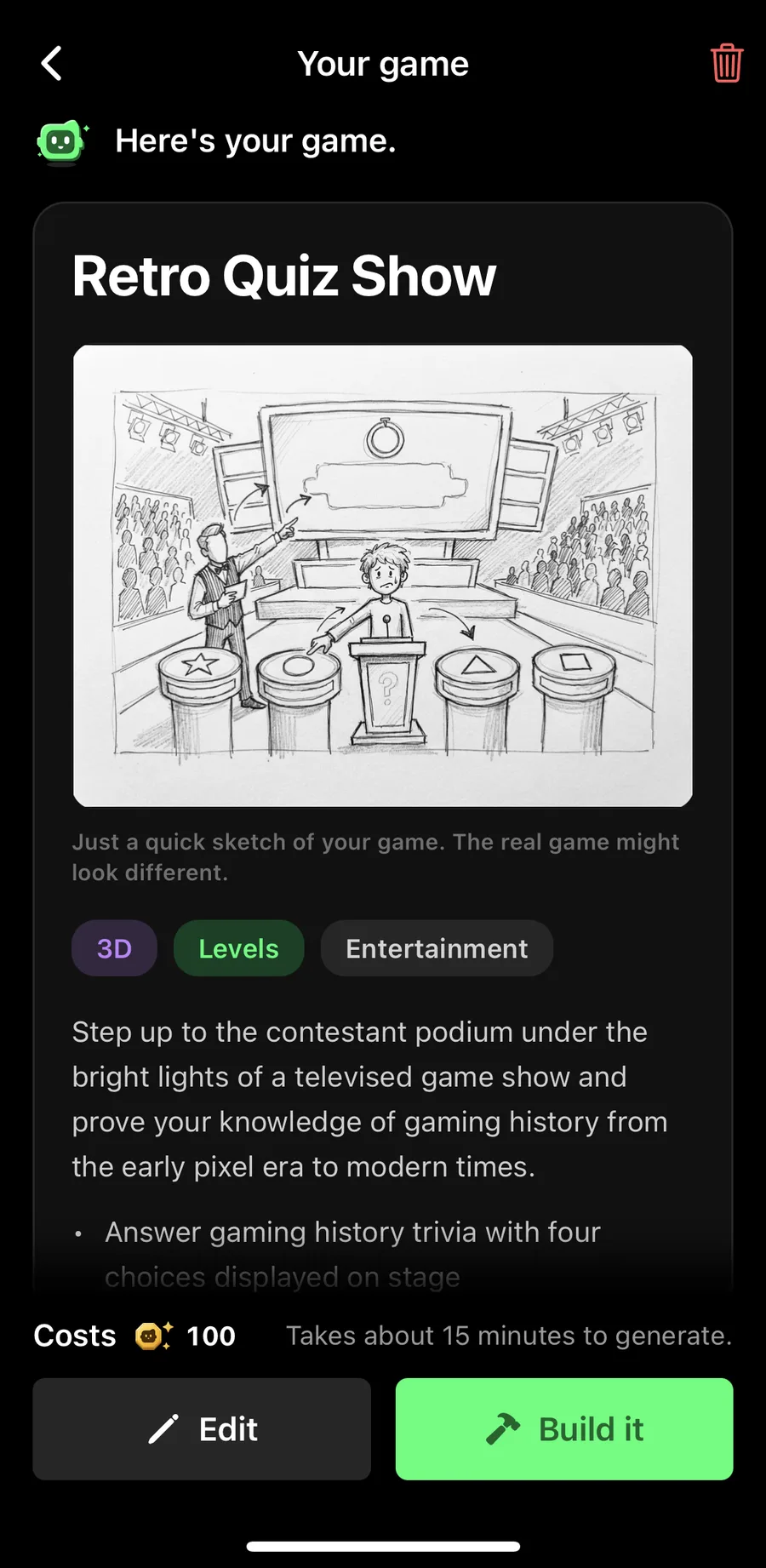
The plan had more than we asked for: a 30-second countdown on every question, five questions per level, fifty levels, and three lifelines per round. We hadn't mentioned lifelines at all. Read the plan, tap Edit if something's off, then tap Build it. A new game costs 100 Tokens.
Step 3: Play version 1
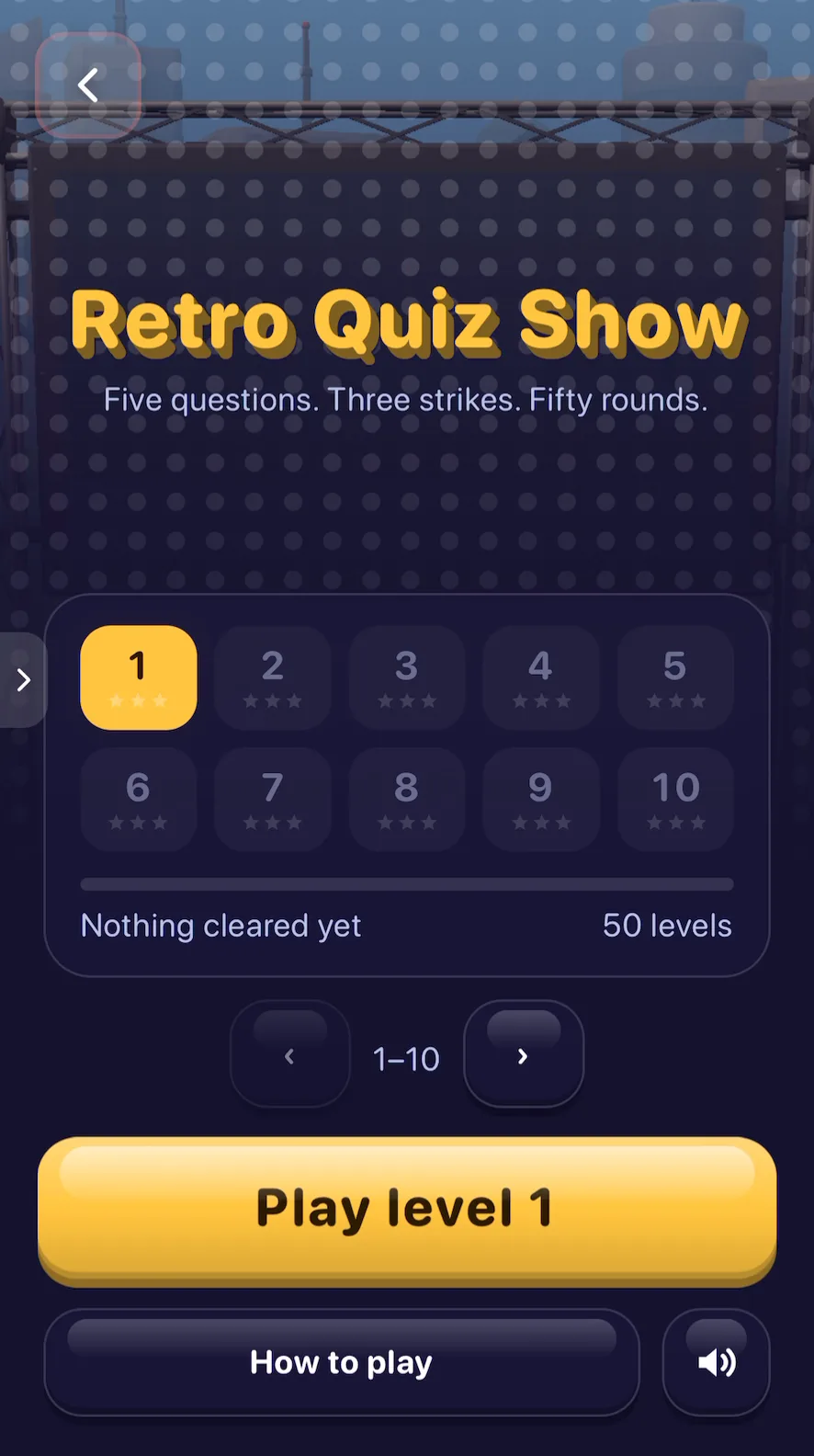
About 15 minutes later, Retro Quiz Show was ready: a start screen with 50 levels, and the tagline "Five questions. Three strikes. Fifty rounds."
Each round is five questions from different eras of gaming: the Arcade, Cartridge, Disc and Digital eras. You tap one of four answers before the clock runs out. A wrong answer or an empty clock is a strike, and three strikes end the round. Every second left on the clock is worth points.
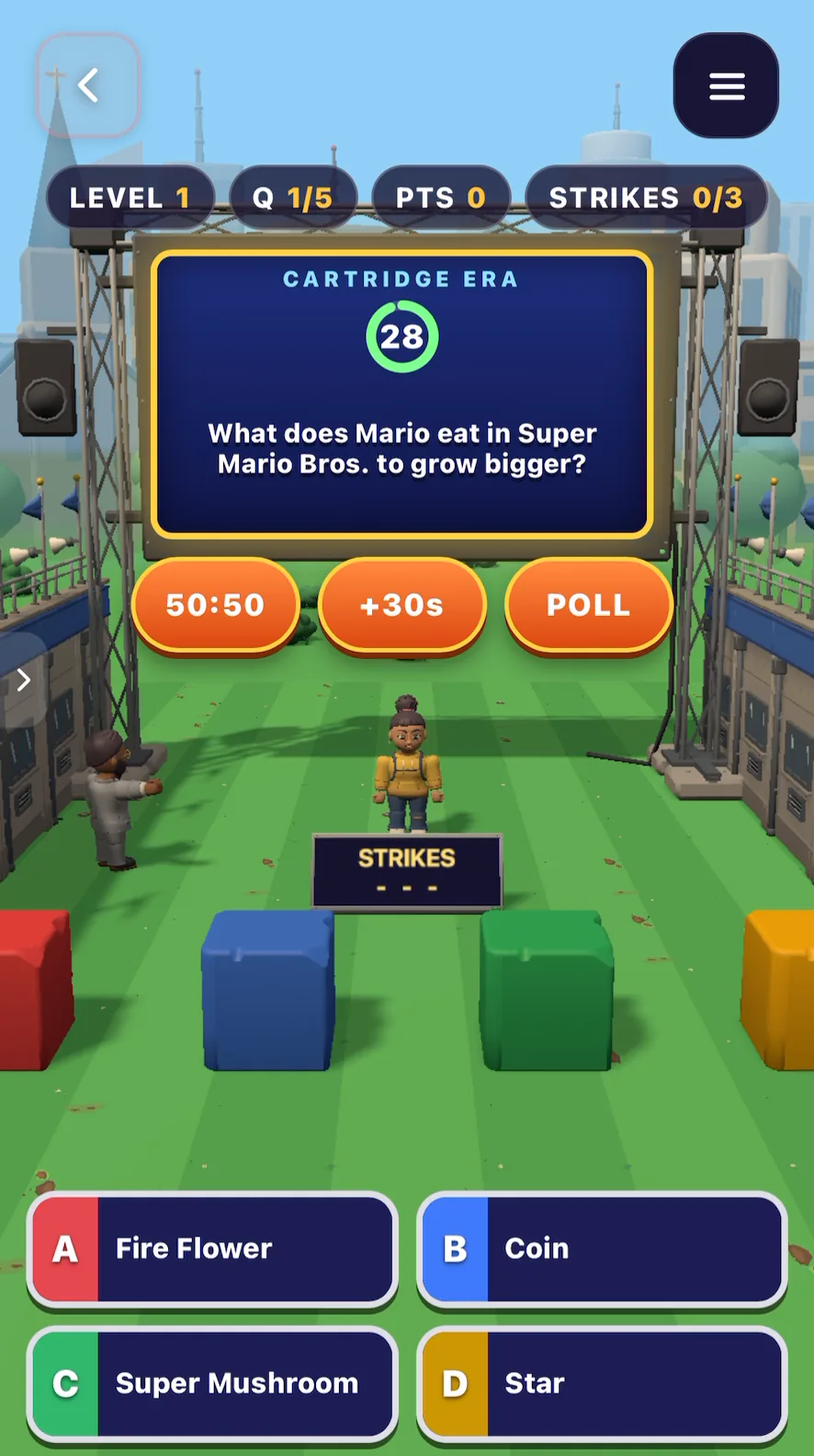
The three lifelines are 50:50 (removes two wrong answers), +30s (more time) and Poll. Each one works once per round.
How did it play? The questions were the best part. "Which 1978 shooter has rows of aliens marching down the screen?" (Space Invaders.) "Which Atari home console, released in 1977, played games on cartridges?" (The Atari 2600.) Every one we checked was right. The pace was good too: five questions, a clock, done.
The part that didn't feel like TV was the stage. The contestant stood on a green lawn in front of four colored cubes. That became our list for the next edits.
Step 4: Edit 1, add an emoji bonus round
First, we wanted something extra at the end of each round. We opened Make Edits on the game's page and typed:
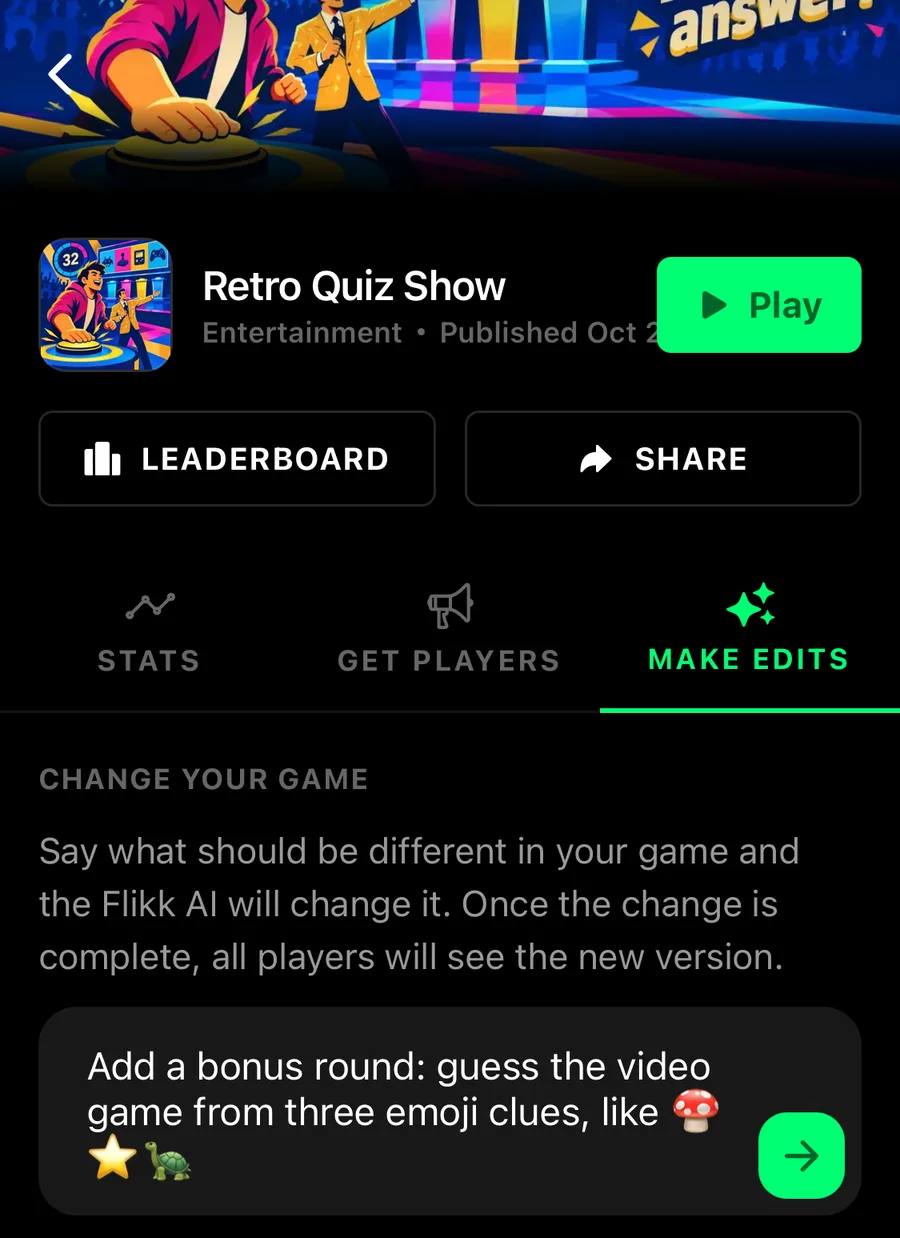
"Add a bonus round: guess the video game from three emoji clues, like 🍄⭐🐢"
Flikk's plan: "A bonus round now appears after successfully clearing all five questions of a level. Guess the video game title from three emoji clues to earn extra points before advancing." An edit costs 25 Tokens and takes about 5 minutes. The version people can play stays the same until the new one is done.
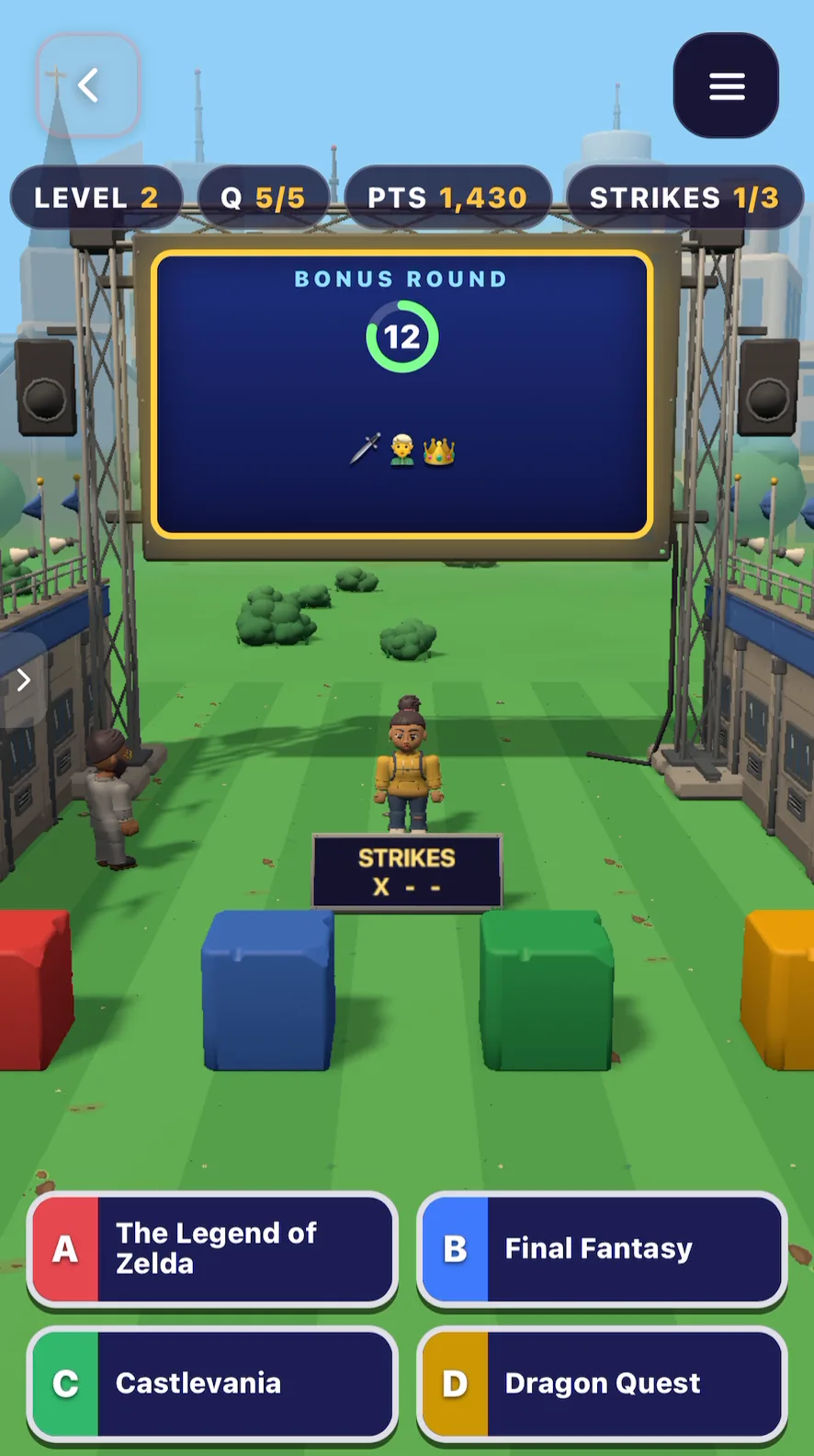
It worked. Clear a round and you get a sword, a hero and a crown. (The Legend of Zelda.)
But the emoji were tiny. On a phone, you had to squint to see them.
Step 5: Edit 2, turn the lawn into a TV studio
So our second edit fixed the two things that bugged us, and added one more feature: picking an era before each round. We put it all in one Make Edits request:
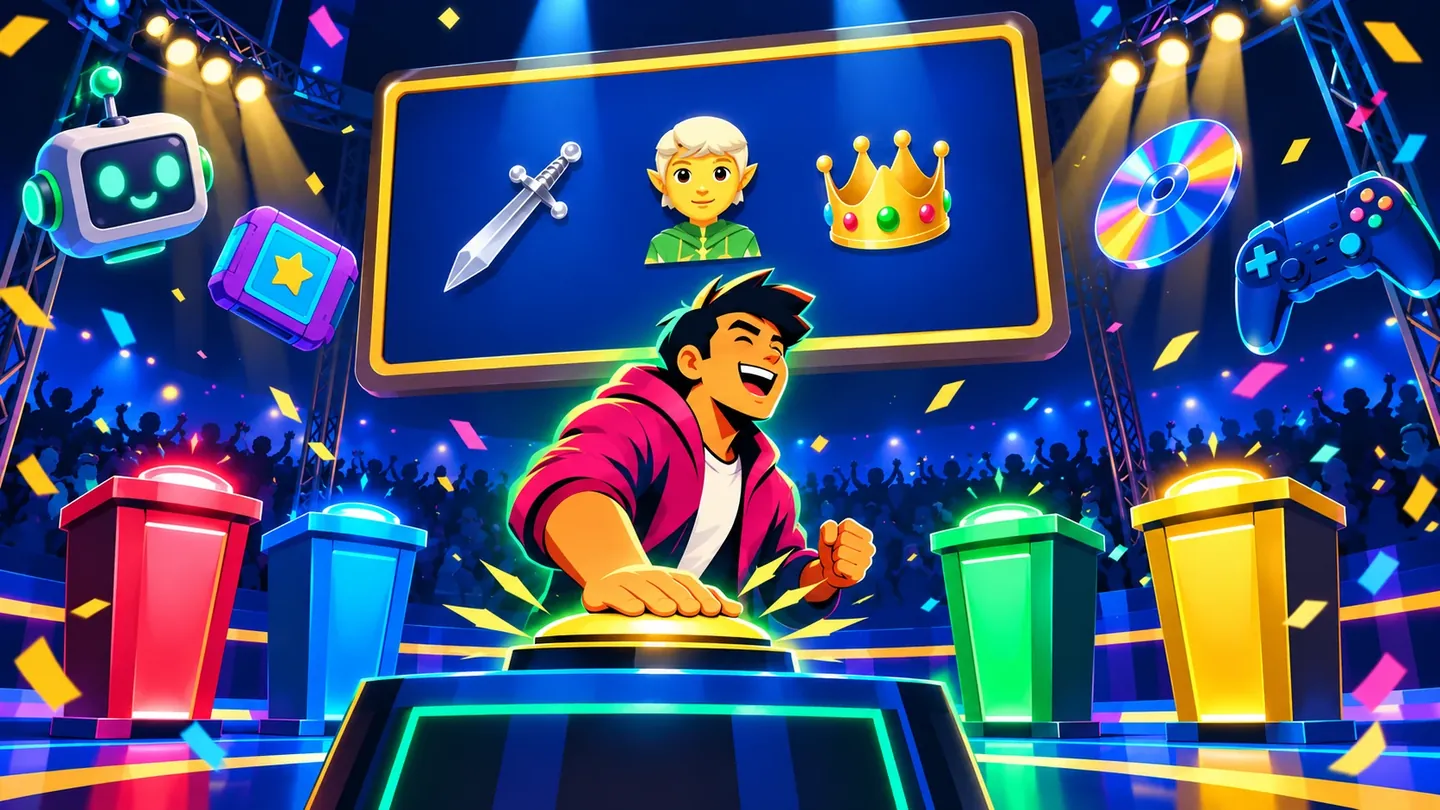
"Turn the lawn into a real TV game show studio at night: a glowing stage floor, spotlights on the contestant, a cheering audience, and four answer podiums in red, blue, green and yellow that light up when I pick an answer. Confetti on a right answer and the podium flashes red on a wrong one. Make the emoji clues in the bonus round three times bigger. Also before each round, let me pick an era: Arcade, Cartridge, Disc or Digital."
The edit plan is worth reading closely. Flikk said what it would change, and also what it would leave out:
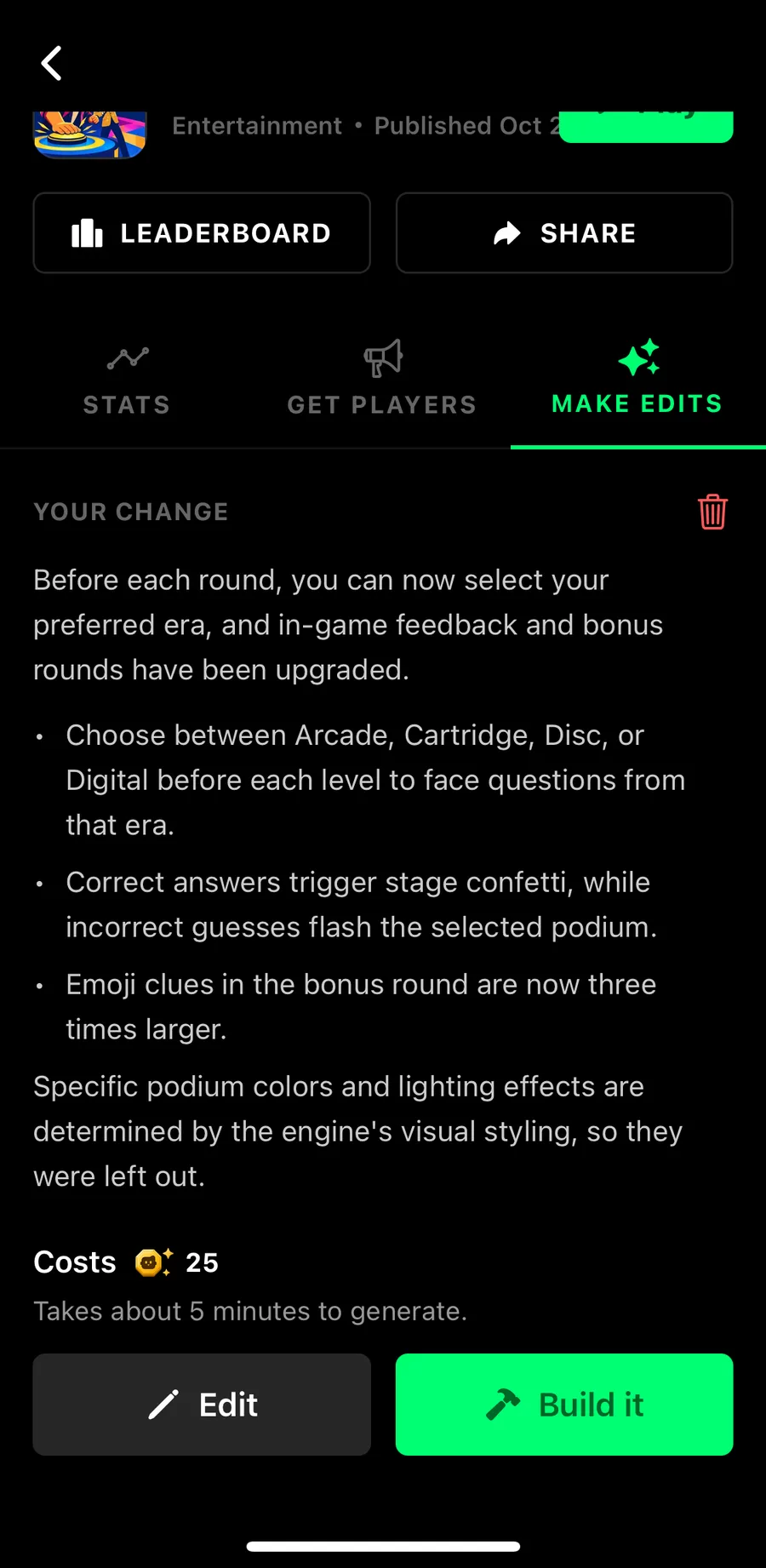
Pick an era, confetti for right answers, flashing podiums and three times bigger emoji: all in. But "Specific podium colors and lighting effects are determined by the engine's visual styling, so they were left out." That's the honest kind of answer you want before you spend Tokens.
Here's what we got. Before each round, you now choose your era:
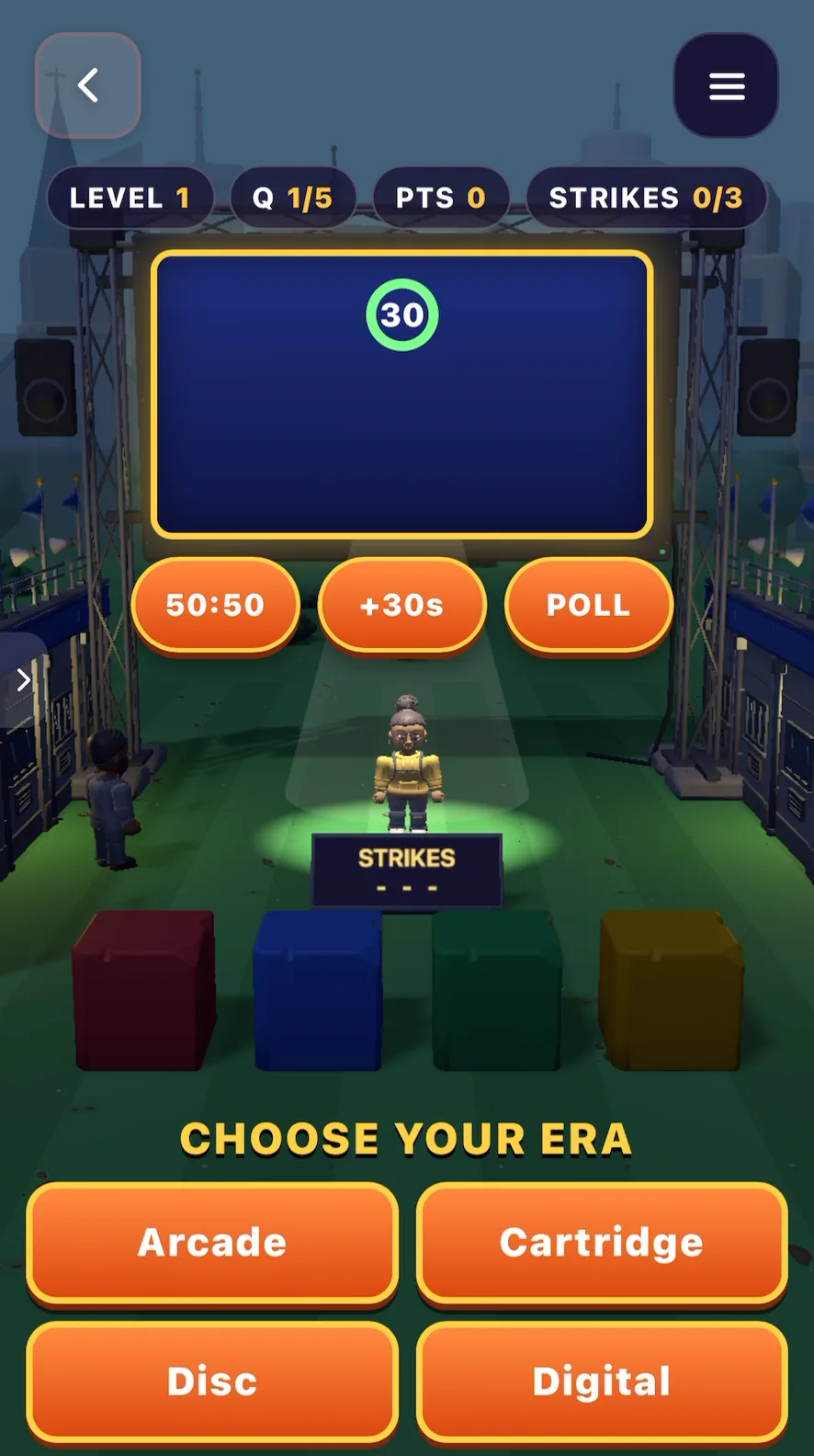
The stage changed more than the plan suggested. It's night now, with a spotlight on the contestant and a glowing circle under their feet. On the left, the first version; on the right, after edit 2:
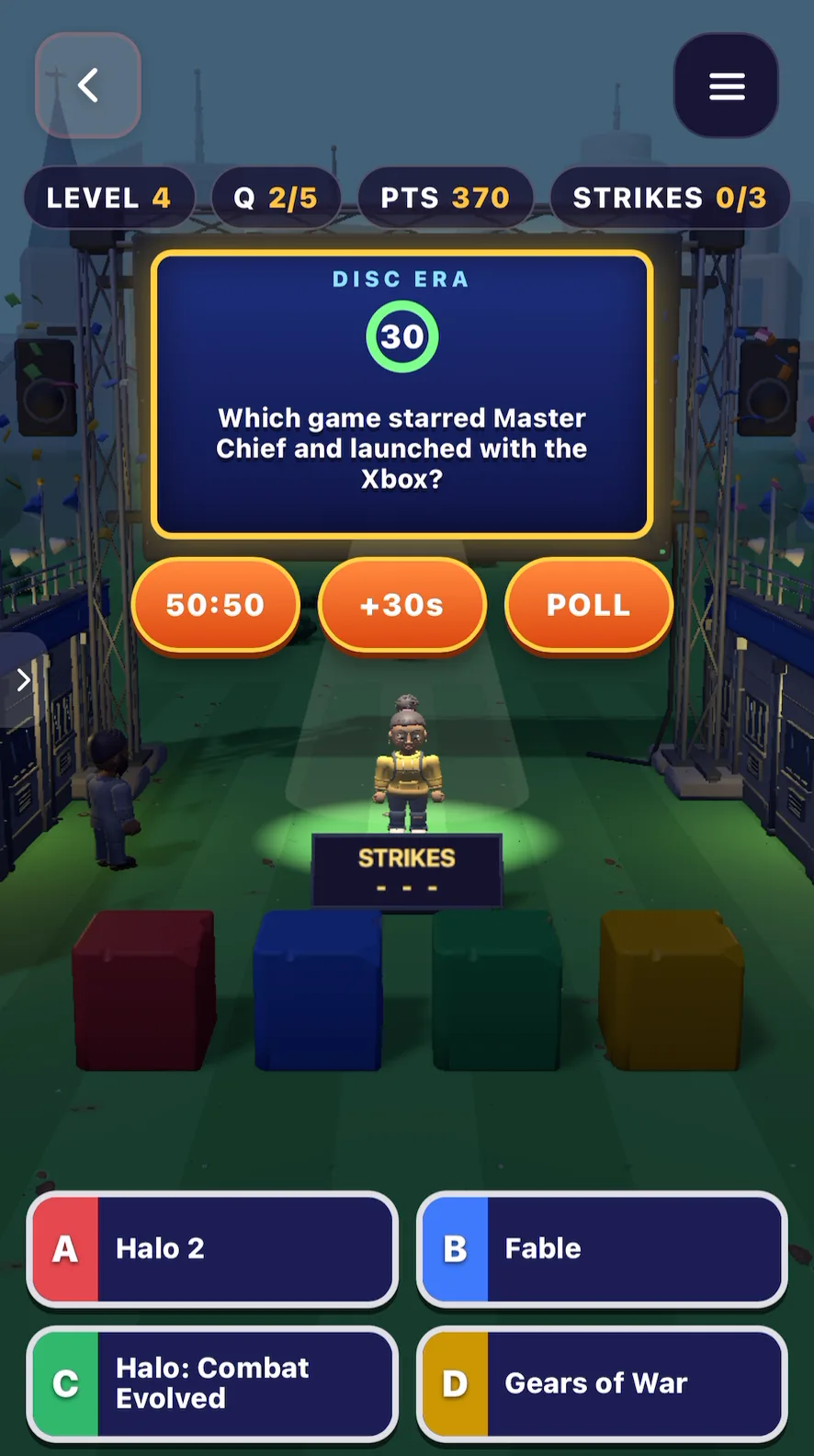
It's not a full TV studio. The floor is still grass and the podiums are still cubes. But it feels much more like a show: right answers now set off confetti, and the block for the right answer flashes. And the emoji clues are finally readable:
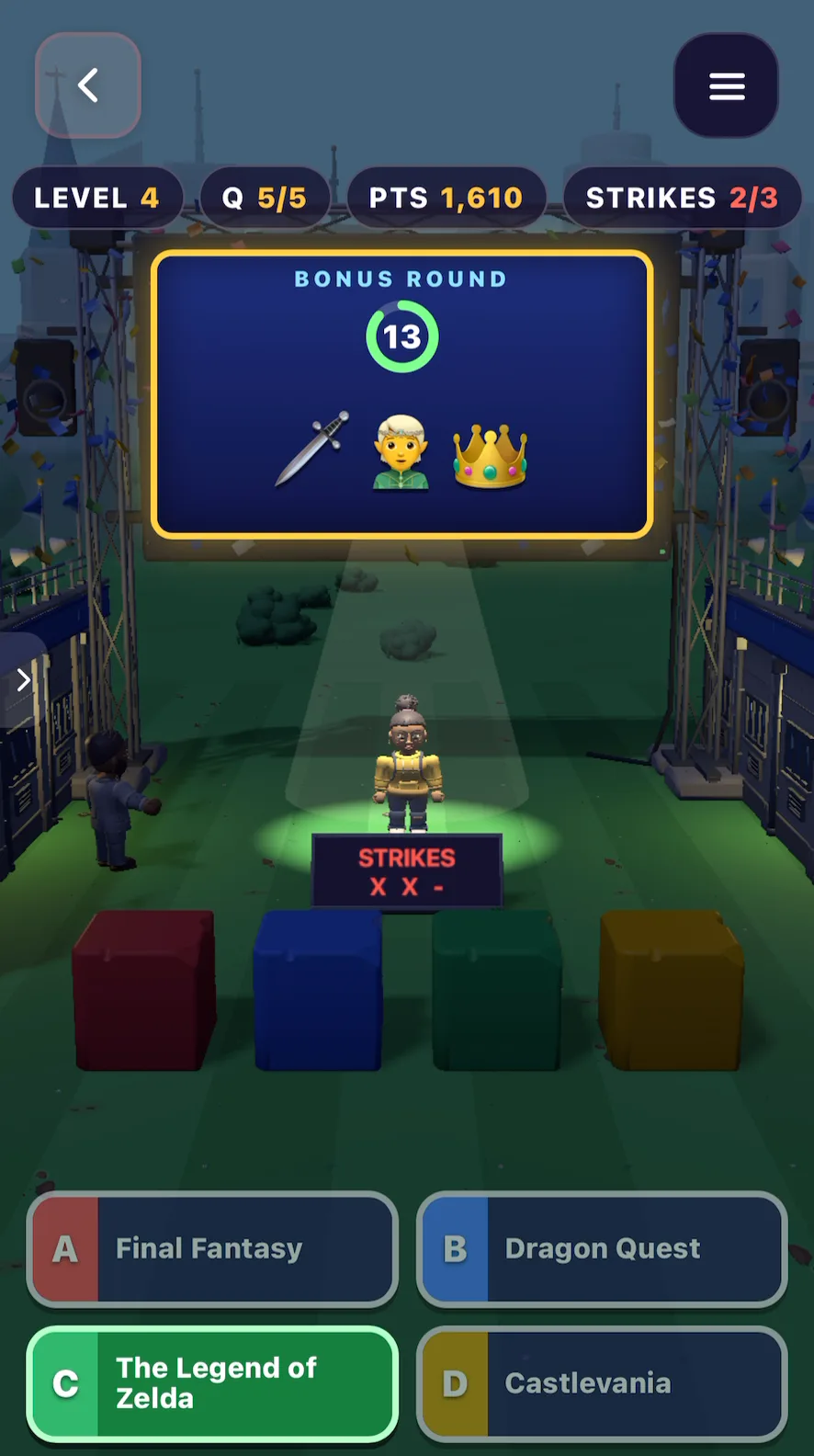
Can you guess this one? An alien, a rocket and a red arrow pointing down.
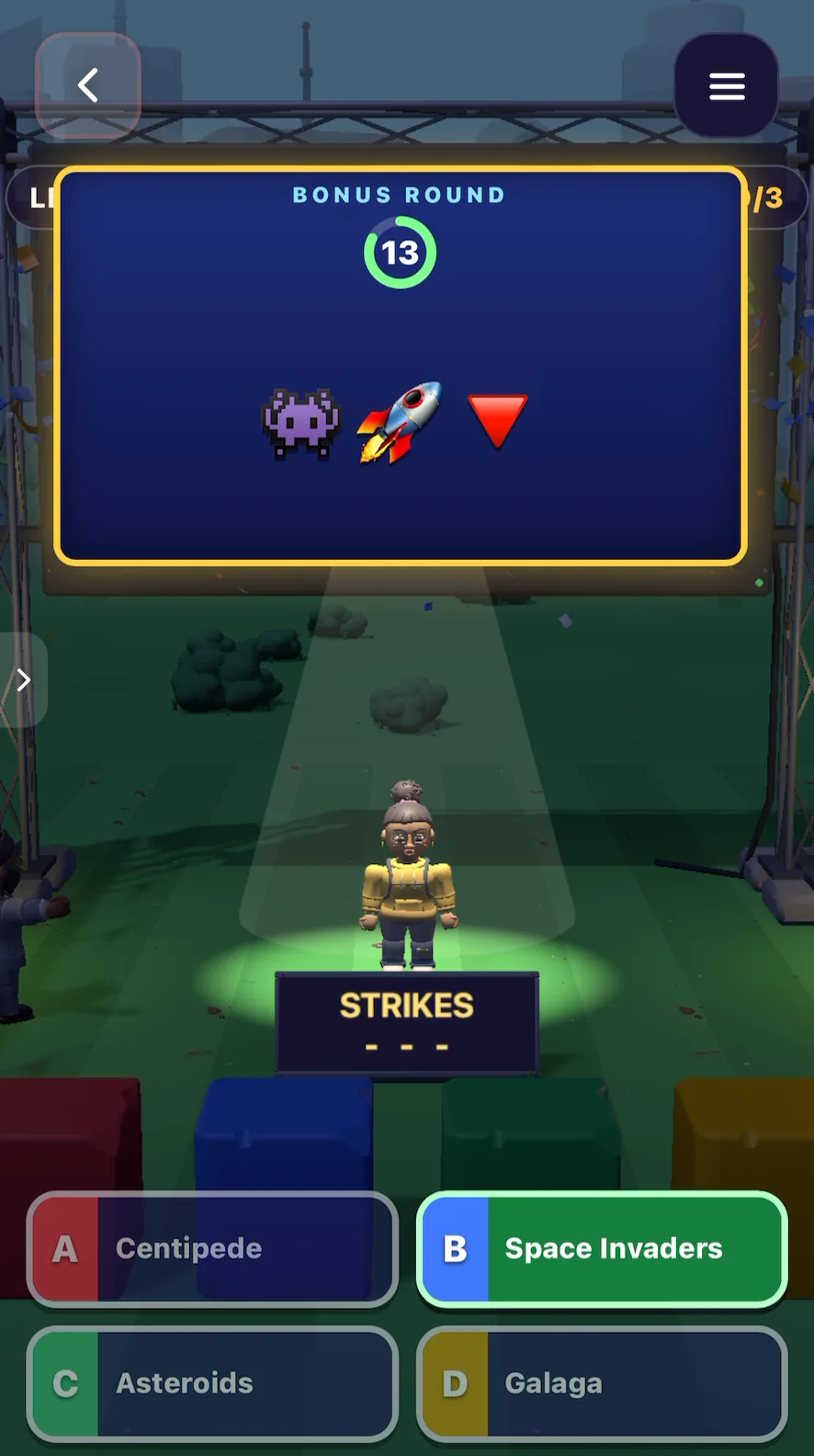
One new problem showed up: in the Digital era, the question board got wider and covered the score bar at the top.
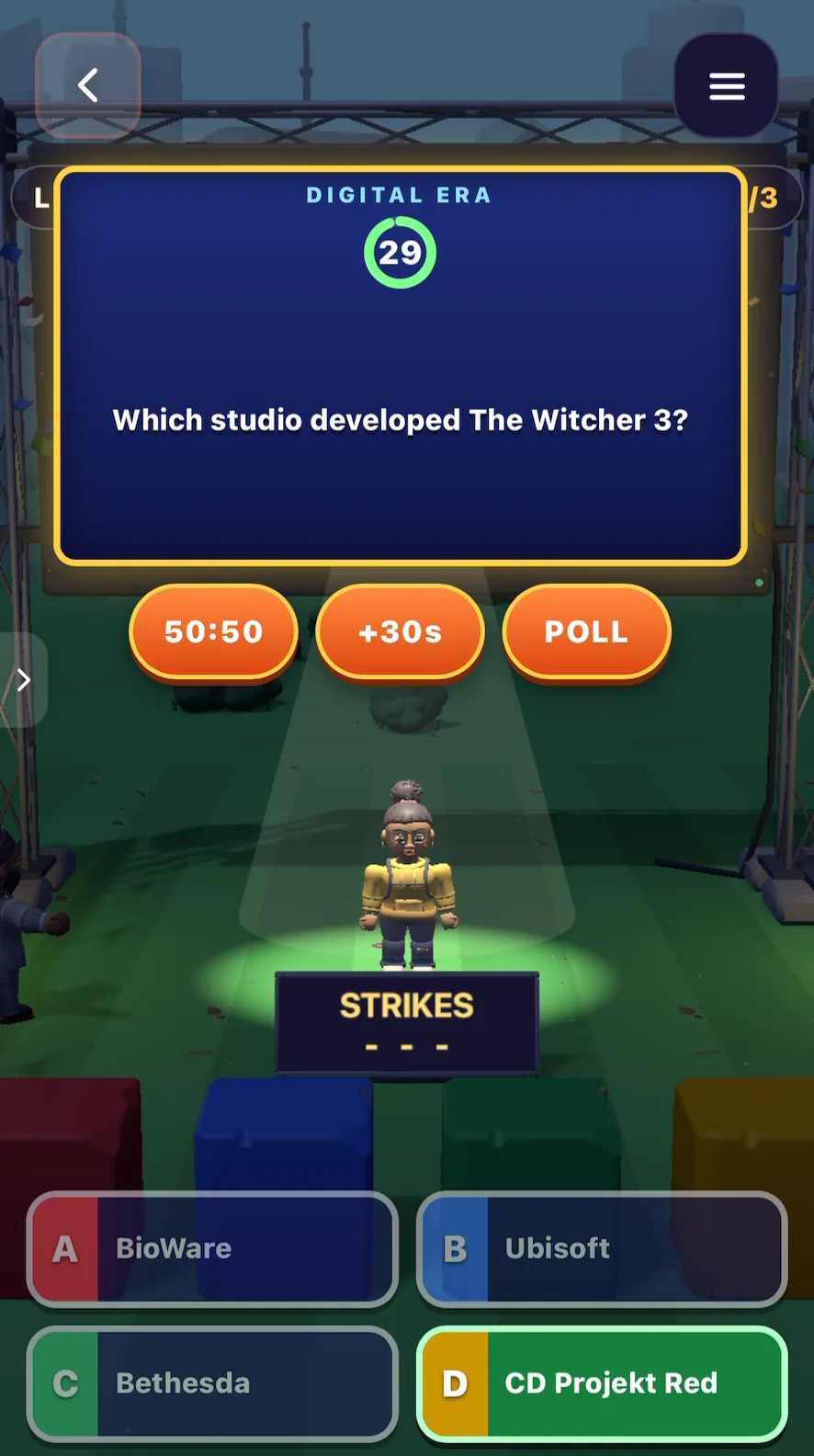
That's why you should play every part of your game after each change. An edit can move things you didn't ask about.
Step 6: Edit 3, fix what broke
Fixing it took one more edit. We described the problem in plain words:
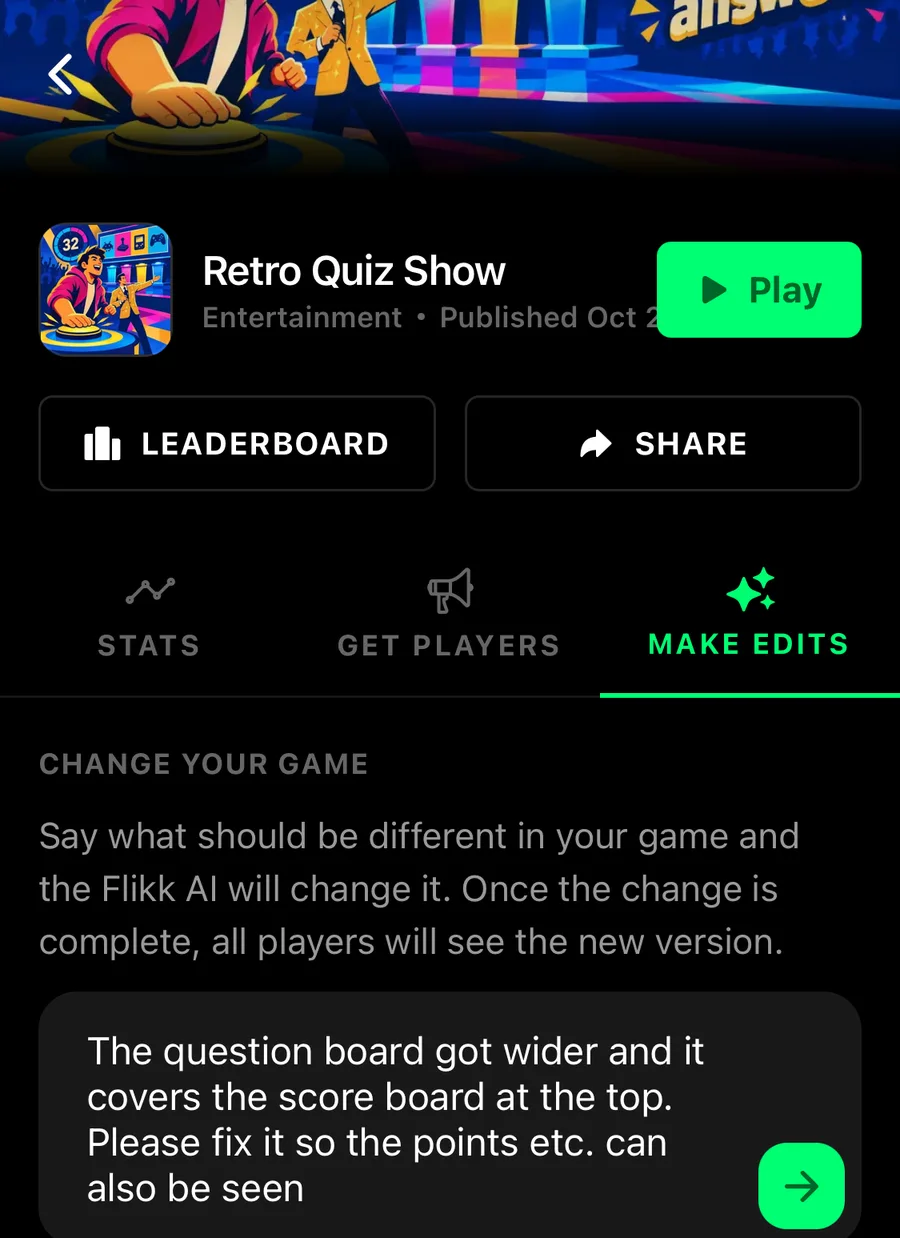
"The question board got wider and it covers the score board at the top. Please fix it so the points etc. can also be seen"
Flikk turned that into "Reposition and resize the question board to prevent it from overlapping the top scoreboard", and about 5 minutes later the level, question count, points and strikes were back on screen. Here's a bonus round after the fix. Frog, car, waves:
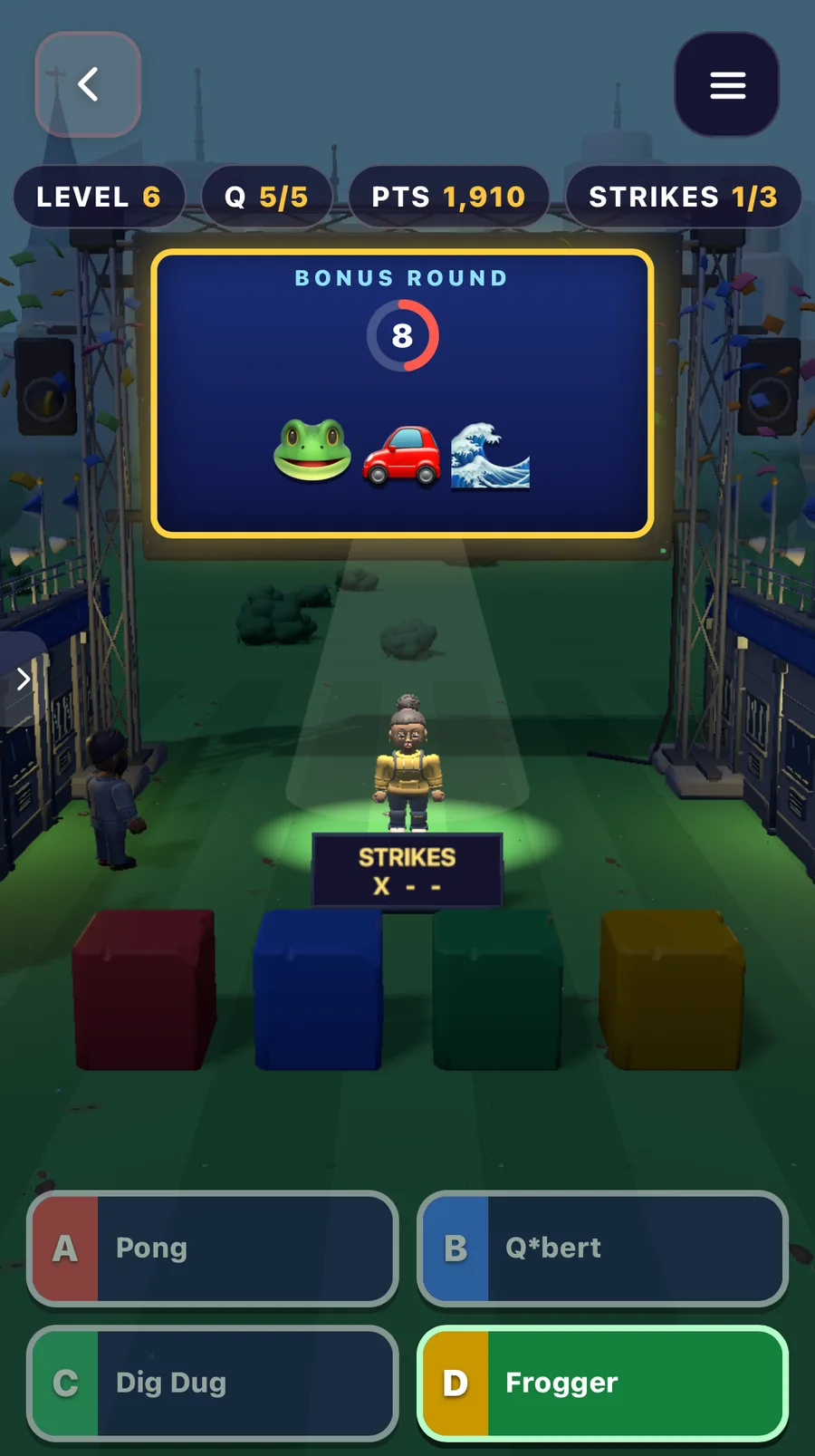
You don't need the right technical words to fix a bug. Say what you see and what you want instead.
Trivia game ideas to try
A trivia game works for almost any topic, as long as it's one you know well enough to check the answers. Some ideas, with a sentence you can start from (prompts to try, not ones we've built):
- Your favorite show or book series: "A trivia game about Harry Potter with four answers per question and a 20-second timer."
- Movies by decade: "A movie trivia game where you pick a decade before each round, like 80s, 90s or 2000s."
- Sports: "A soccer trivia game that feels like a stadium, with the crowd cheering on every right answer."
- Music: "Guess the song from three emoji clues, with harder songs every level."
- A personal quiz: "A trivia game about our friend group: inside jokes, trips and who said what."
- Exams: if you want to learn something, not just test what you know, see Make Your Own Study Game. We made a fraction game with 40 levels for exam prep.
Want to play one first? Genius Quiz is the most played trivia game on Flikk.

Five tips for a great trivia game
- Pick a narrow topic. "Video games from the 80s to today" gave us better questions than "games" would have.
- Say how you answer. Four answers, true or false, or emoji clues: name it in your sentence.
- Add pressure. A timer and a few strikes turn a quiz into a game. Flikk added both for us, but you can ask for them.
- Check the answers. Flikk writes the questions for you. Ours were right, but play a few rounds before you share your game, and fix anything that's off with Make Edits.
- One fix per edit. We put several changes into one edit and most of them made it, but Flikk left out the part it couldn't do. Smaller edits are easier to check.
Making the whole game took 175 Tokens: 100 for the game and 25 for each of our three edits.
Try it yourself
Open Flikk, tap Create, and describe your trivia game in one sentence: the topic, how you answer and how it gets harder. In about 15 minutes, you'll be playing it. Then share it with friends from your game's page, and try to beat each other's score.
Want to describe your 3D stage in more detail, with spotlights, glowing floors or confetti? Our 3D Game Glossary has the words for it. New to Flikk? Start with What is Flikk?.
Flikk is free on iOS and Android, and making games is free to start.
Download Flikk on iOS · Download Flikk on Android
FAQ
How do I make my own trivia game?
On Flikk, you describe it in one sentence: the topic, how many answers per question and how it gets harder. Flikk writes the questions and builds a playable game with a timer and a score in about 15 minutes. You can change it afterwards with Make Edits.
Can I make a trivia game for free?
Flikk is free on iOS and Android, and making games is free to start. A new game costs 100 Tokens and each edit costs 25 Tokens. You can buy more Tokens as an optional in-app purchase, or turn Flikk Points from playing into Tokens.
Do I have to write the questions myself?
No. Flikk writes the questions from your idea. Play a few rounds to check the answers, and use Make Edits if you want different questions or a different topic.
Can other people play my trivia game?
Yes. Your finished game lands in Discover, where everyone on Flikk can play it. You can also share it with friends and try to beat each other's score.
Is Flikk available on my phone?
Flikk is available on iPhone and Android in the US.