How to Make a Cozy Game Without Coding (Cat Cafe Game on Your Phone)
Warm colors, soft music, small happy goals. Here's how we made a cozy cat cafe game on Flikk from one sentence, what makes a game feel cozy, and 10 cozy game ideas with prompts to copy.
In this article
Serving coffee to cats. Watering a little garden. Decorating a room until it feels just right. Cozy games are the games people play to relax, and they're some of the easiest games to make yourself.
The short answer: you can make a cozy game without coding by describing a calm, happy activity in one or two sentences, plus the mood you want, like "warm colors and relaxed music". On Flikk, you write the prompt on your phone, check the free game plan, and the game is ready in about 15 minutes. Our game, Cozy Cat Cafe, came out of one sentence: a 3D cafe where you serve coffee and cake to cat customers, with new treats to unlock every few levels.
Here's exactly how we made it, step by step. You can play Cozy Cat Cafe in your browser.
Key takeaways
- A cozy game is about a calm, happy activity: cooking, gardening, decorating, caring for animals. Little stress, lots of small wins.
- Say the mood in your prompt: words like "cozy", "warm colors" and "relaxed music" shape how the whole game looks and sounds.
- The game plan is free, so you can check your idea before you build it (100 Tokens, about 15 minutes).
- Keep the pressure gentle: a soft timer is fine, but no harsh game overs.
- You can change it later with Make Edits, from slower customers to new music (25 Tokens per edit, about 5 minutes).
What is a cozy game?
A cozy game is a relaxing game about a peaceful activity, with warm visuals, soft music and goals that feel good instead of stressful. Instead of fighting enemies, you run a little cafe, grow a garden, decorate a home or take care of animals. You can play for five minutes and still feel like you got something done.
6 popular kinds of cozy games
| Kind | What you do | Prompt to try |
|---|---|---|
| Cafe and cooking | Serve food and drinks to happy customers | "A cozy 3D bakery game where I bake bread and cakes for forest animals in the morning." |
| Farming | Plant, water and harvest | "A cozy 2D farming game where I grow vegetables and sell them at a little market stall." |
| Decorating | Make a room or house look nice | "A cozy 3D game where I decorate an empty cabin room by room with furniture and plants." |
| Gardening | Grow flowers and plants | "A relaxing 3D game where I plant flowers in a garden and every new flower brings a new butterfly." |
| Animal care | Feed, brush and play with animals | "A cozy 3D pet shelter game where I take care of puppies and find each one a home." |
| Collecting | Find and collect little things | "A calm 2D game where I walk along a beach and collect pretty shells for my collection book." |
Step 1: Describe your cozy game
Open the Create tab, pick 3D, and describe your game. Here's the prompt we used:
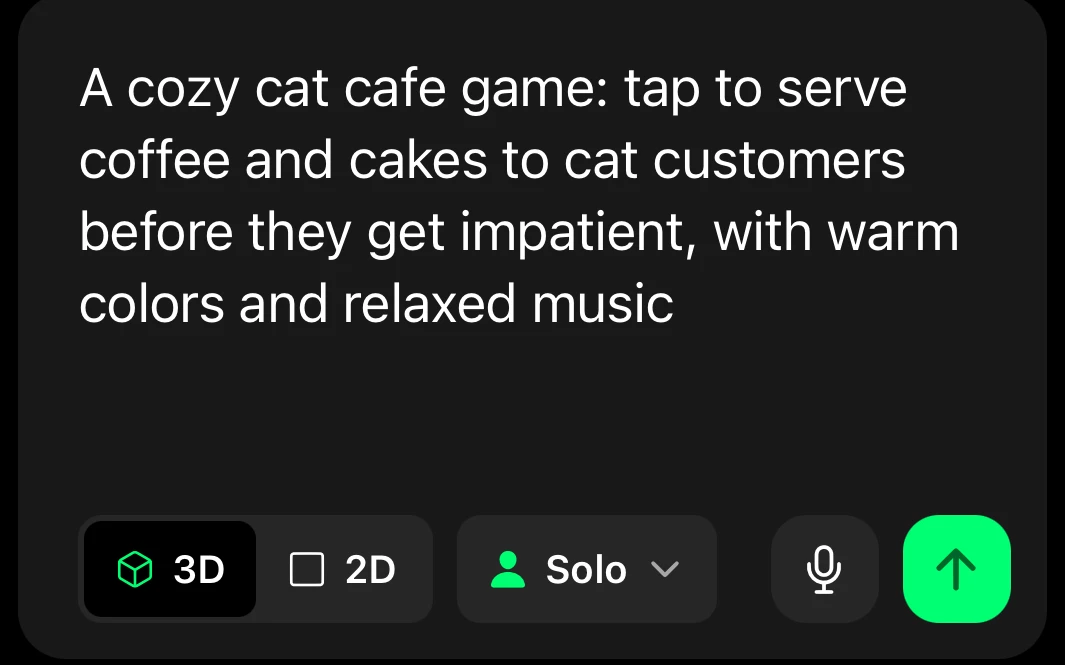
"A cozy cat cafe game: tap to serve coffee and cakes to cat customers before they get impatient, with warm colors and relaxed music."
One sentence covers everything a cozy game needs: the place (a cat cafe), the activity (serve coffee and cakes), a gentle goal (before they get impatient) and the mood (warm colors and relaxed music).
Step 2: Check the free game plan
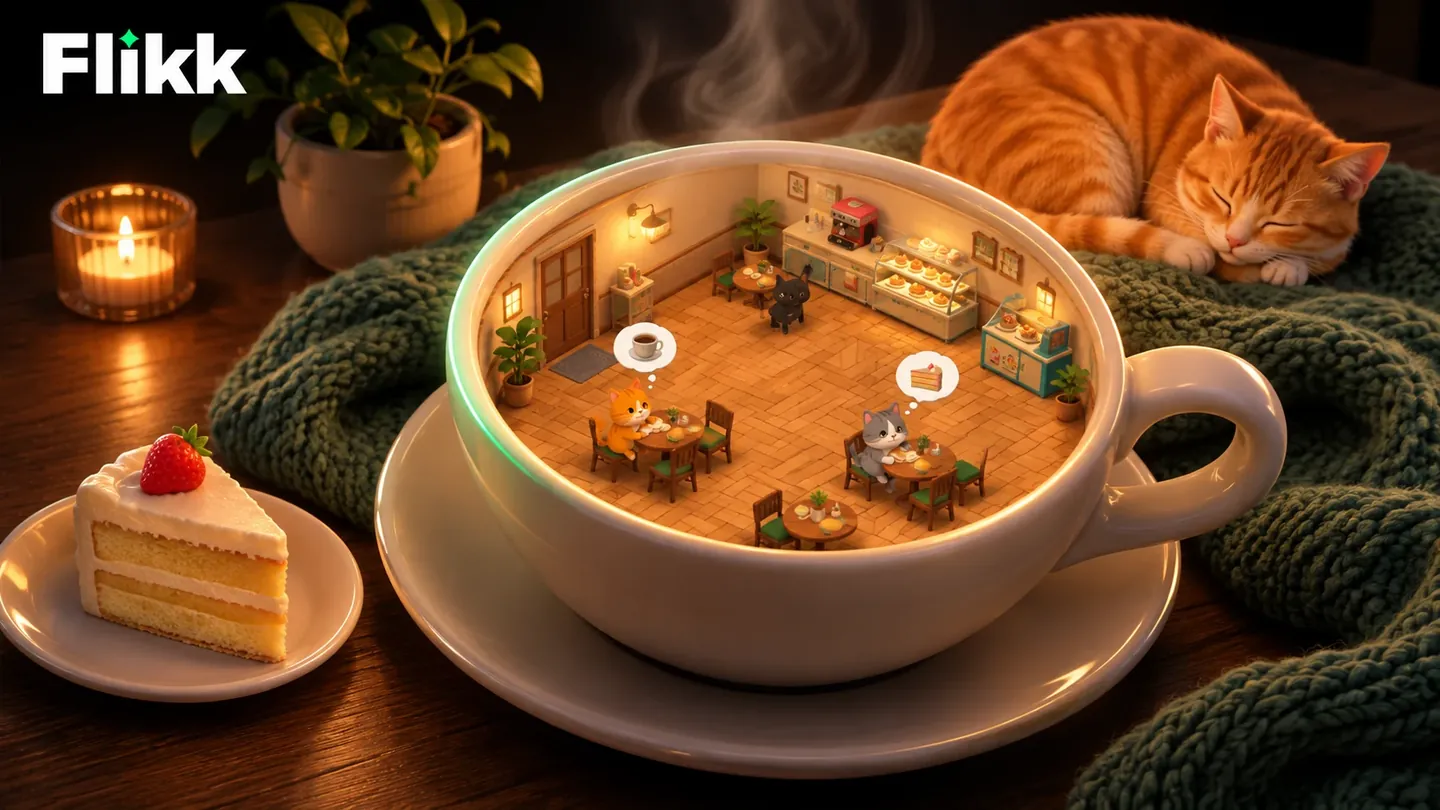
Flikk turns your prompt into a game plan with a sketch, the game type and what you'll do in the game. It kept our name, Cozy Cat Cafe, tagged it 3D, Level and Casual, and drew the cafe from above, with cats waiting at the tables.
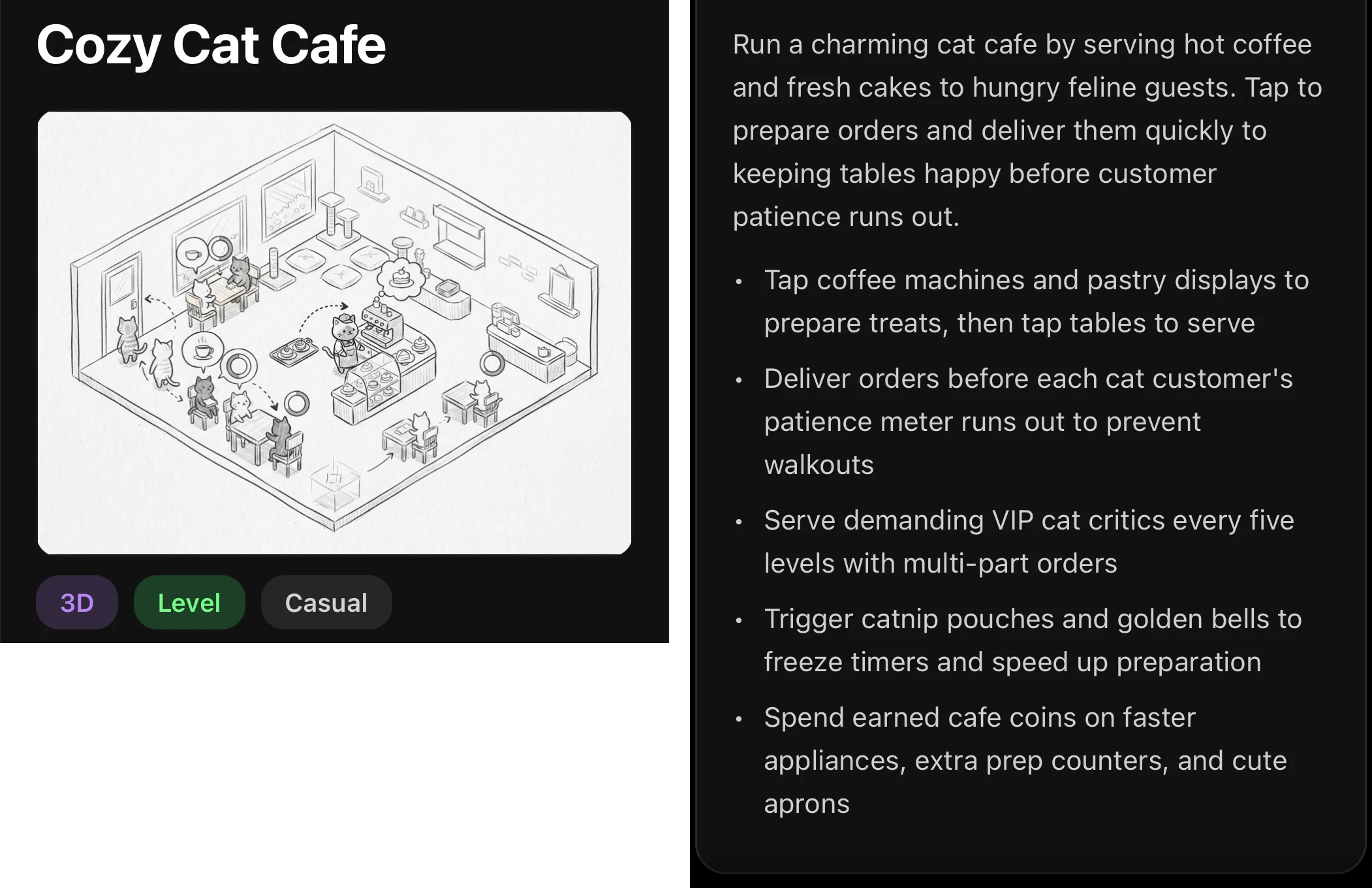
The plan also lists what you do in the game: tap the coffee machines and pastry displays to prepare treats, then tap the tables to serve them before each cat's patience runs out. Every five levels, demanding VIP cat critics come in with multi-part orders. Catnip pouches and golden bells freeze the timers and speed things up, and you spend your cafe coins on faster machines, extra prep counters and cute aprons.
The plan is free. If something's missing, tap Edit and change your idea before you build. When it looks right, tap Build it (100 Tokens). The game is ready in about 15 minutes.
Step 3: Play your cozy game
Open the cafe
Every level starts on the level screen, with your next level and a Daily shift button. Tap Level and the cafe opens. The cats sit at the tables and show what they want in a bubble above them.
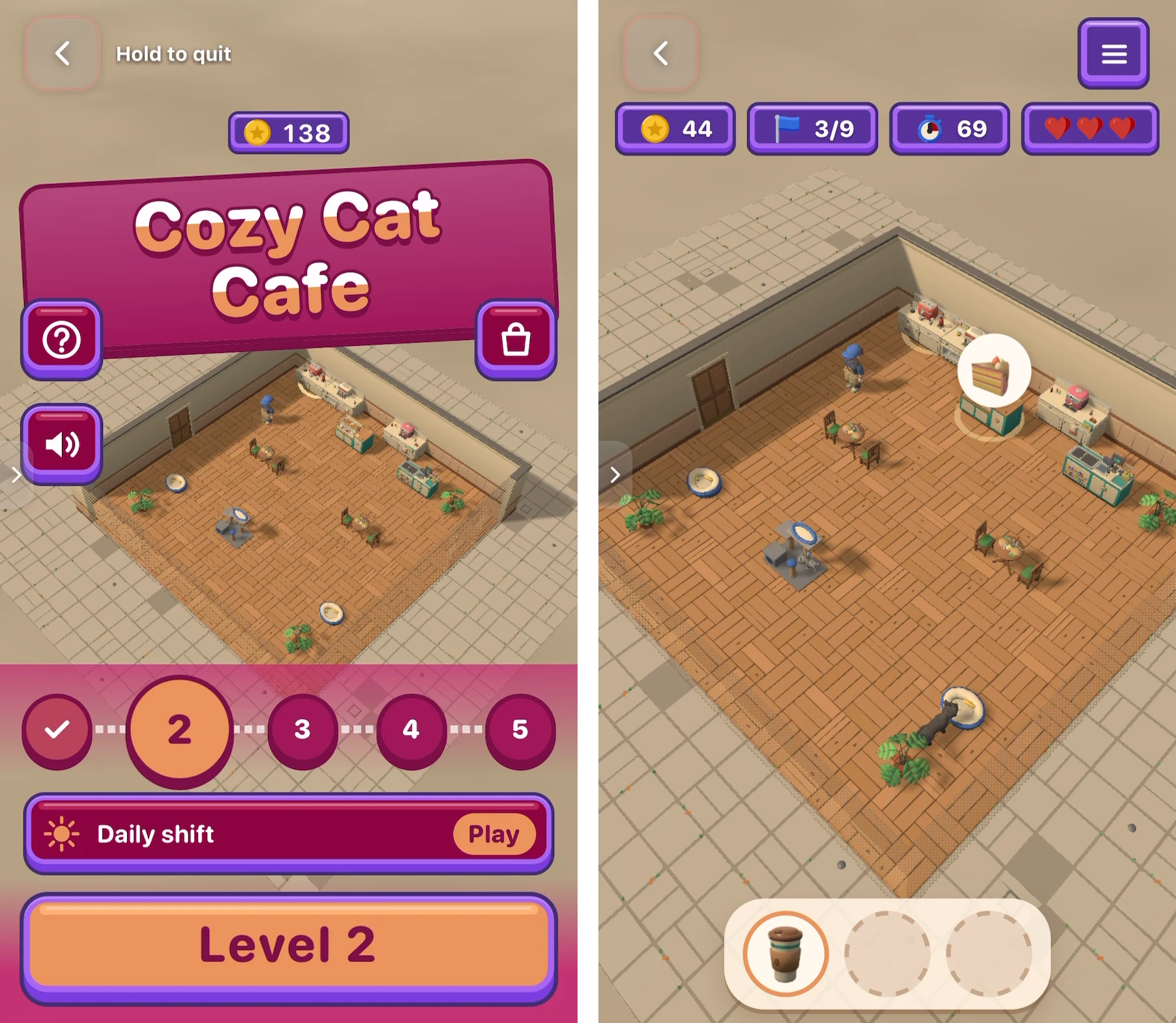
Tap the coffee machine or the cake case to make the order, then tap the table to serve it. The counters at the top show your coins, how many orders you've served out of the goal, and a timer.
Unlock new treats
Every few levels, the game shows you something new. In level 2, it's the sponge cake: tap the cake case to slice a fresh piece. Serve every cat on your list, and the shift ends with "Cozy and full" and a pile of coins.
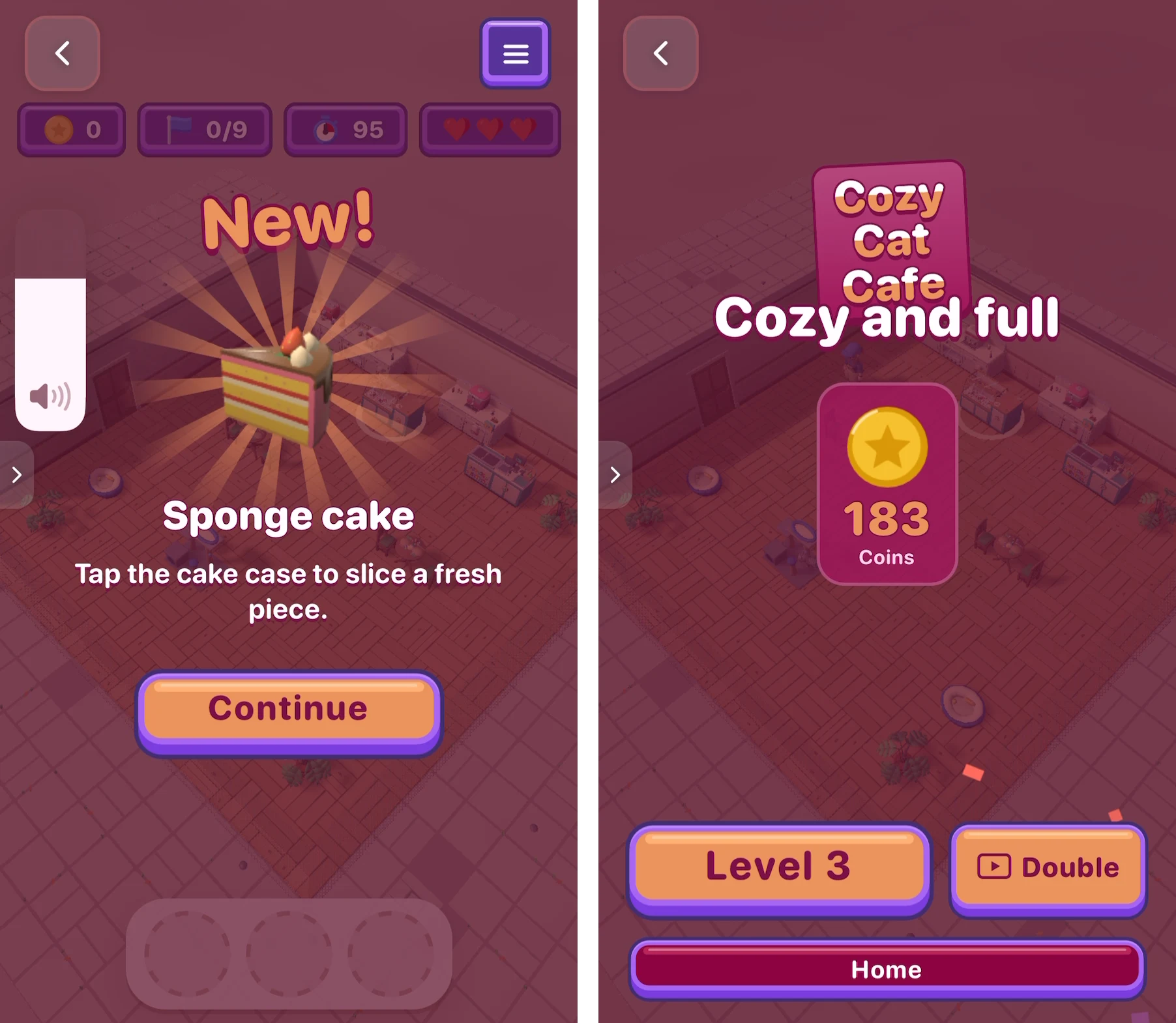
Those small unlocks are what keeps a cozy game going. There's always one more treat, one more upgrade, one more happy customer. Read more about this in game progression.
Play Cozy Cat Cafe, made by @alkanco.
Step 4: Make it cozier with Make Edits
After you play your game a few times, you'll notice things you want to change. Open your game, go to Make Edits, and describe the change. Each edit costs 25 Tokens and takes about 5 minutes.
For Cozy Cat Cafe, we gave the whole game a winter edition: new music with "cheerful holiday music with sleigh bells" and new artwork with "snow outside the cafe window and the cats in scarves". Here's the full story, with before and after: how to change your game's music and banner.
Here are a few edits that make any cozy game feel even cozier:
- "Make the customers wait twice as long, so the game feels more relaxed."
- "Add soft rain outside the windows and a little cat sleeping by the fireplace."
- "Add a new treat every 3 levels, starting with cinnamon rolls."
- "When I serve a customer, show a little heart above their head."
- "Let me decorate the cafe with the coins I earn: plants, lamps and cat beds."
More ideas: 9 Make Edits prompts that worked.
What makes a game feel cozy
- A peaceful activity. Cooking, growing, decorating or caring for something. Nothing to destroy.
- Warm colors and soft light. Orange, cream, wood and green feel cozy. Say "warm colors" in your prompt.
- Relaxed music. Soft piano, acoustic guitar, gentle bells. Add it to your prompt, or change it later.
- Gentle pressure, no harsh game over. A soft timer is fine. Losing everything is not.
- Small, happy rewards. A new cake, a new plant, a happy customer. Lots of little wins add up.
- Short sessions. One level, one shift, one day in the garden. Easy to play for five minutes before bed.
10 cozy game ideas to copy
Open the Create tab, pick 2D or 3D, and paste one of these. Change the details to make it yours.
- "A cozy 3D tea shop game where I brew tea for forest animals and every new animal brings a new kind of tea."
- "A relaxing 2D garden game where I plant seeds, water them and watch flowers grow, and bees come to visit."
- "A cozy 3D bookshop game where I put returned books back on the right shelves while cats nap on the armchairs."
- "A cozy 3D ramen stand game where I cook noodles for tired travelers on a rainy night."
- "A calm 3D island game where I fish from a little wooden pier and fill my fish collection book."
- "A cozy 2D bakery game where I decorate cupcakes with frosting and sprinkles to match each customer's order."
- "A cozy 3D pet salon game where I wash, brush and dress up puppies before their owners pick them up."
- "A relaxing 3D game where I decorate a tiny treehouse room by room with furniture I unlock."
- "A cozy 3D winter cabin game where I chop wood, keep the fire going and make hot cocoa for visitors."
- "A cozy 2D laundry game where I fold clothes and sort socks into pairs while soft music plays."
Looking for a Christmas idea? We have 25 Christmas game ideas with prompts, including a cozy cocoa cafe.
Tips for your cozy game
- Start with the feeling. Ask yourself: what should players feel? Calm, warm, a little proud? Then pick an activity that gives that feeling.
- One activity first. Serving coffee is enough for a first game. Add more with edits later.
- Make every action feel good. A little sound, a pop of color or a number floating up makes tapping fun. See game feel.
- Keep losing soft. If customers walk out, maybe the cafe just earns fewer coins, instead of a game over.
- Check the plan before you build. Getting a game plan is free, so try a few versions of your idea.
New to Flikk? Our guide on how to make a 3D game without coding walks you through every step, and how to write a game prompt that works helps you get the prompt right.
FAQ
What is a cozy game?
A cozy game is a relaxing game about a peaceful activity like cooking, farming, decorating or taking care of animals. It has warm colors, soft music and small, happy goals instead of hard fights or harsh game overs.
How do I make a cozy game without coding?
Describe it in one or two sentences: the place, the calm activity, a gentle goal and the mood. On Flikk, you write the prompt on your phone, check the free game plan, and the game is ready in about 15 minutes. No code needed.
Can I make a cozy game on my phone?
Yes. With Flikk, you make the whole cozy game on your phone: describe it, build it, play it, change it and share it. Flikk is free on iPhone and Android.
What should I write in a cozy game prompt?
Four things: a place (a cat cafe), an activity (serve coffee and cakes), a gentle goal (before they get impatient) and the mood (warm colors and relaxed music). Our prompt for Cozy Cat Cafe had all four in one sentence.
Can a cozy game have a timer?
Yes, as long as it's gentle. In Cozy Cat Cafe, the cats wait for their order, but the pressure is light. If it feels too stressful, change it with Make Edits, for example "make the customers wait twice as long".
Should I make a 2D or 3D cozy game?
3D is great for cafes, rooms and gardens you look at from above. 2D works well for simple tap-and-sort games like cupcake decorating or laundry folding. Our guide to 2D vs 3D games helps you choose.
How long does it take to make a cozy game?
On Flikk, about 15 minutes from tapping Build it to playing your game. Each change with Make Edits takes about 5 minutes and costs 25 Tokens.