Flikk FAQ: 25 Questions Beginners Ask, Answered
New to Flikk? Quick answers about playing and making games: cost, build time, 2D and 3D, editing, sharing with friends, the creator Discord and more.
New to Flikk and not sure where to start? This page answers the questions people ask most, in a sentence or two each. For the full walkthrough with screenshots, read our beginner's guide.
Quick note: Flikk is our app, so these answers come straight from us.
The basics
What is Flikk?
Flikk is a gaming app where every game is made with AI. You can play hundreds of games the community made, or make your own by describing it in a sentence. Play it. Or make it.
Where is Flikk available?
Flikk is available in the US.
Do I need to install every game?
No. Games run inside Flikk. Tap and play, nothing to install, no download per game. Your progress is saved.
What kinds of games are on Flikk?
All kinds: puzzle, arcade, casual, board and card, strategy and more. Some games have levels to beat, others are about chasing a high score. New games land every day.
Making a game
How do I make a game on Flikk?
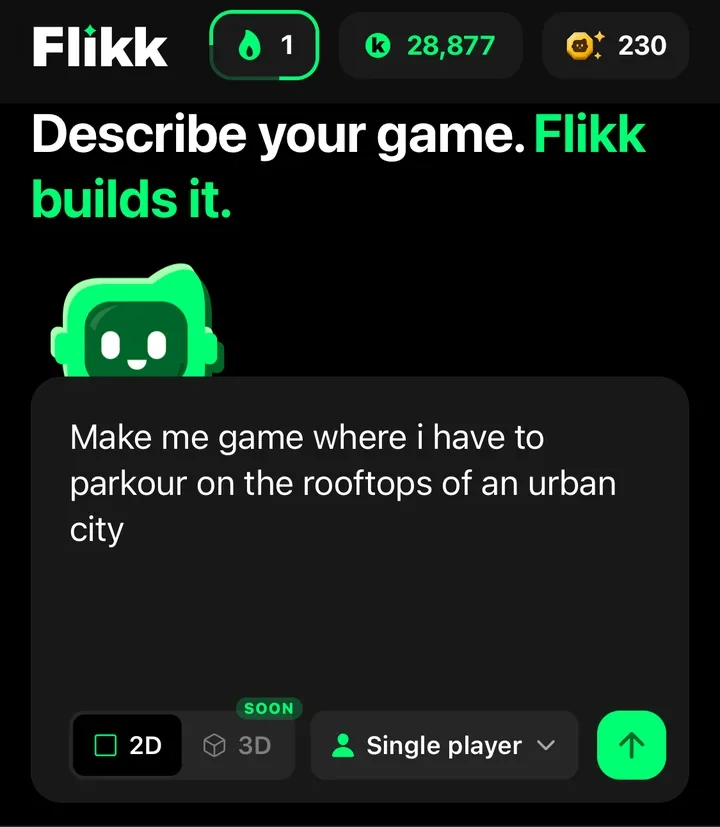
Open the Create tab, pick 2D or 3D, and describe your game. One sentence is enough, as long as it says what the player does. Flikk answers with a game plan. Tap Build it, and your game is ready in about 15 minutes.
What is a game plan?
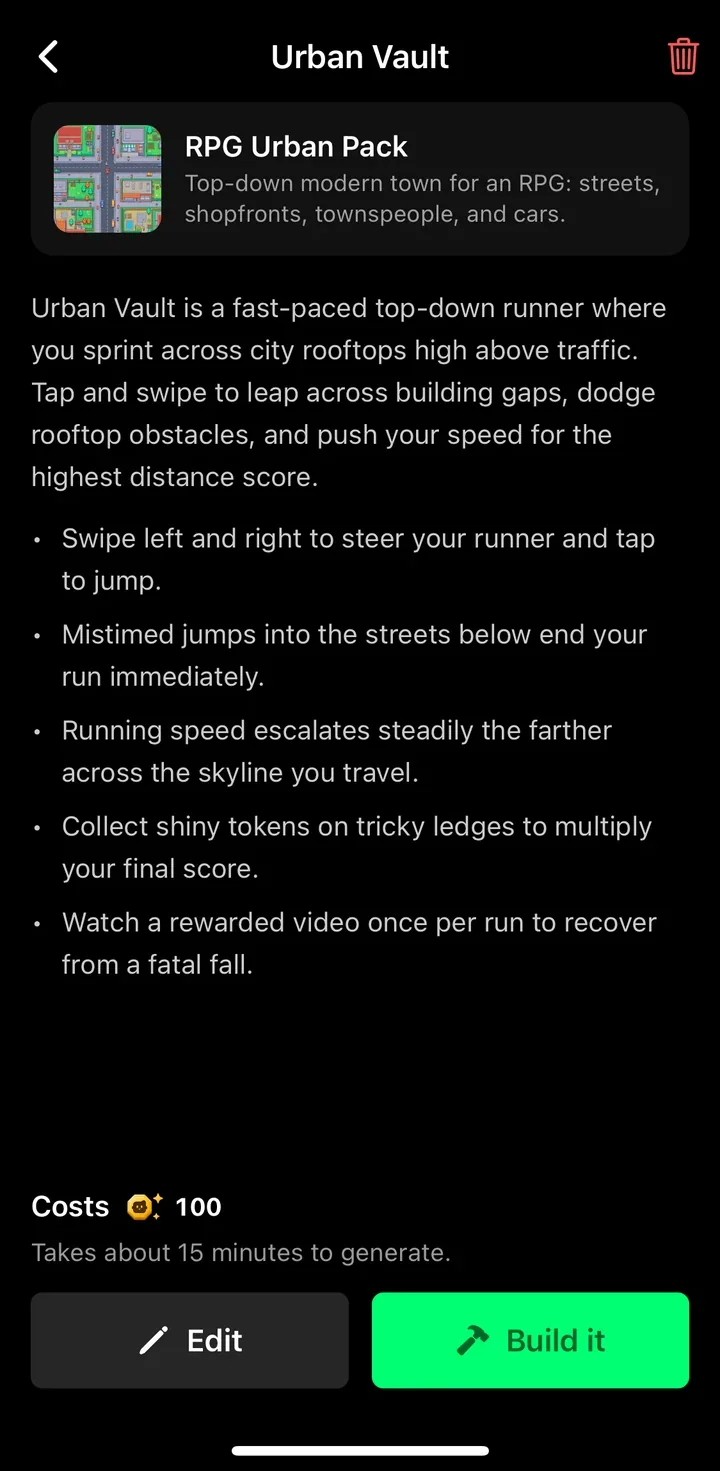
Before Flikk builds anything, the companion (the little green robot) shows you a game plan: a name, a quick sketch, the rules it understood, and the cost. You can Edit the plan or tap Build it.
How much does it cost to make a game?
Getting a game plan is free, so you can try as many ideas as you like. Building a new game costs 100 Tokens, and each edit costs 25 Tokens.
What is "Pick a look"?
For 2D games, Flikk shows a "Pick a look" screen with asset packs, each with its own art style. Pick one, or choose No asset pack and the AI draws all the art itself. Flikk builds your game to fit the pack, so a top-down pack gives you a top-down game. A pack only has the pieces it has, so Flikk may swap some items to fit it, and the plan tells you when it does.
What can't Flikk make yet?
Every Flikk game is portrait, so no landscape games. Tilt controls aren't supported, and there's no multiplayer. If Flikk can't build something, it tells you before you spend anything. Joysticks, swipes, taps and phone vibration all work.
How do I write a good prompt?
Say what the player does, where, and one twist. "A cat catches fish" is enough to start. "A fun game" isn't, because it doesn't say what happens on screen. Our game prompt guide has good and bad examples.
Changing your game
How do I change my game after it's built?
Open your game's page and tap Make Edits. Describe the change in plain words, check the plan, and tap Build it. Players keep the old version until the new one is ready. We collected 9 edit prompts that worked.
Can I rename my game?
Yes. On your game's page, tap the game's name to change it.
Can I edit someone else's game?
No. Make Edits only works on your own games. To make something like another game, describe a game like it in your own words, then change it with edits.
Sharing and friends
Who can play the games I make?
Everyone on Flikk. Your finished game lands in Discover, where anyone can find it. That's also why you shouldn't put personal information in your game idea.
How do I add friends?
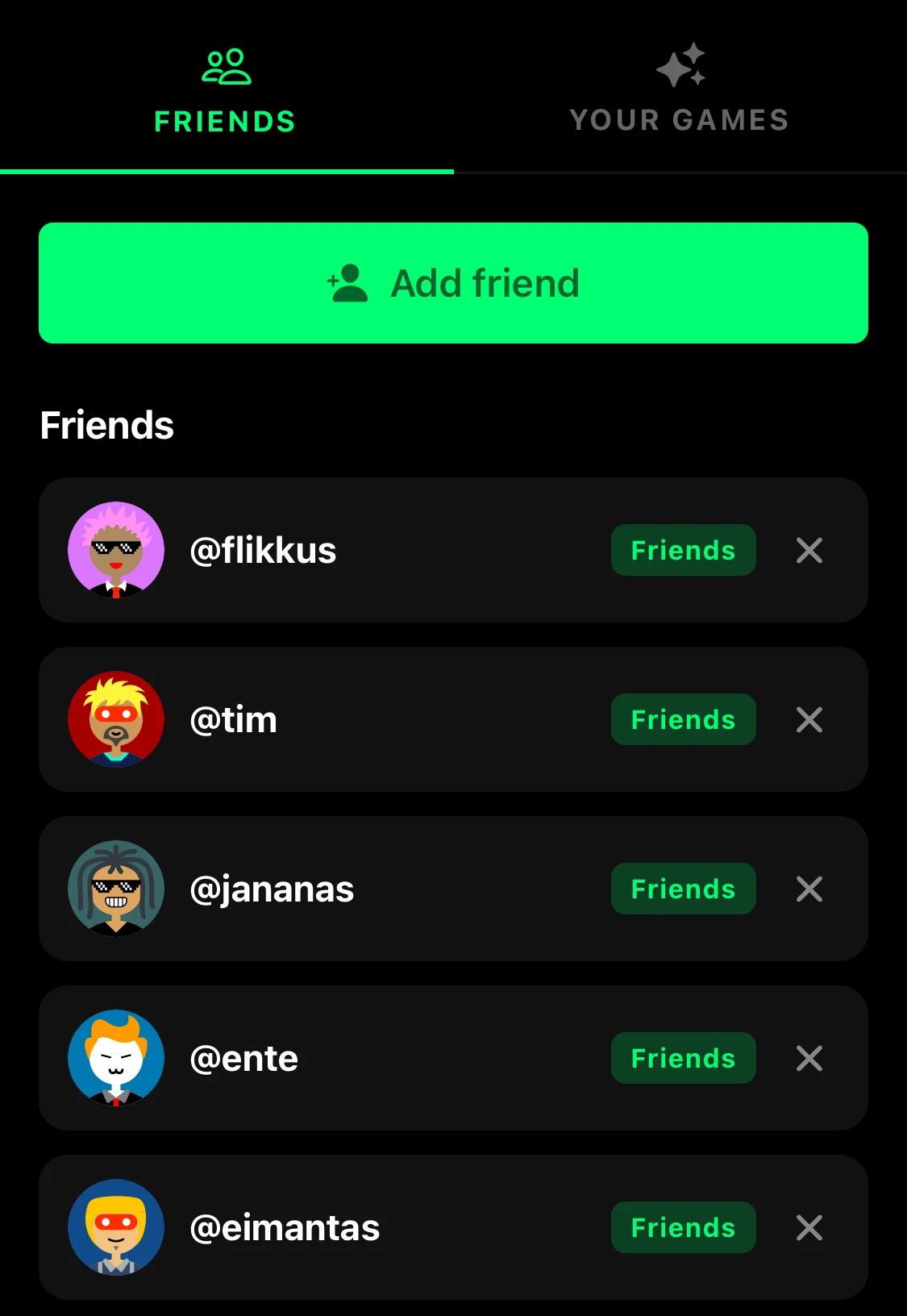
Open the Profile tab, tap Friends, then tap Add friend.
Where are my messages?
Tap the envelope icon at the top of the Profile tab to open your Inbox. Each chat shows the games you've sent each other.
How do I get more players for my game?
Open your game's page and go to the Get Players tab. It has your game's artwork in three sizes, one-tap sharing to WhatsApp, Instagram, TikTok and more, ready-to-send captions and tips. Our guide on how to get more players goes through it step by step.
Can I react to games?
Yes. While you play, tap the smiley on the left side of the screen and pick ❤️, 😂, 👍 or 🔥. The camera button next to it takes a screenshot you can save or share.
Community and help
Is there a Flikk Discord?
Yes, for creators. Once you've made a game, open Profile → Your Games and tap Link Discord. The whole server unlocks automatically. Every game you publish shows up in #showcase. More in Join the Flikk Creator Discord.
How do I report a bug or suggest a feature?
Post it in #bug-reports or #ideas in the creator Discord, or email help@getflikk.com. The team reads feedback every day.
Still have a question? Ask it in the Discord or email us. And if you haven't made a game yet, now's a good time: open the Create tab and describe one in a sentence.
Download Flikk on iOS · Download Flikk on Android
FAQ
Is Flikk free?
Yes. Flikk is free to download on iOS and Android, and playing is free. Making games is free to start, and game plans cost nothing. Building and editing uses Tokens (see "How much does it cost to make a game?" above), which you can buy as an optional in-app purchase.
Do I need to know how to code to make a game on Flikk?
No. No code, no engine, no editor. You describe the game in your own words, and Flikk builds it.
How long does it take to make a game on Flikk?
About 15 minutes for a new game, and about 5 minutes for an edit. Flikk builds it right inside the app.
Can I make 3D games on Flikk?
Yes. Pick 3D next to 2D in the Create tab before you type. In 3D, Flikk picks the assets it needs from your idea.
How do I send a game to a friend on Flikk?
Open the game's page and tap Share. In Share with friends, tick your friends and tap Send. For someone who isn't on Flikk yet, tap Share another way to send a message or copy the link. Any game can be shared, not just your own.