Mobile Game Glossary: How to Make Games on Flikk with the Right Terms
Floating joystick, tap-to-move, screen shake, hit stop. Plain definitions of the mobile game terms that help Flikk build the game you have in mind.
In this article
You want the joystick to appear wherever your thumb lands, not stuck in a corner. That's called a floating joystick, and it's one of the most common controls in mobile games. Most people who want one have never heard the name.
When you can name what you want, Flikk can build it. This glossary explains the mobile game terms we see people describe the long way: controls, camera, game feel and game types. Each one comes with a plain definition and words you can type straight into the Create tab.
Quick note: Flikk is our app. Every term in the main sections works in Flikk games: portrait, played with your thumbs, in 2D or (from October 15, 2026) 3D. Terms that don't work on Flikk yet have their own section at the end. Game names mentioned as examples belong to their owners. Flikk isn't affiliated with them.
How to use these words in Flikk
You don't need to learn all of them. Find the section that matches what you're stuck on and borrow the words.
- Name it, then adjust it. "A floating joystick that hides when I let go" is clearer than a paragraph about thumbs.
- Point to a game. "Swipe controls like in Subway Surfers" tells Flikk a lot in a few words. That's why every term below comes with games you've probably played. Borrow the mechanic, and make the rest of the game your own.
- Combine terms. Mobile games are stacks of these: "a top-down endless runner with swipe controls and screen shake on every crash."
- Use Make Edits for the details. Build the game first, then tune it: "Make the dead zone on the joystick bigger." Each edit takes about 5 minutes.
Controls: joysticks
On a phone, the controls are the game. These are the terms behind most "I want to move my character around" requests.
| Term | What it means | Say it like this | You've seen it in |
|---|---|---|---|
| Fixed joystick | The joystick always sits in the same spot on screen. | "A fixed joystick in the bottom-left corner" | Mobile Legends: Bang Bang |
| Floating joystick | The joystick appears wherever your thumb first touches, usually anywhere in the bottom half of the screen. It disappears when you let go. | "A floating joystick anywhere on the bottom half" | Archero, Cluck and Boom (on Flikk) |
| Following joystick | Like a floating joystick, but the base slides along with your thumb if you drag past its edge. You never "run off" the stick. | "A joystick that follows my thumb" | Many survivor-likes |
| Dead zone | A small area in the middle of the joystick where input is ignored. It stops tiny thumb wobbles from moving the character. | "Add a small dead zone so the character doesn't drift" | Almost every joystick game |
| 4-way / 8-way input | The joystick snaps to 4 or 8 directions instead of any angle. Good for grid games and maze games. | "The joystick only moves in 4 directions, like on a grid" | Pac-Man (4 directions) |
| Virtual D-pad | On-screen arrow buttons instead of a joystick. | "Four arrow buttons at the bottom of the screen" | Retro platformers |
| Twin-stick | Two joysticks: the left one moves, the right one aims or shoots. Common in shooters, and it works on a portrait screen too. | "Twin-stick controls: left joystick moves, right joystick aims and shoots" | Brawl Stars |
What is a floating joystick?
A floating joystick is an on-screen joystick that appears wherever your thumb first touches the screen, instead of sitting in a fixed spot. It's popular in mobile games because players don't have to look for the control. Their thumb is always on it.
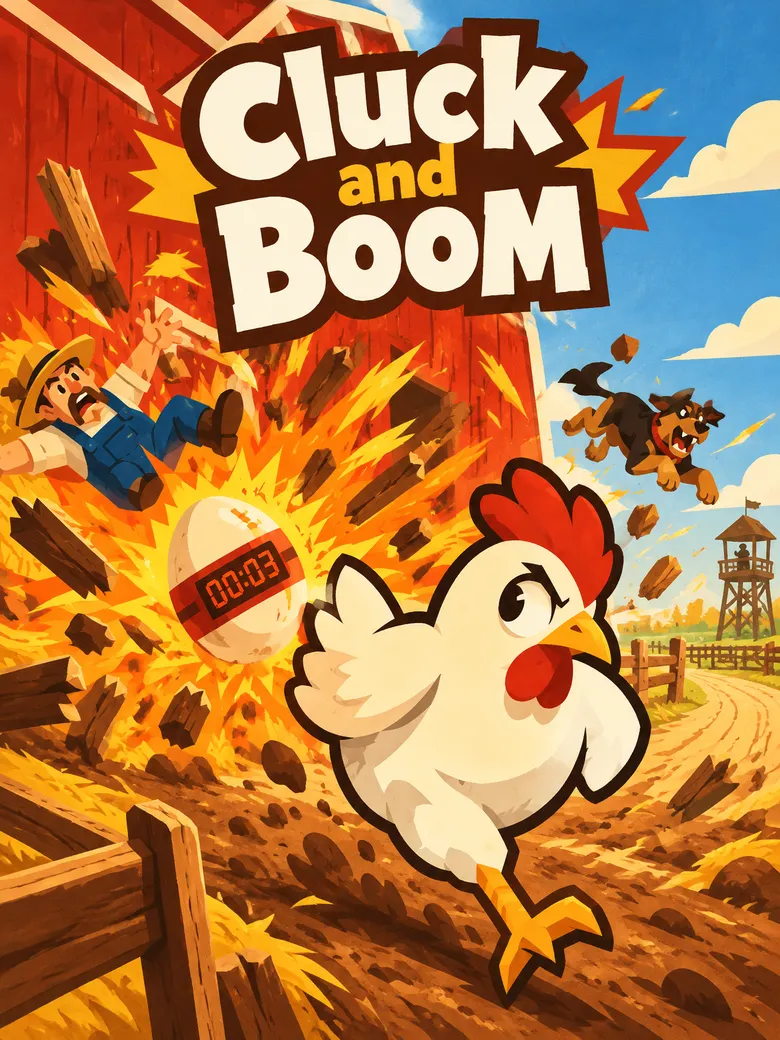
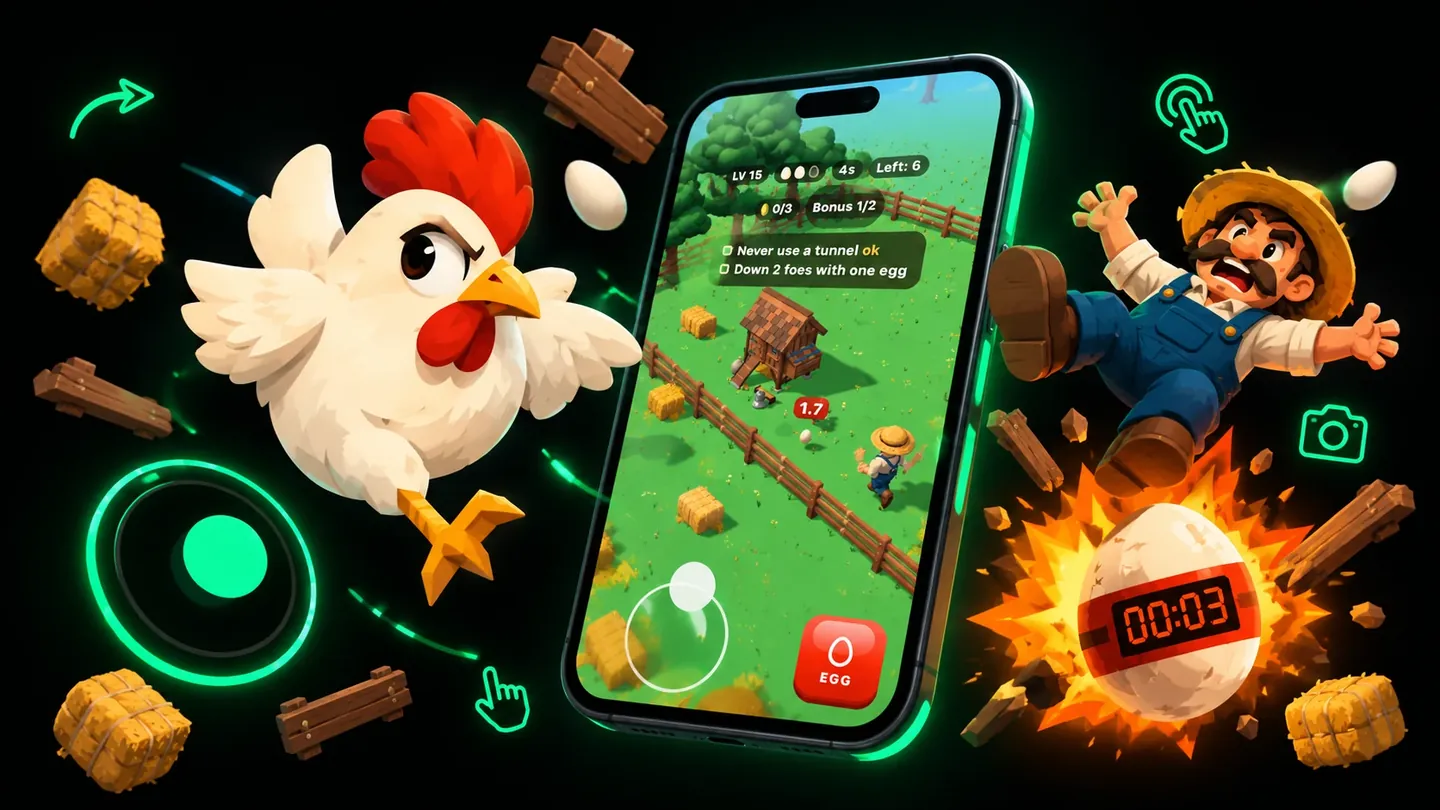
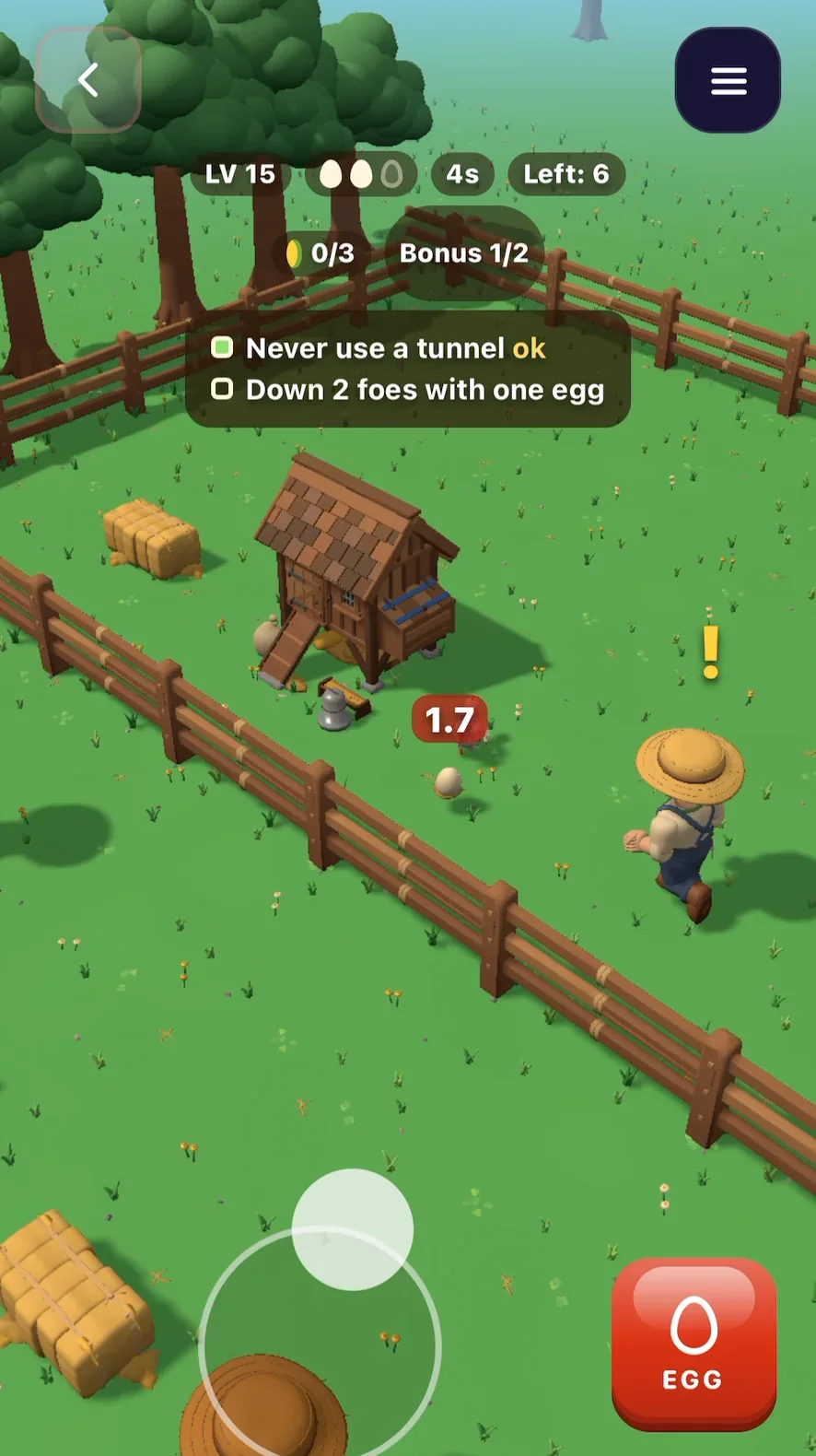
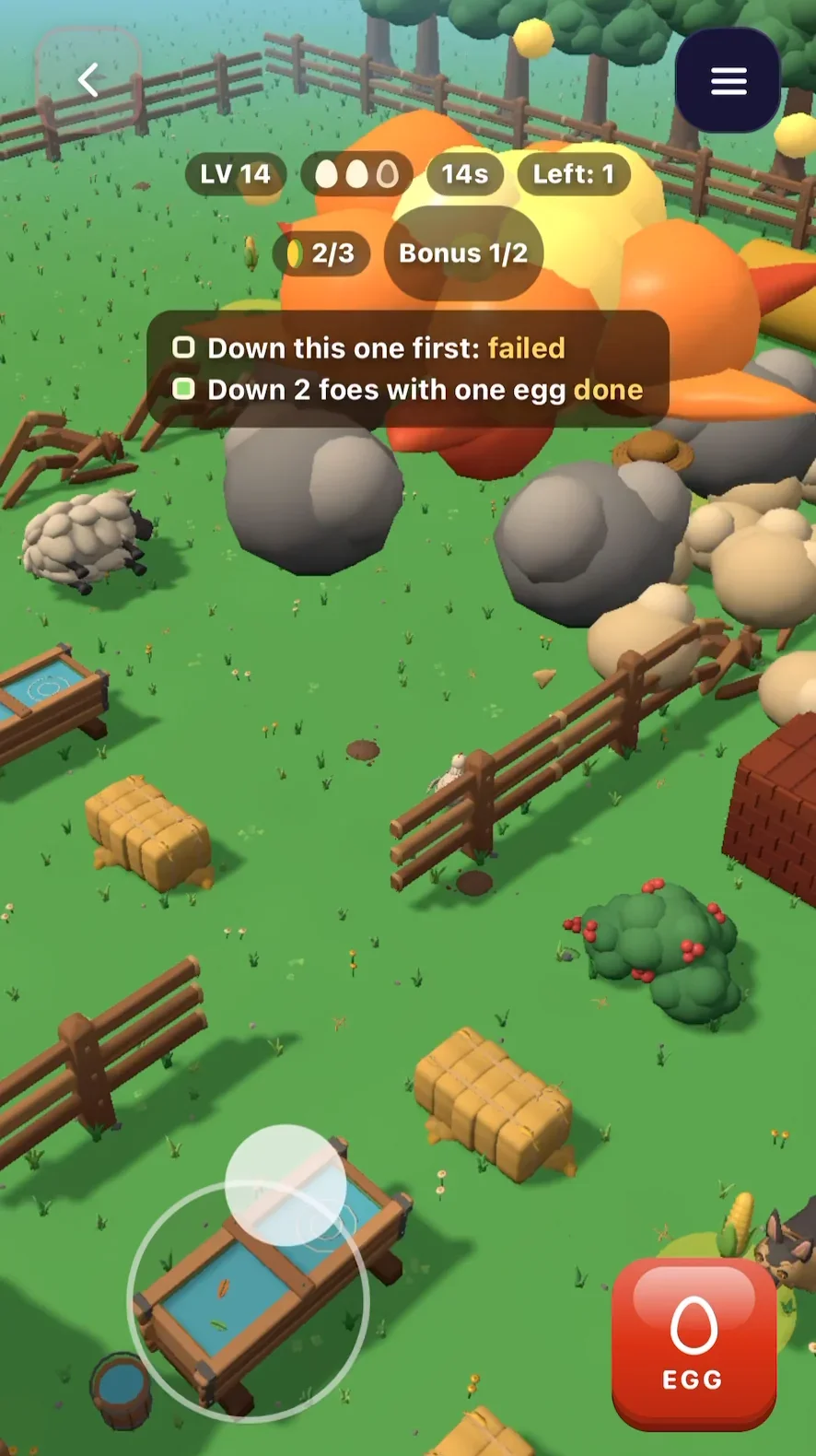
In Cluck and Boom, a 3D game we made on Flikk, the joystick shows up wherever your thumb touches the bottom of the screen. The EGG button sits in the other corner, within reach of your right thumb.
Controls: taps, swipes and drags
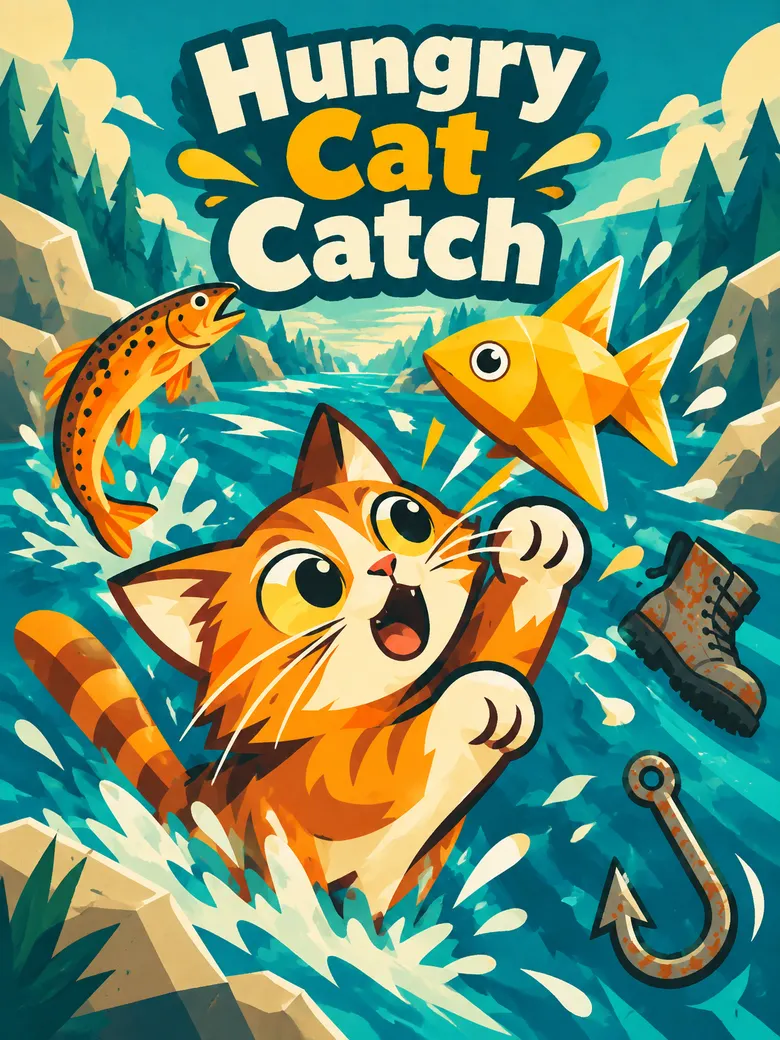
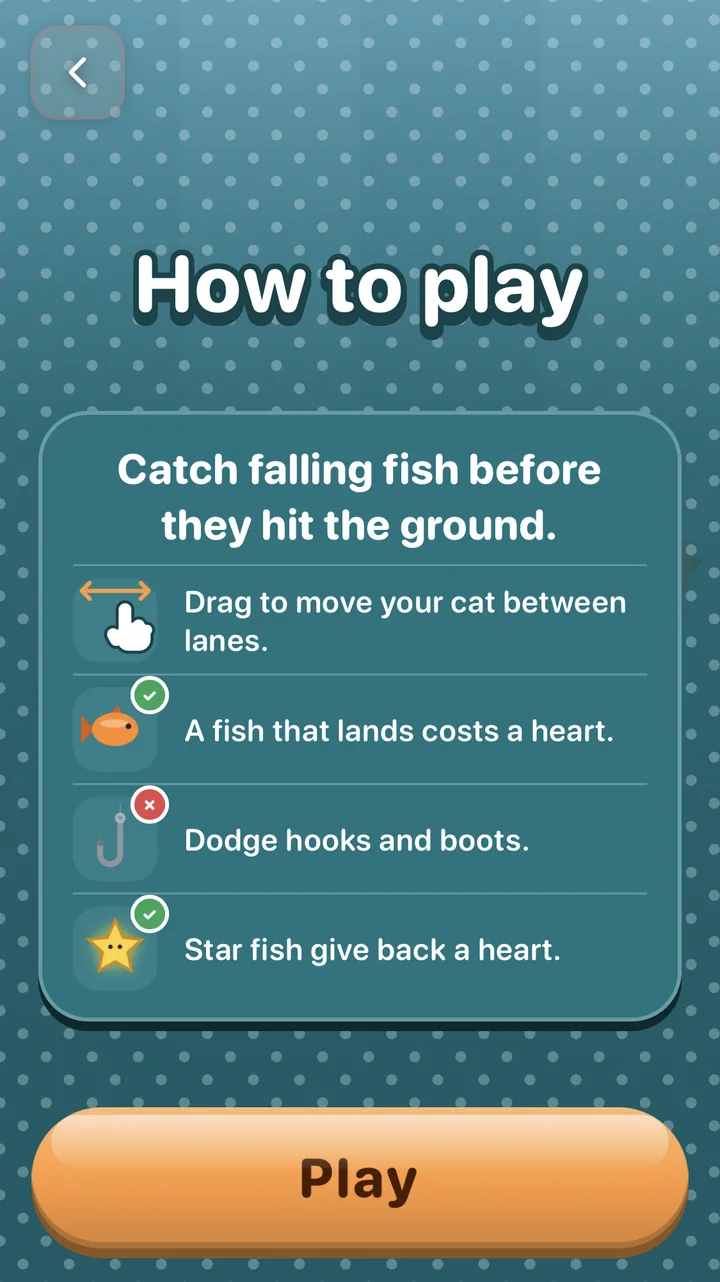
Many of the best mobile games don't need a joystick at all. One finger is enough. In Hungry Cat Catch, a game we made on Flikk, you just drag to move the cat between lanes, and the How to play screen shows it with a little hand.
| Term | What it means | Say it like this | You've seen it in |
|---|---|---|---|
| One-tap controls | The whole game is played with a single tap. | "Tap to flap" | Flappy Bird |
| Hold-and-release | Holding charges an action, letting go fires it. The longer you hold, the stronger the jump or shot. | "Hold to charge the jump, release to jump" | Stick Hero |
| Tap-to-move | The character walks to wherever you tap. | "Tap anywhere and the character walks there" | Point-and-click adventures |
| Drag-to-move | The character follows your finger while you hold it down. | "Drag your finger to move the ship" | Hungry Cat Catch (on Flikk) |
| Swipe controls | Swiping in a direction triggers an action, like changing lanes, jumping or sliding. | "Swipe left and right to change lanes, swipe up to jump" | Subway Surfers |
| Pull-back aim (slingshot) | Drag backward to set the direction and power, then let go. Often shows a dotted line where the shot will go. | "Pull back to aim, release to shoot, with a dotted aim line" | Angry Birds |
| Drag-and-drop | Pick something up and place it somewhere else, like a tile, a card or a tower. | "Drag towers from the bottom bar onto the map" | Clash Royale |
| Drag-to-cancel | While dragging, moving your finger back to the start cancels the action. | "Drag back to the start to cancel the shot" | Card and ability-aiming games |
| Draw controls | You draw a line or shape and the game uses it as a path, a bridge or a wall. | "Draw a line for the ball to roll on" | Brain It On! |
| Split-screen controls | The left and right halves of the screen do different things. | "Tap left side to move left, right side to move right" | Timberman |
| Multi-touch | The game reads two fingers at once, like moving with one and shooting with the other. | "Move with the left thumb, shoot with the right" | Brawl Stars |
Let the game do some of the work
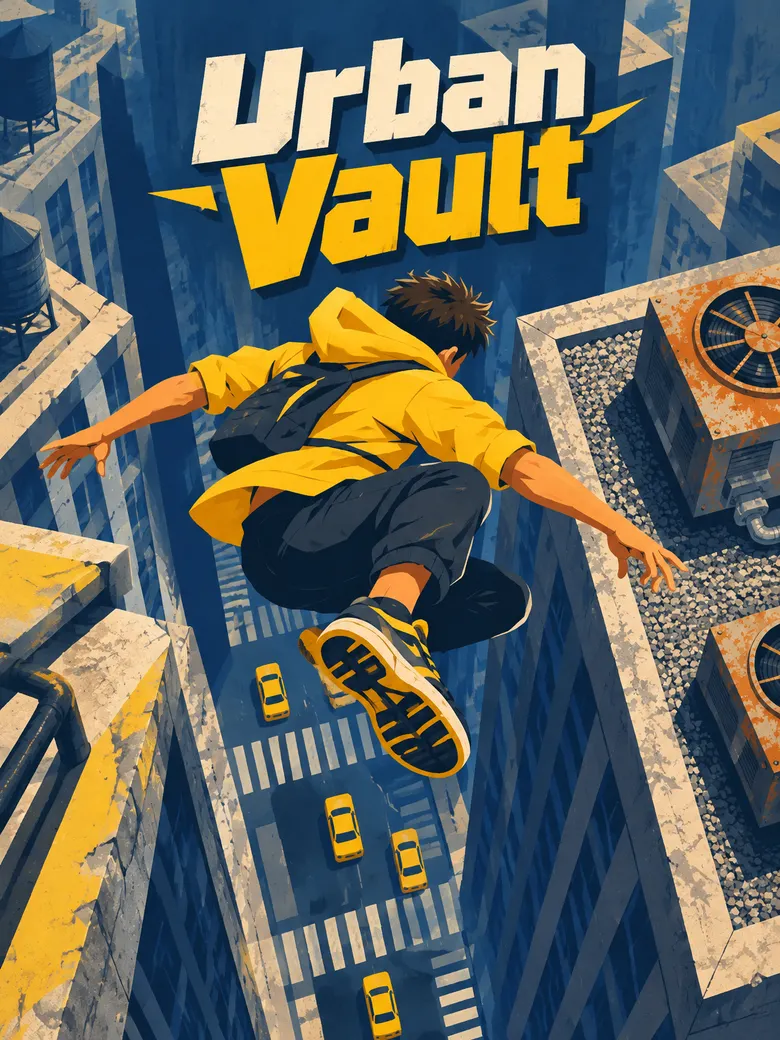
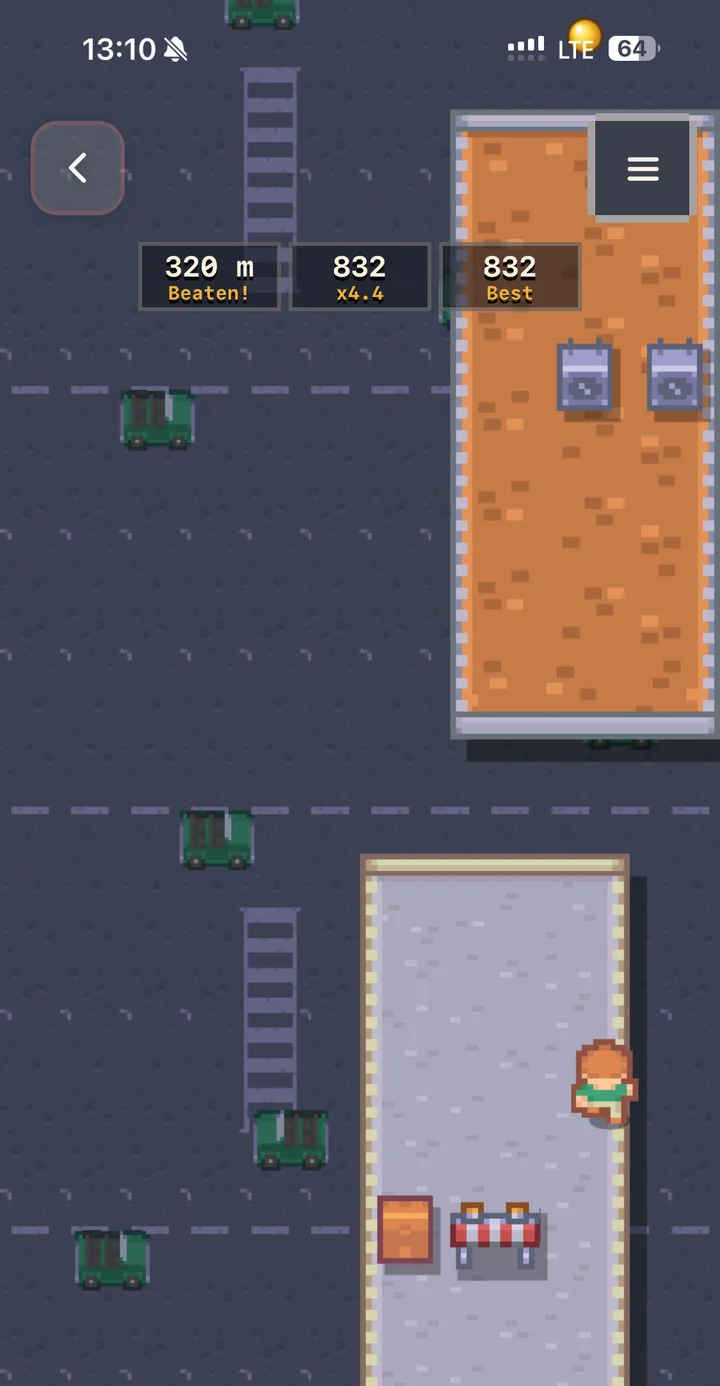
Thumbs are less precise than a mouse. These terms describe how games make up for it. In Urban Vault, a top-down rooftop runner on Flikk, the runner keeps moving on its own, so you can focus on the jumps.
| Term | What it means | Say it like this | You've seen it in |
|---|---|---|---|
| Auto-run | The character keeps moving forward on its own. You only dodge and jump. | "The character runs forward automatically" | Subway Surfers, Urban Vault (on Flikk) |
| Auto-attack | The character attacks the nearest enemy by itself. | "The hero shoots the nearest enemy automatically" | Vampire Survivors, Archero |
| Aim assist | The game helps your shots hit, from a gentle pull toward the target to a full lock-on. | "Shots curve slightly toward the nearest enemy" | Call of Duty: Mobile |
Camera and view
Two questions decide how your game looks on screen: where do we look from, and how does the view move?
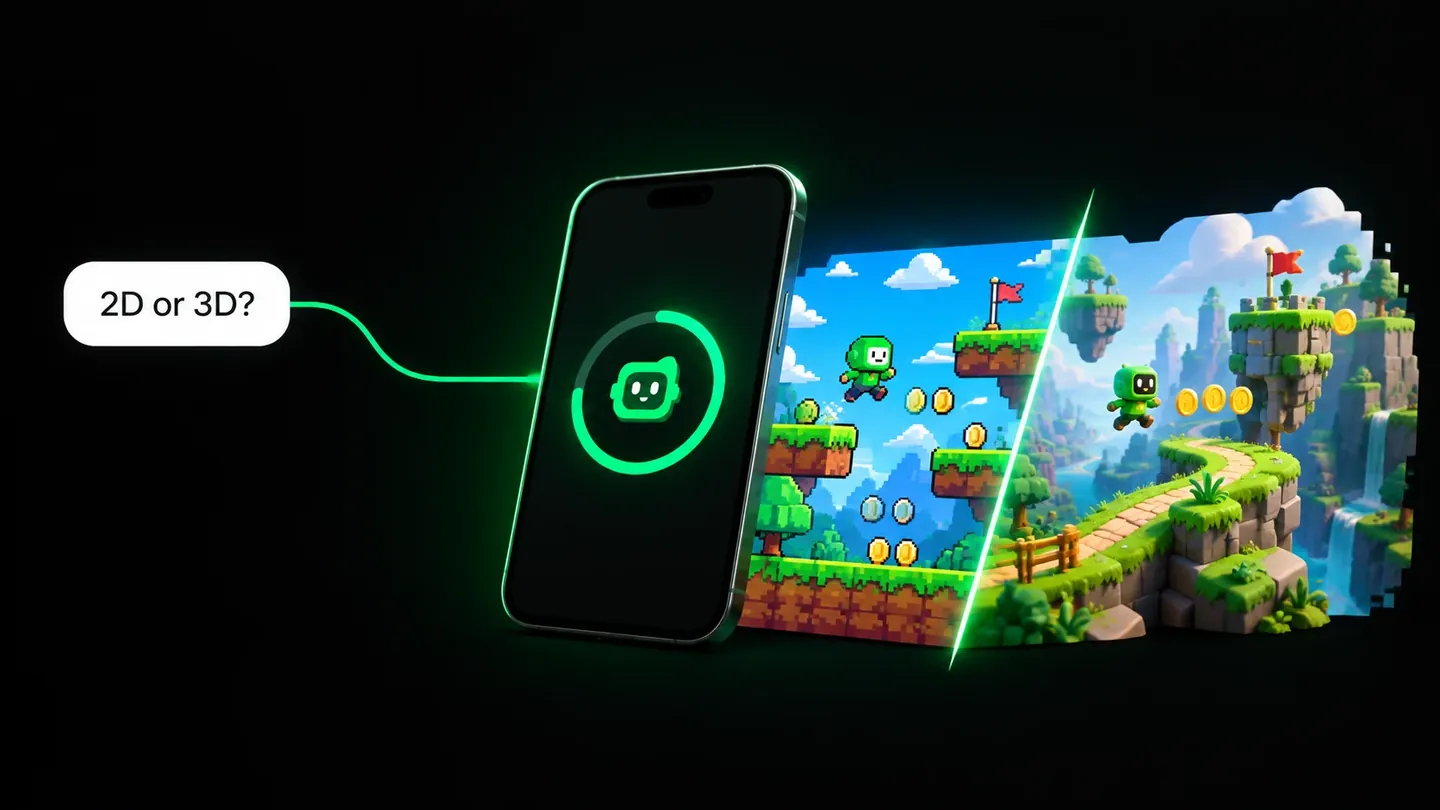
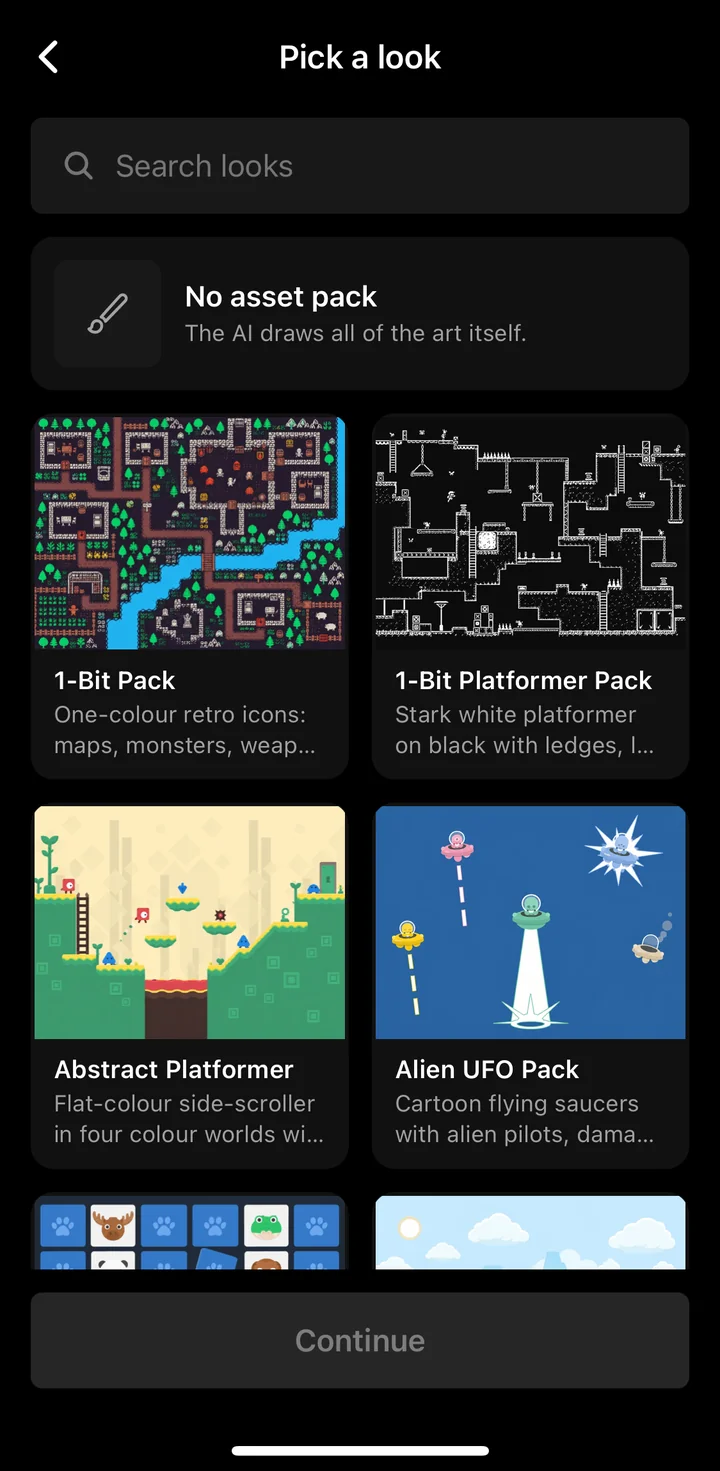
In 2D, you partly answer the first one when you pick a look. Flikk builds the game to fit the asset pack's perspective: a top-down pack gives you a top-down game, a side-view pack gives you a side-scroller.
2D views
| Term | What it means | Say it like this | You've seen it in |
|---|---|---|---|
| Top-down | You look straight down at the world from above. | "A top-down view" | Urban Vault (on Flikk) |
| Side view (side-scroller) | You look at the action from the side, and the level scrolls as you move. | "A side-scrolling platformer" | Jetpack Joyride |
| Vertical scroller | The level scrolls up or down the tall portrait screen. A great fit for phones. | "The screen scrolls upward as you climb" | Doodle Jump |
| Fixed camera | The camera doesn't move. The whole level fits on one screen. | "Each level fits on one screen" | Cut the Rope |
| Camera follow | The camera keeps the player in view as they move. | "The camera follows the player" | Most platformers |
| Camera smoothing | The camera follows with a slight delay instead of snapping. It feels calmer. | "Make the camera follow smoothly" | Most action games |
| Look-ahead | The camera shifts a little toward where you're heading, so you see what's coming. | "Show more of the screen in front of the player" | Fast platformers and runners |
| Camera bounds | Limits that stop the camera from showing past the edge of the level. | "The camera stops at the edges of the map" | Any game with a scrolling map |
| Safe area | The part of the screen not covered by the notch or the home bar. Buttons and scores belong inside it. | "Keep the buttons away from the notch" | Every modern phone game |
3D views
From October 15, 2026, Flikk makes 3D games too. In 3D, the camera matters even more, because it decides what the player can see. Cluck and Boom looks down at the farm at an angle, so you see the enemies coming from every side.
| Term | What it means | Say it like this | You've seen it in |
|---|---|---|---|
| Follow cam (chase cam) | The camera stays behind the player character and follows it. | "A 3D runner with the camera behind the player" | Subway Surfers, Temple Run |
| Over-the-shoulder | A third-person view, slightly offset to one side of the character. Common in shooters. | "An over-the-shoulder camera" | PUBG Mobile |
| First-person | You see the world through the character's eyes. | "A first-person view" | Call of Duty: Mobile |
| Isometric | An angled view from above, at about 45 degrees. | "An isometric view of the island" | Clash of Clans, Cluck and Boom (on Flikk) |
| Free-look | Swiping on part of the screen, usually the right side, turns the camera. | "Swipe on the right side to look around" | PUBG Mobile |
| Orbit camera | The camera circles around a point or object, often with a drag. | "Drag to orbit the camera around the tower" | 3D city builders |
| Field of view (FOV) | How wide the camera sees. Wider shows more, narrower feels closer. | "Make the field of view wider" | Call of Duty: Mobile (settings) |
Game feel: why some games feel good
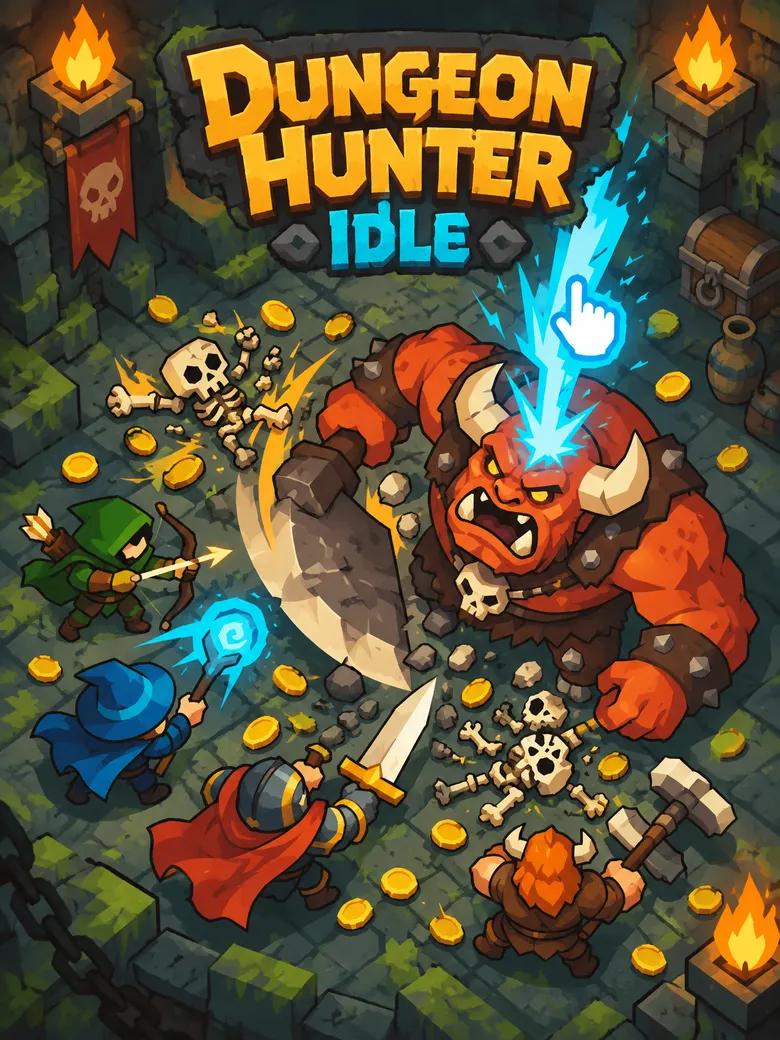
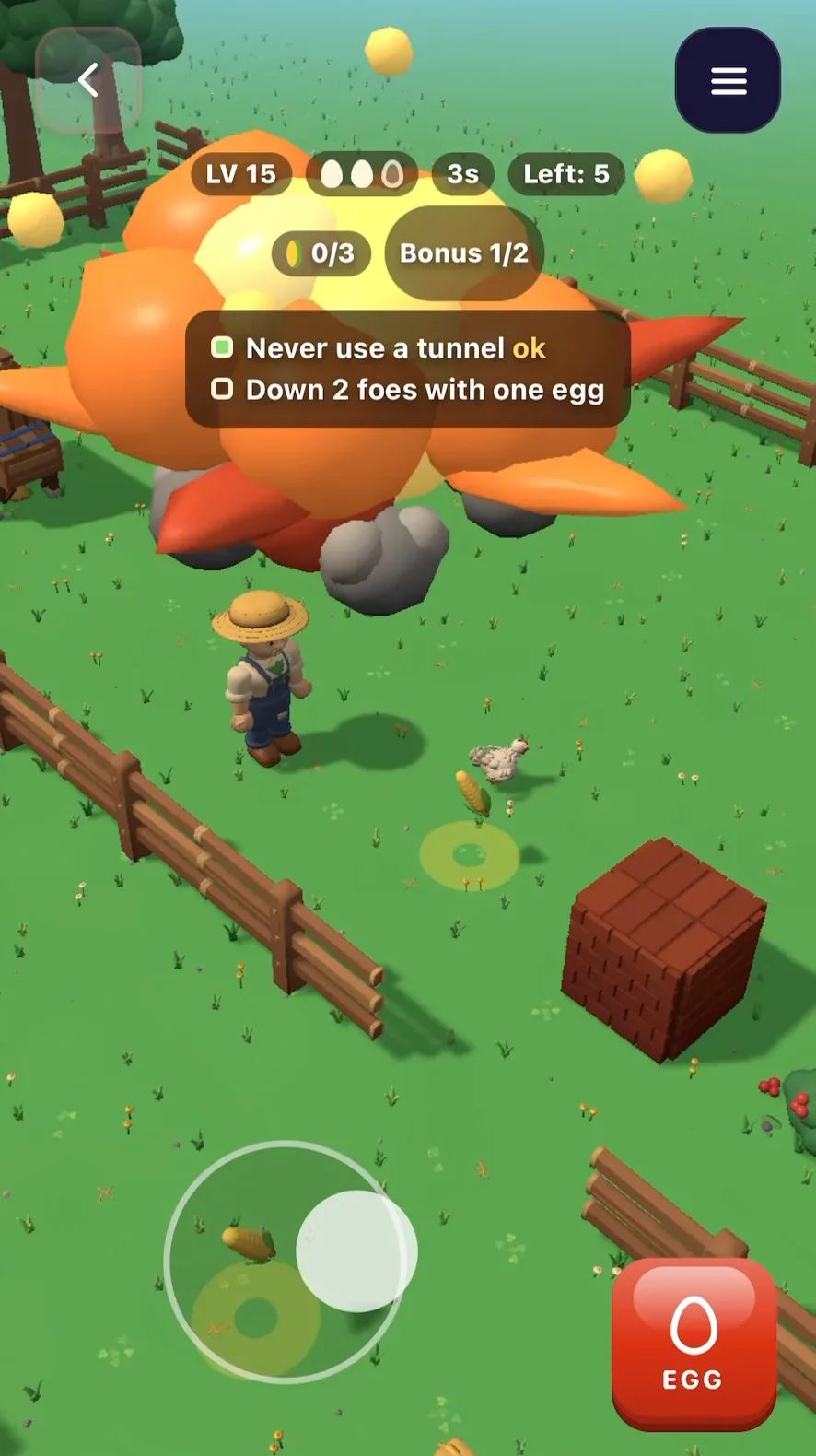
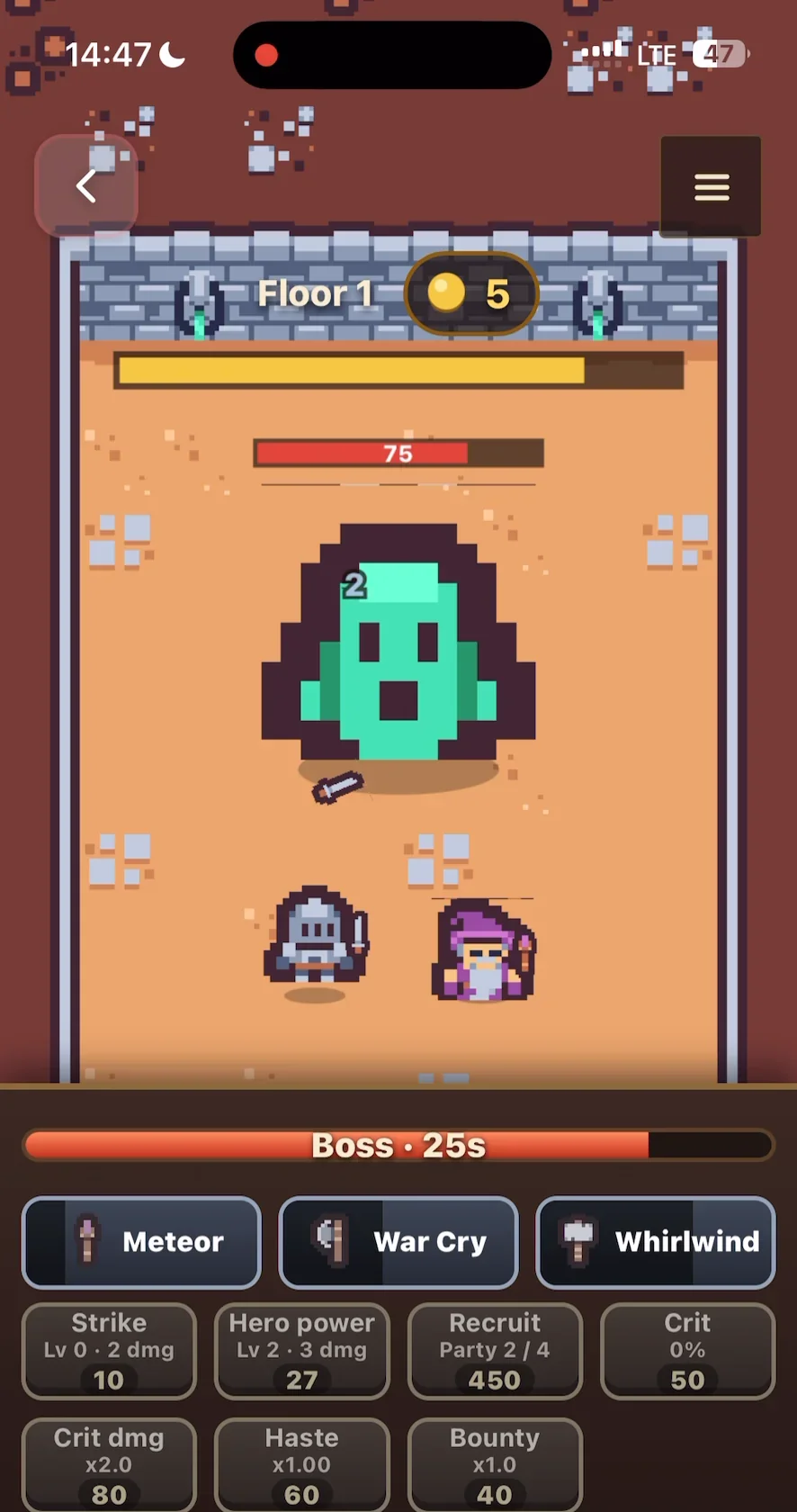
Two games can have the same rules and still feel completely different. The difference is usually in these details. They make great Make Edits requests. In Cluck and Boom, an egg doesn't just land. It goes off in a big orange explosion. In Dungeon Hunter Idle, every hit on the boss shows a small damage number.
| Term | What it means | Say it like this | You've seen it in |
|---|---|---|---|
| Juice | All the extra feedback that makes actions satisfying: particles, bounces, flashes, sounds. | "Add more juice when I clear a row" | Candy Crush Saga |
| Screen shake | The screen jitters for a moment on a big hit or explosion. | "Add a small screen shake when the player gets hit" | Most action games |
| Hit stop | The game freezes for a split second on impact. It makes hits feel heavier. | "Add a short hit stop when a punch lands" | Fighting games |
| Squash and stretch | Objects squish when they land and stretch when they jump. Makes them feel soft and alive. | "Make the slime squash when it lands" | Cartoon-style platformers |
| Damage numbers | Numbers pop out of enemies when you hit them. | "Show damage numbers when enemies get hit" | Vampire Survivors, Dungeon Hunter Idle (on Flikk) |
| Haptic feedback | The phone vibrates on taps, hits or rewards. | "Vibrate the phone when the player crashes" | Most polished mobile games |
| Tutorial hand | An animated finger that shows the player where to tap or swipe. | "Show a hand that demonstrates the swipe at the start" | Most hyper-casual games |
| Touch target | The tappable area around a button, usually bigger than the button looks. | "Make the buttons easier to tap" | Every well-made mobile game |
| Thumb zone | The bottom part of a portrait screen, where thumbs reach comfortably. Put the most-used buttons there. | "Put all buttons at the bottom, within thumb reach" | Every well-made mobile game |
For the bigger ideas behind a game, like the core loop, difficulty curve and retry loop, see our Game Design Glossary.
Game types and mechanics
Naming a game type gives Flikk a whole set of defaults at once: controls, pacing, how you win and lose.
| Term | What it means | Say it like this | You've seen it in |
|---|---|---|---|
| Hyper-casual | A very simple game built around one mechanic you understand in seconds. | "A hyper-casual game where you tap to stack blocks" | Stack, Helix Jump |
| Endless runner | You run until you crash, and chase a high score. | "An endless runner on rooftops" | Subway Surfers, Urban Vault (on Flikk) |
| Level-based vs. highscore | Beat a set of levels, or chase the best score in one long run. Flikk games are one or the other. | "40 short levels" or "an endless run for a high score" | Candy Crush Saga vs. Flappy Bird |
| Match-3 | Swap pieces to line up three or more of the same. | "A match-3 game with fruit" | Candy Crush Saga |
| Merge | Combine two identical items to make a better one. | "Drop two of the same and they merge into the next size" | 2048, Merge Dragons! |
| Survivor-like | You move, your hero attacks automatically, and you survive growing waves while picking upgrades. | "A survivor-like where I pick one of three upgrades on level up" | Vampire Survivors |
| Physics puzzle | Puzzles solved with gravity, bouncing and collisions. | "A physics puzzle where you cut ropes to drop the ball" | Cut the Rope |
| Tower defense | Place towers along a path to stop waves of enemies. | "A tower defense game with 3 tower types" | Kingdom Rush |
| Waves | Enemies arrive in groups, each harder than the last. | "Enemies come in waves that get harder" | Plants vs. Zombies |
| Multiplier gates | Gates you run through that add to, subtract from or multiply your crowd. | "Run through gates like x2 and -5 to grow your crowd" | Count Masters |
For power-ups, boss fights and scoring, see the Game Design Glossary.
Not on Flikk yet
Some popular mobile terms describe things Flikk doesn't build today. If you ask for them, Flikk may leave that part out of your game and tell you why.
| Term | Why it doesn't work yet |
|---|---|
| Landscape mode | Every Flikk game is portrait. Design for a tall screen. |
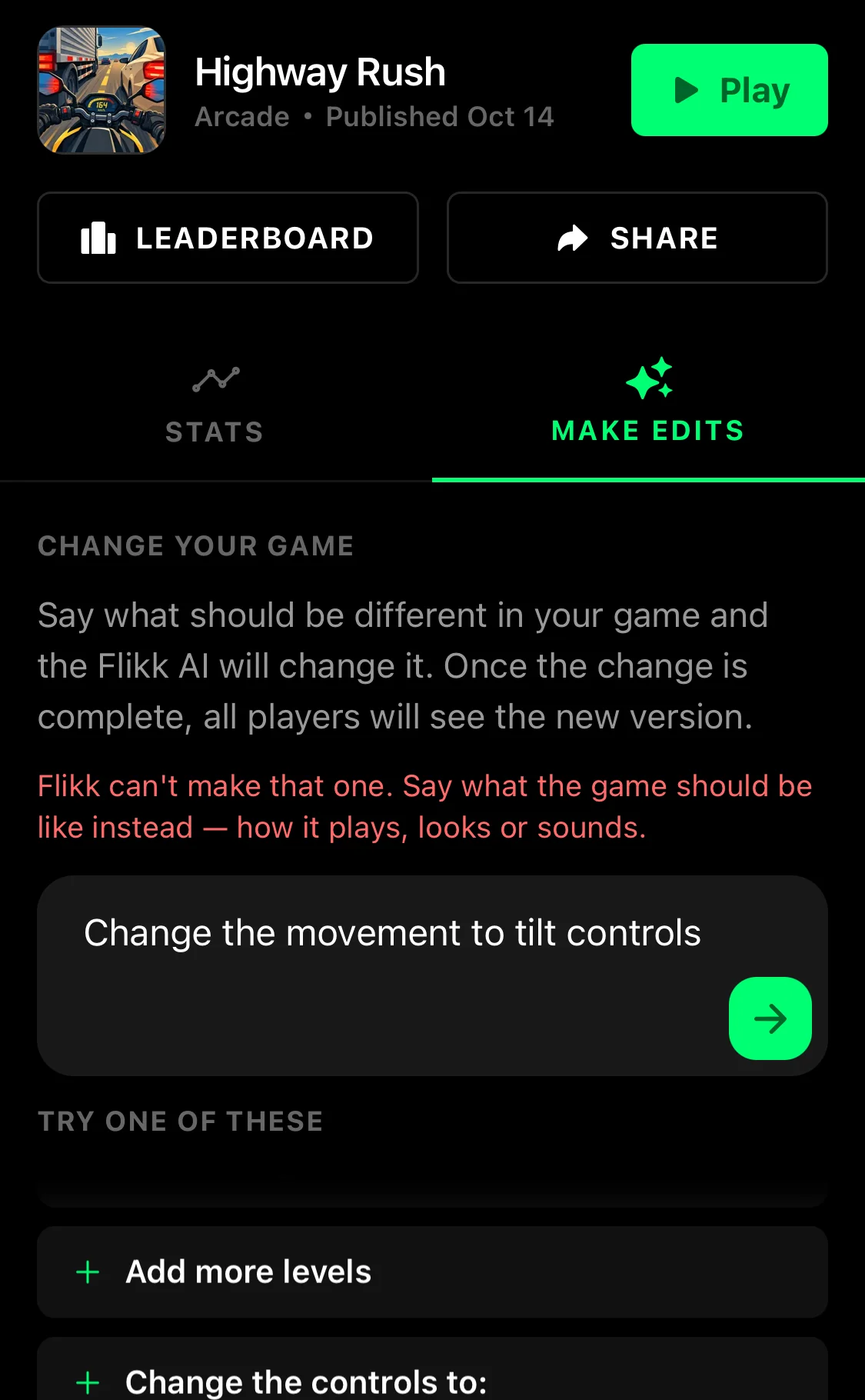
| Tilt controls | Steering by tilting the phone. Use a joystick, swipes or drag-to-move instead. |
| Multiplayer, real-time matches, .io games | Flikk doesn't have multiplayer. You can still send a game to a friend and try to beat each other's score. |
| In-game shops, ads, in-app purchases, battle passes, loot boxes | Rewards belong to the Flikk app, not to single games. Flikk leaves these out of your game. |
Try any term: Flikk tells you if it can't
Don't let these lists hold you back. Try any term you like, from this page or from anywhere else. If Flikk can't build it yet, you'll see a short warning right away, before anything is built. We tried to switch a game to tilt controls, and this is what we got:
Is there a feature you'd love to see on Flikk? Tell us. Email us at help@getflikk.com, or leave your feedback in the Flikk creator Discord. We read everything, every day.
Join the Flikk creator Discord
Once you've made your first game, you can join the Flikk creator Discord. Open the Profile tab, go to Your Games, and tap Link Discord. Linking your Discord account lets you in.
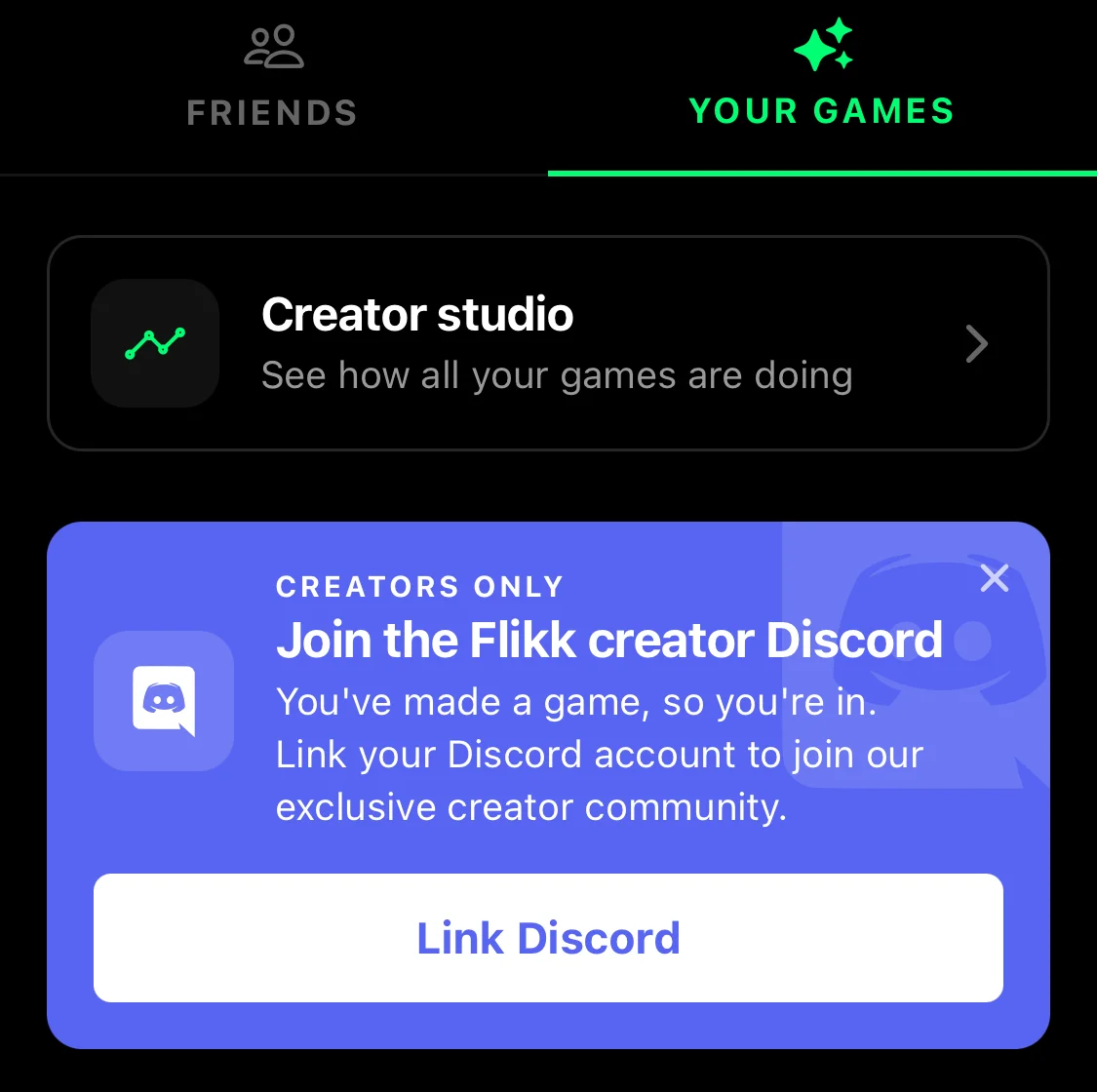
We'd love every creator to join. It's where we see what the community wants and what we should improve next. There are also lounges where you can hang out, share your games and meet other creators.
We want Flikk to be the best app for making your own games, and we can't get there without you. Every idea and every request helps us decide what to build next.
Putting it together
Here's the same game described two ways.
Without the words:
"A game where a little guy shoots monsters by himself and you move him with your finger anywhere on the screen, and the camera is above, and more monsters keep coming, and you pick powers when you level up."
With the words:
"A top-down survivor-like. Floating joystick on the bottom half, auto-attack on the nearest enemy, waves that get harder every 30 seconds, and pick one of three upgrades on level up. Add screen shake and damage numbers on hits."
The second one is shorter, and it answers the questions the first one leaves open: what kind of joystick, where the camera is, how the attacks work and how the game gets harder. Flikk writes a game plan from your words before it builds anything, so you can check it got everything right.
This is an example prompt, not one we've built yet. Try it, play it, and fix what's missing with Make Edits.
Try it yourself
Pick two or three terms from this page that match the game in your head. Open the Create tab, describe your game in a sentence or two, and Flikk builds it in about 15 minutes. Then play it, and use the words above to tell Flikk what to change.
Flikk is free on iOS and Android, and making games is free to start.
Download Flikk on iOS · Download Flikk on Android
FAQ
What is a floating joystick?
A floating joystick is an on-screen joystick that appears wherever your thumb first touches the screen, instead of sitting in one fixed spot. When you let go, it disappears. It's common in mobile games because the control is always right under your thumb.
What's the difference between a fixed and a floating joystick?
A fixed joystick always sits in the same place, so you have to put your thumb on it. A floating joystick appears wherever you touch. A following joystick goes one step further: it moves along with your thumb if you drag past its edge.
Can I make 3D or landscape games on Flikk?
3D yes, from October 15, 2026. Landscape not yet: every Flikk game is portrait, made for a tall screen.
What happens if Flikk can't make what I ask for?
Flikk shows a short warning ("Flikk can't make that one") and asks you to describe the game another way. Nothing is built and nothing changes in your game. If you'd like to see the feature on Flikk, email help@getflikk.com or tell us in the Flikk creator Discord.
How do I join the Flikk creator Discord?
Make your first game, then open the Profile tab in Flikk, go to Your Games and tap Link Discord. Once your Discord account is linked, you're in.
Do I need to know game design terms to make a game?
No. One sentence about what the player does is enough, and Flikk fills in the rest. The terms help when you want something specific, like a certain kind of joystick or more screen shake.
Is Flikk free?
Flikk is free on iOS and Android, and making games is free to start. As of October 2026, a new game costs 100 Tokens and each edit costs 25 Tokens. Flikk is available in the US.