How to Make a Racing Game Without Coding (on Your Phone)
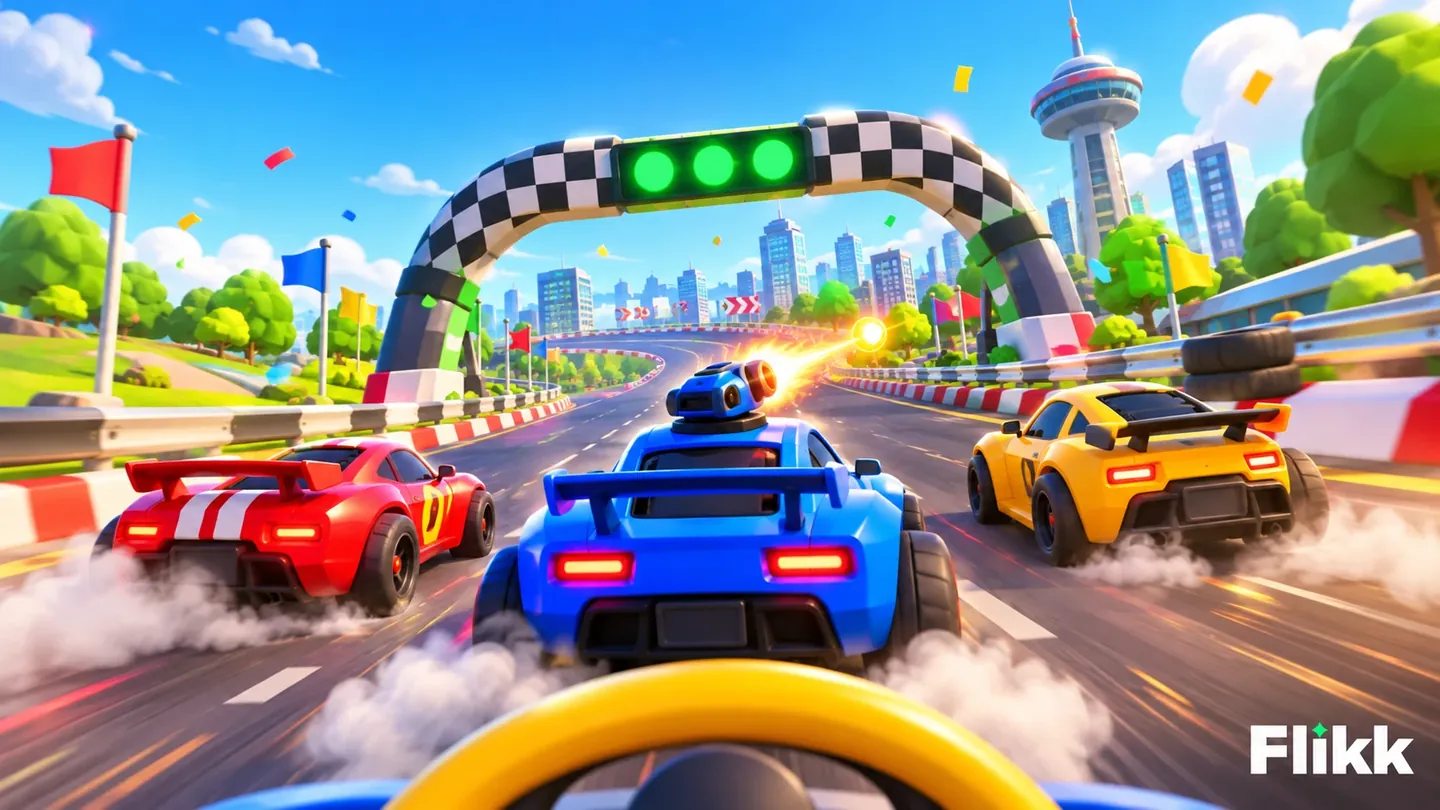
We described a racing game with a steering wheel, turrets and a brake, and Flikk built it in 3D. Here's the prompt, what came out, and how to make your own racing game.
In this article
Racing games are one of the first things people want to make. A track, a few cars, a finish line. On Flikk, you don't need a game engine or a single line of code. You describe the race, and Flikk builds it.
We did exactly that, and got Spinfire Raceway, a 3D racing game with a steering wheel, turrets and a brake. Here's the prompt we used, what came out, and how to make your own.
What makes a good racing game?
Every racing game, from kart racers to Formula 1, is built from the same few parts:
- A track with turns, so steering matters.
- Opponents to race against, so there's someone to beat.
- Laps and a timer, so you know how you're doing.
- Controls that feel good on the screen you play on.
On a phone, that last one is the tricky part. There's no gamepad, so the controls have to fit under your thumbs. That's why our prompt was mostly about controls.
The prompt
We opened the Create tab, switched on 3D, and typed:
"A racing game where there is a wheel for steering in the bottom middle of the screen. Make the circuit wide enough for 3 cars side by side. Also add turrets on the cars that are fired with a button. If the player steers the wheel 120 degrees really fast, the car turns 180 degrees. The car accelerates on its own. And add a brake button"
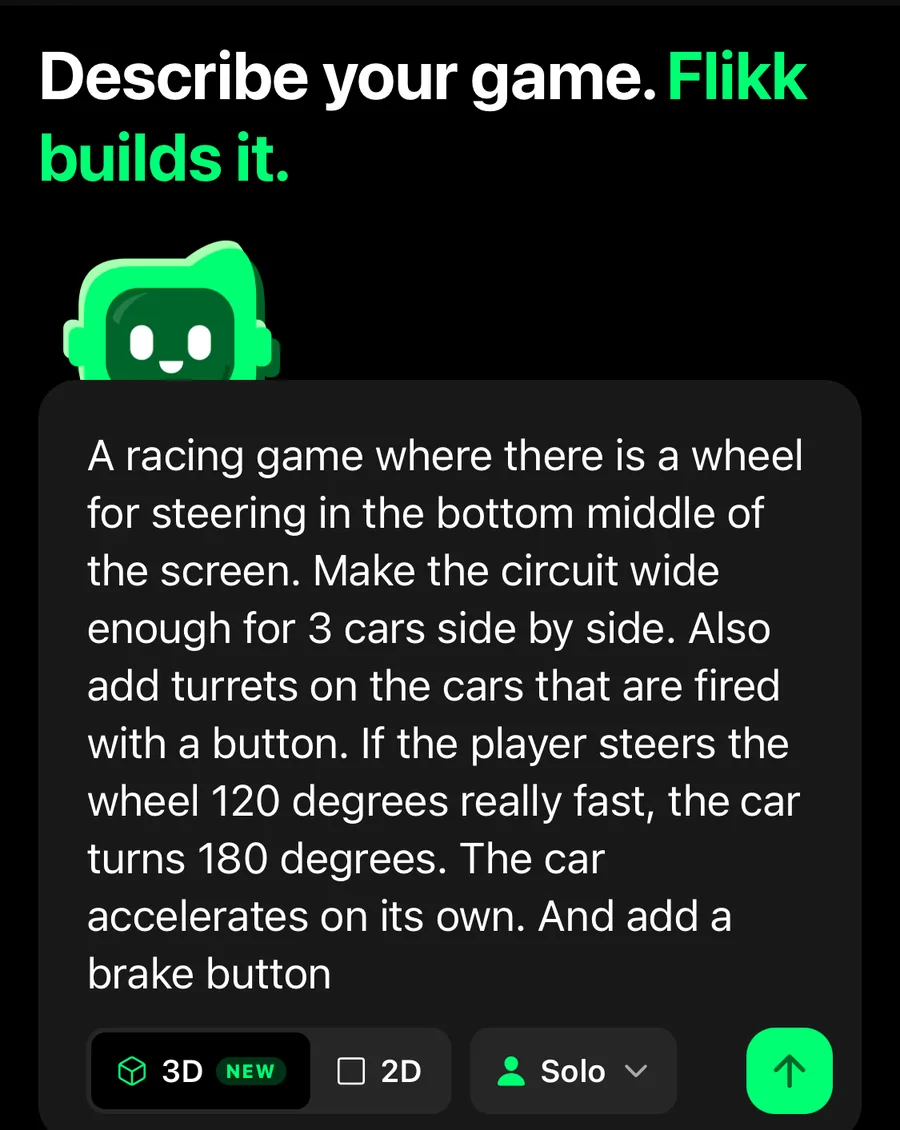
Each sentence answers one question: how do I steer, how wide is the track, what's special, how do I go and how do I stop. That's a good recipe for any racing prompt.
The game plan
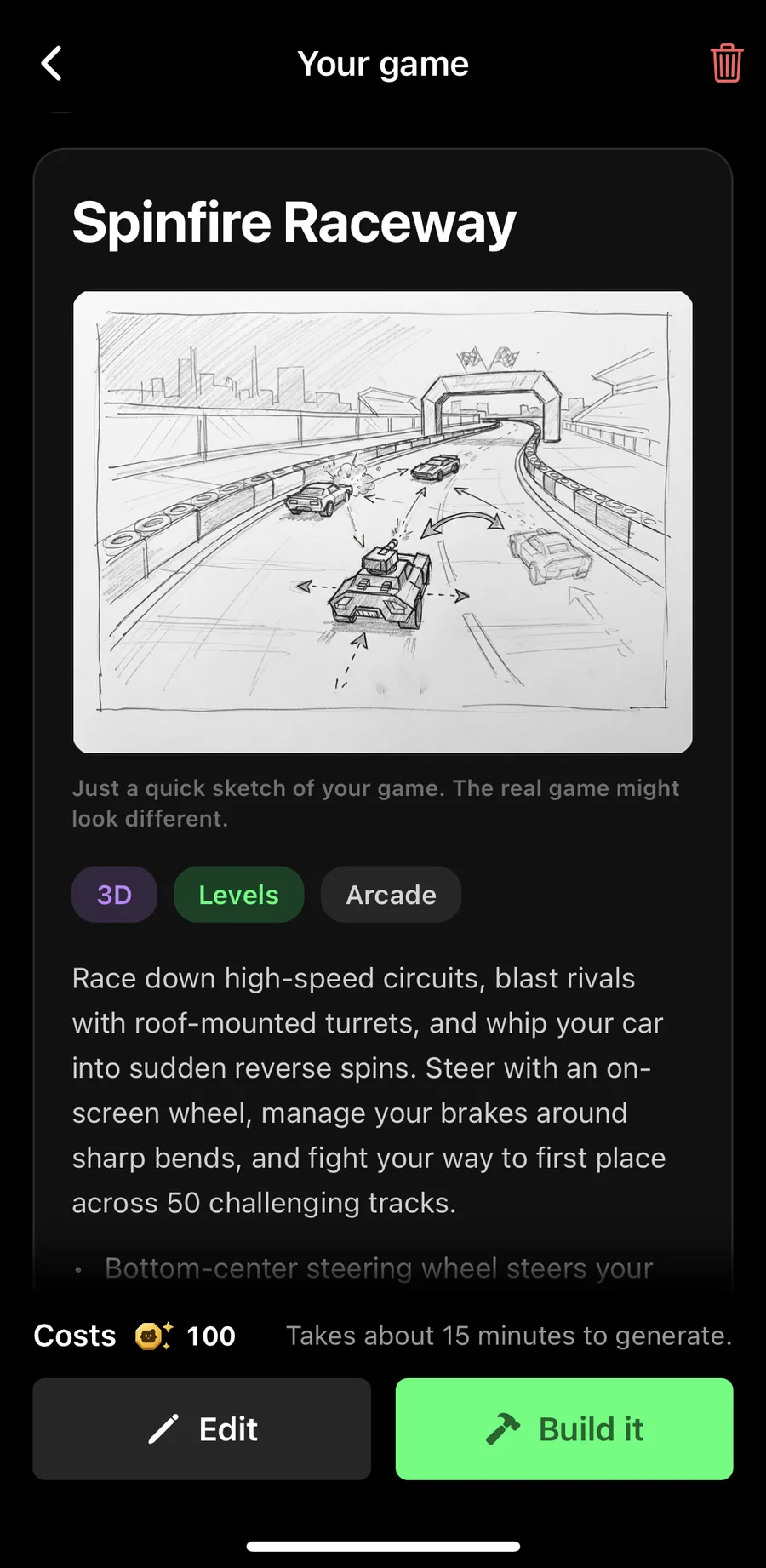
The game plan is free, and it came back as Spinfire Raceway. The sketch already showed cars with turrets on a wide track:
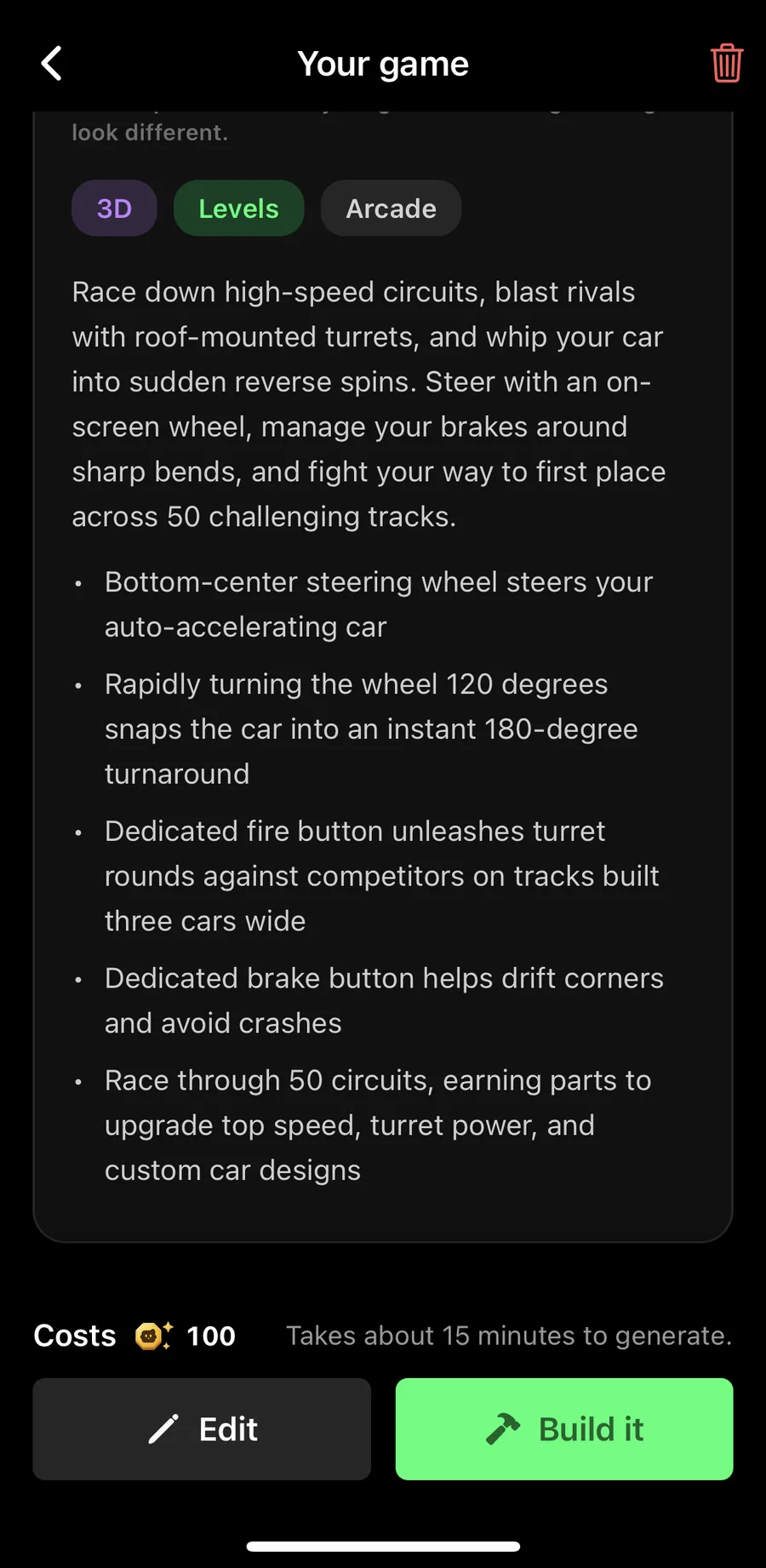
And every detail from the prompt made it into the rules, from the bottom-center steering wheel to the instant 180-degree turn:
We tapped Build it (100 Tokens), and about 15 minutes later, the game was ready.
What came out: Spinfire Raceway
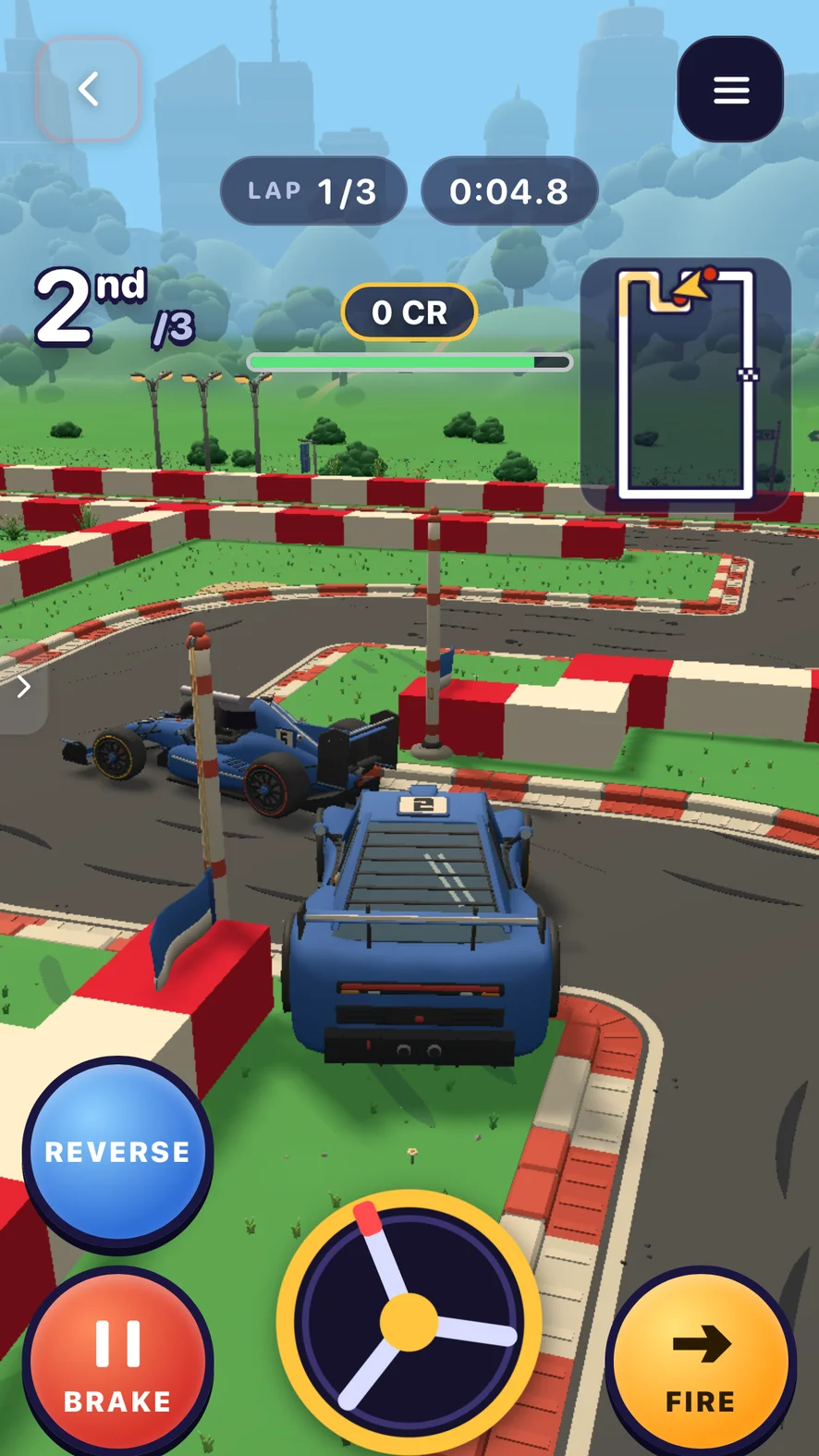
The race starts under a checkered arch with a row of start lights. Your blue car is number 2, with two other cars right next to you on a track built three cars wide.
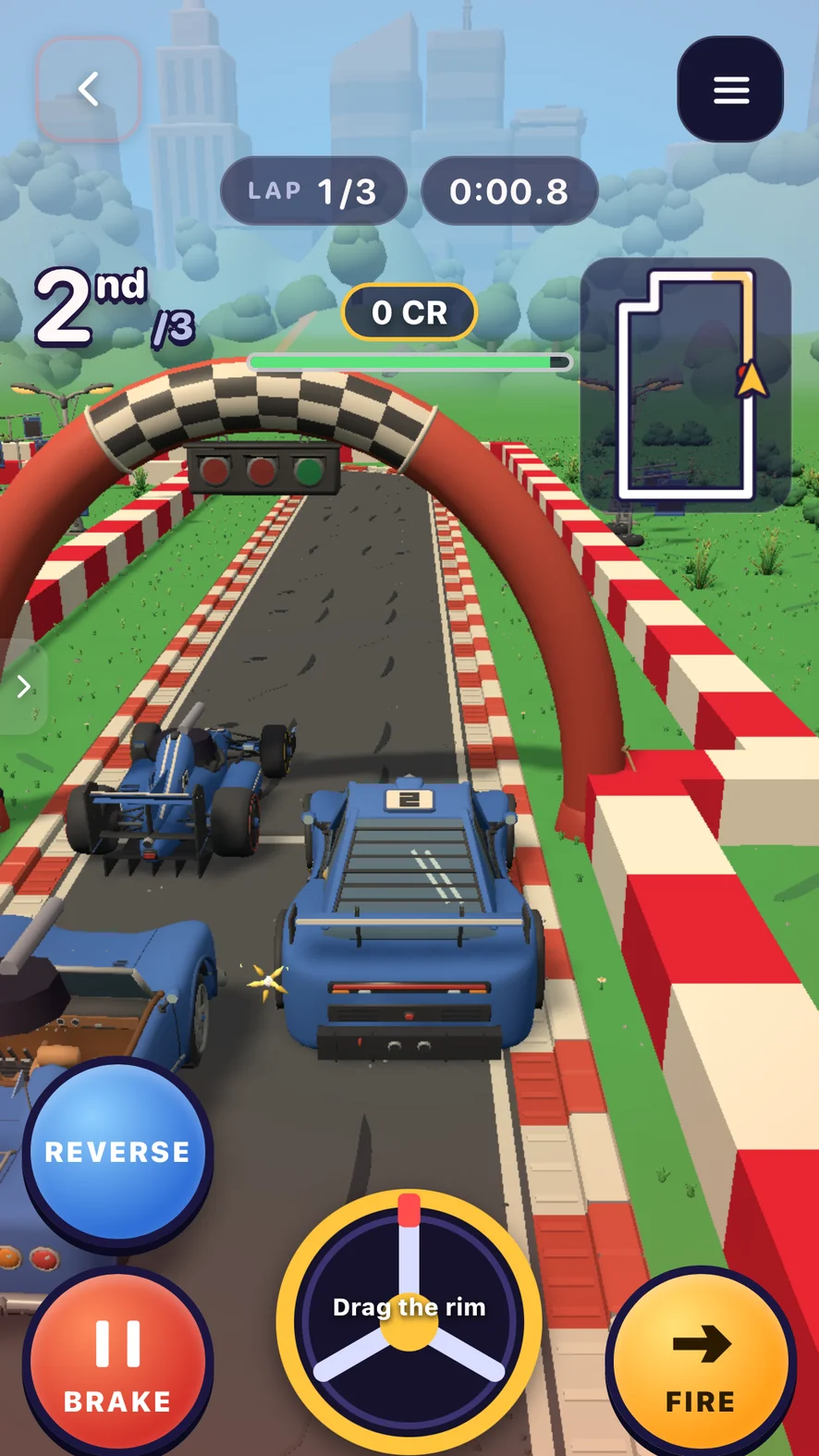
Everything a racing game needs is on the screen:
- Lap 1/3 and a timer at the top.
- Your position: 2nd of 3.
- A mini-map of the track in the top right, with your car on it.
- The steering wheel in the bottom middle. The first time, it says "Drag the rim".
- Reverse, Brake and Fire buttons around it.
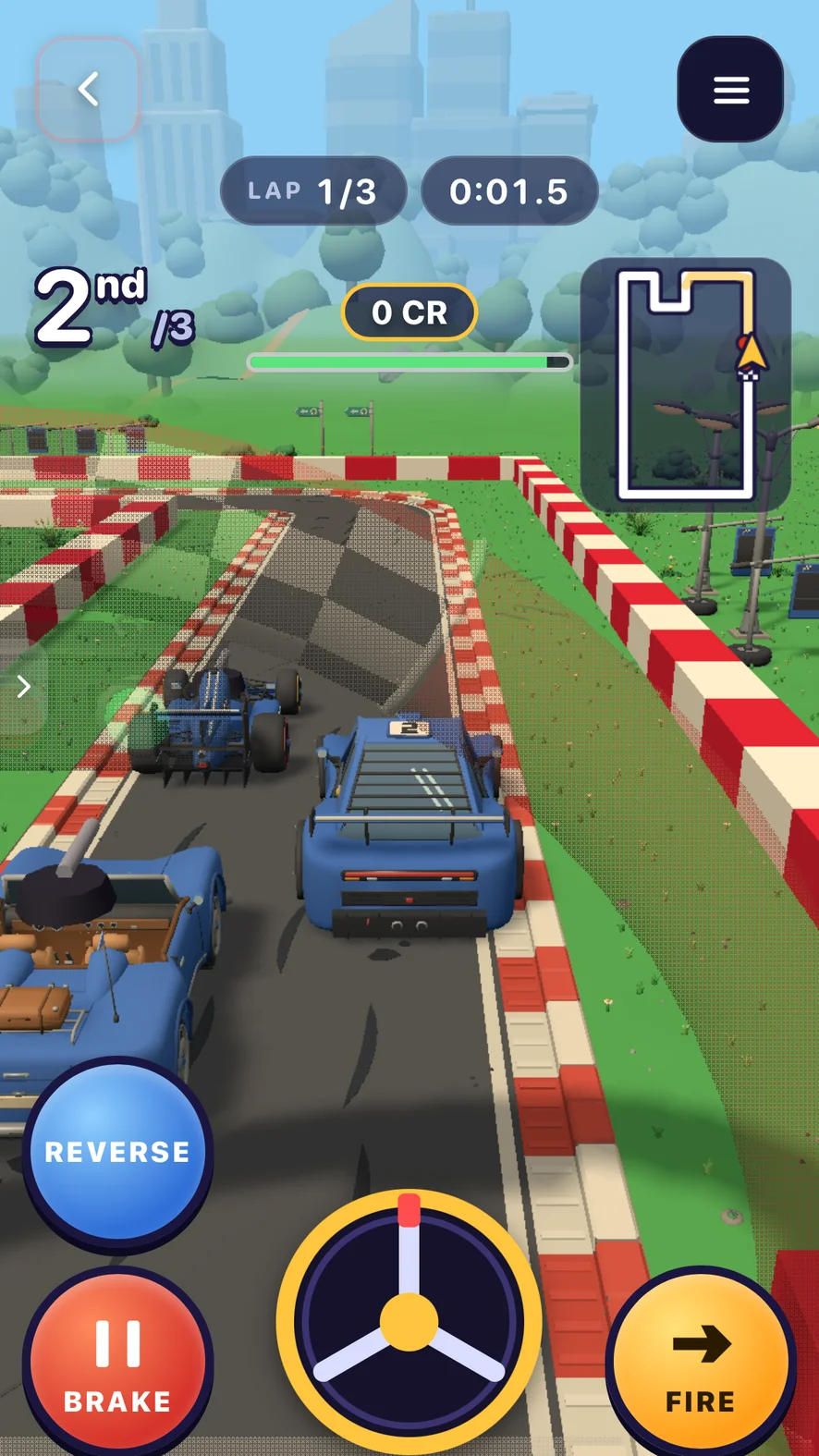
The car speeds up on its own, just like we asked. So your thumbs only do three things: steer, brake and fire. Turn the wheel, and you can see it rotate under your thumb as the car takes the corner.
Make your own: racing prompts to copy
Copy one of these into the Create tab, or mix them. Getting a game plan is free, so try a few and build the one you like most.
- "A kart racing game on a candy track. Tap the left and right sides of the screen to steer. Collect boost pads on the road."
- "A top-down racing game in a city at night. The player drags a finger to steer, and police cars chase the player."
- "A 3D motorbike racing game in the desert. Two buttons for left and right, and a jump button for ramps."
- "An endless racing game on a highway. The car drives on its own, swipe left or right to change lanes and dodge traffic."
- "A racing game against the clock. One car, a twisty mountain road, and a gold, silver or bronze medal depending on the time."
The trick from our prompt works for all of them: say how you steer, what's on the track and what's special about your race.
Tune it with Make Edits
Once the game is built, open Make Edits and change one thing at a time. Each edit costs 25 Tokens and takes about 5 minutes.
- Too hard? "Make the other cars a bit slower and make the track barriers softer."
- Too easy? "Add a fourth opponent who drives faster and takes the inside line."
- More exciting? "Add boost pads on the straights and a speed meter at the top."
- A reason to replay: "Show the best lap time and give a star for beating it." More ideas in our post on game progression.
- Better feel: "Shake the screen a little when the car hits a barrier, and add sparks." See game feel for more.
Tips for a fun racing game on mobile
- Keep the controls under the thumbs. Buttons in the bottom corners, steering in the middle or on the sides. More in our guide to mobile game controls.
- Let the car accelerate on its own. One less thing to hold means more focus on steering.
- Make the track wide at first. Narrow tracks on a small screen get frustrating fast.
- Show where you are. A lap counter, your position and a mini-map make every race readable.
- Keep races short. Three laps of about a minute each is plenty on a phone.
FAQ
Can I make a racing game without coding?
Yes. On Flikk, you describe the racing game in the Create tab, like "a racing game with a steering wheel and a brake button", and it's ready to play in about 15 minutes. No code needed.
Can I make a 3D racing game on my phone?
Yes. Switch on 3D in the Create tab before you send your prompt. Spinfire Raceway is a 3D racing game made that way.
How do you control a racing game on a phone?
Common options are an on-screen steering wheel, left and right buttons, tapping the sides of the screen or swiping to change lanes. Letting the car accelerate on its own keeps the controls simple.
How long does it take to make a racing game on Flikk?
About 15 minutes for the first version. After that, each change with Make Edits takes about 5 minutes.
How much does it cost?
Getting a game plan is free. Building a game costs 100 Tokens, and each edit costs 25 Tokens. You can buy Tokens as an optional in-app purchase.